> For clean Markdown content of this page, append .md to this URL. For the complete documentation index, see https://learning.postman.com/llms.txt.
# Create and manage API scorecards
Create and manage scorecards to measure API quality across different metrics. You can choose from a variety of metrics, for example, runtime health, test quality, and spec quality. Set thresholds for each metric to determine when an API is healthy, needs attention, or is critical.
Once you create a scorecard, you can apply it to any API in your catalog to see how that API scores based on the defined metrics and thresholds.
## Create a custom scorecard
To create a custom scorecard, do the following:
1. Go to **API Catalog > Scorecards**.
2. Click **Create Scorecard** and complete the **Basics** step.
* **Name** (required)
* **Description**
* **Default Filters** to pre-filter which services the scorecard applies to, using the following options:
* **Tags**
* **Governance Group**
* **Environment** (defaults to **All system environments**)
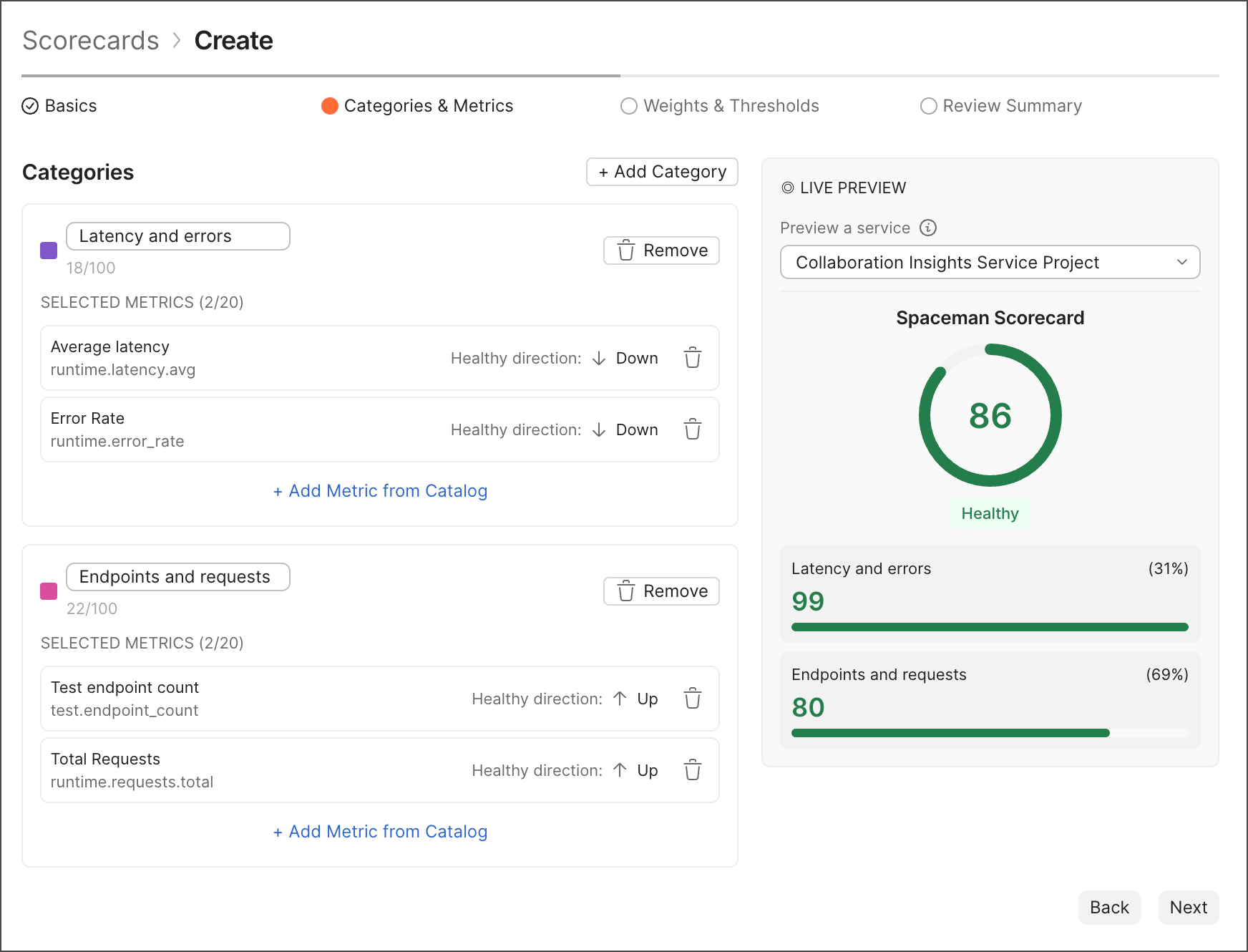
3. Click **Next** to go to the **Categories & Metrics** step, where you can add metrics to the scorecard. Add at least one category with a metric to continue. You can choose from a variety of metrics, including runtime health, test quality, and spec quality. For each metric, you can set thresholds for healthy, needs attention, and critical statuses. Then, preview your scorecard to see how it will look when applied to an API.
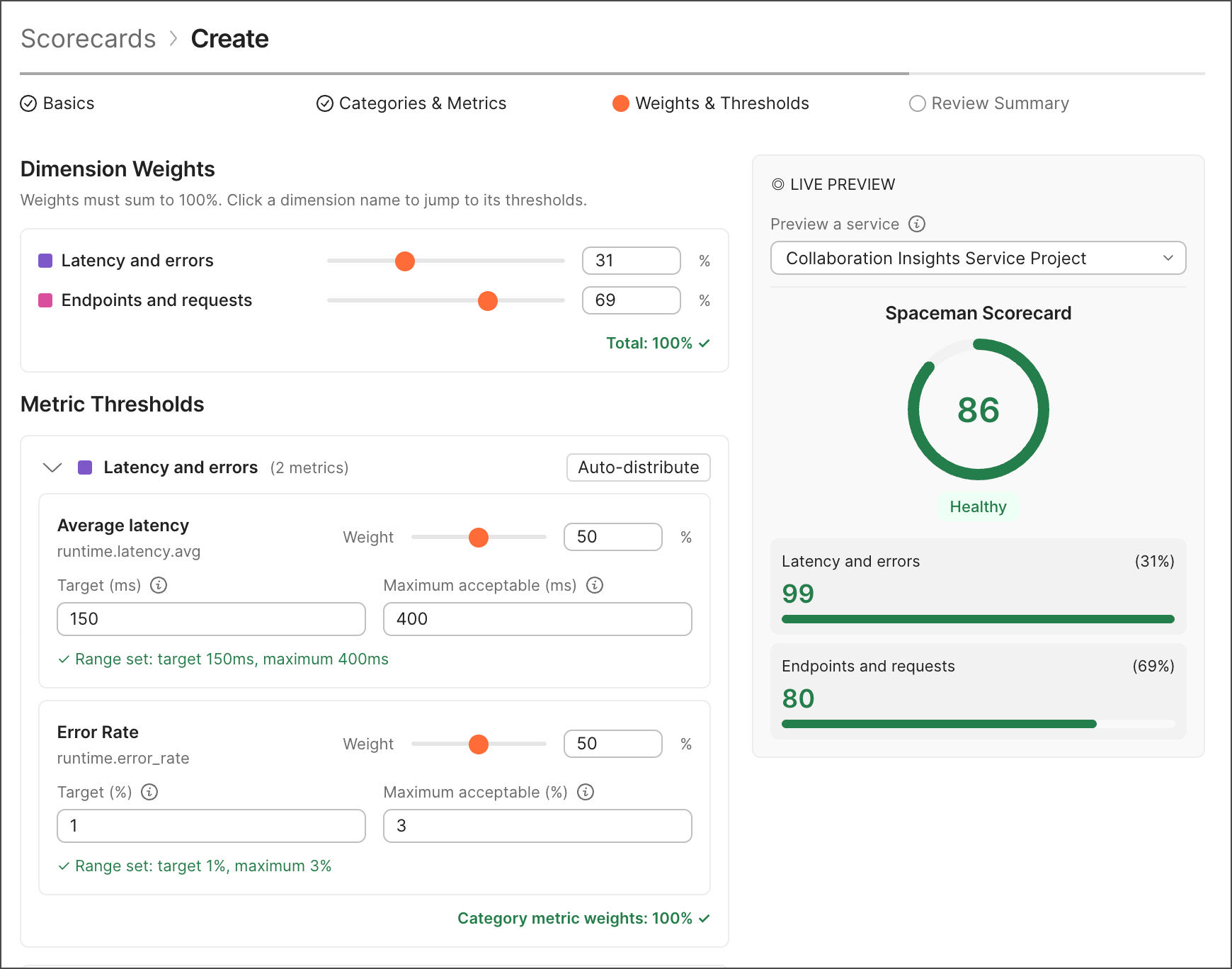
 4. Click **Next** to go to the **Weights & Thresholds** step, where you can assign weights to different categories and set overall score thresholds for the scorecard.
 5. Click **Next** to go to the **Review Summary** step, where you can review your scorecard settings before creating it. You can click **Back** to go back and make changes, or click **Create** to finish creating the scorecard.