***
title: View types and documentation for an API collection
approved: 2025-03-05T00:00:00.000Z
max-toc-depth: 2
ux: v12
-------
Anyone with access to a collection with types can view them for parameters, headers, and body data. They can also view types in [the collection's documentation](/docs/publishing-your-api/viewing-documentation/#viewing-documentation-for-a-collection).
Knowing more details about a requests in a collection, such as a parameter's type or if a header is required, can help others better understand your API. It can also help consumers send valid API requests, so they get successful responses instead of errors.
## View types for parameters, headers, and body data
You can view types for parameters, headers, and body data in a collection. If you enter a value that isn't valid, Postman flags it with an orange underline. Hover over the text or variable with the orange underline to view a tooltip about the issue. This enables you to fix any issues before you send the request.
Open a request and click the **Params** or **Headers** tab. Click an empty value for a query or path parameter or a header to view more details. For example, more details may include the accepted values and default value. A red asterisk next to the key indicates that it's required. The component type, like **string**, also displays next to the key.
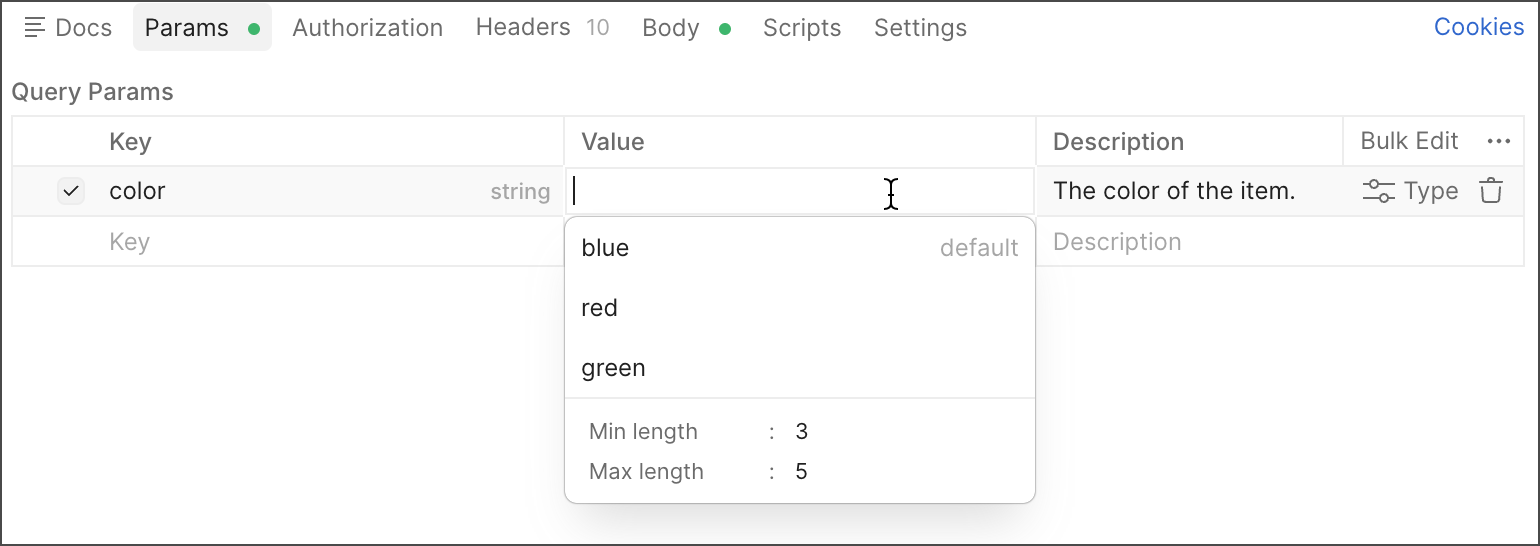
Enter a value for the parameter or header, or select a value from the list if enumerations are defined.
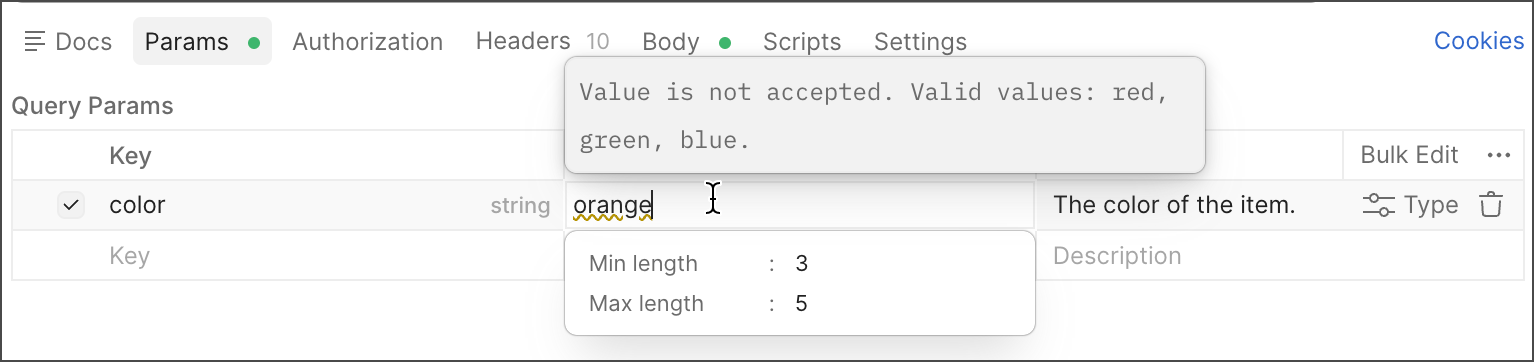
You can also open a request and click the **Body** tab, or open a saved example and go to the response body. Click  **Schema** to show the schema pane. Hover over a key or value in the body data to view more details, such as the description, or view any issues with the body data.
When you [fork](/docs/collaborating-in-postman/using-version-control/forking-elements/) a collection with types, you fork both the collection and types added to request components, such as parameters. Note that changes to types can't be [pulled](/docs/collaborating-in-postman/using-version-control/forking-elements/#pull-updates-from-a-parent-element) into a forked collection, [merged](/docs/collaborating-in-postman/using-version-control/forking-elements/#merge-changes-from-a-fork) into the parent collection, or pulled or merged during the [pull request process](/docs/collaborating-in-postman/using-version-control/creating-pull-requests/).
## View documentation for a collection with types
To [view documentation](/docs/publishing-your-api/viewing-documentation/) for a collection, click the collection's **Overview** tab. Then, click **View complete documentation**.
The documentation for a collection includes any types added to parameters and headers, such as format, allowed values (enumerations), and if the component is required.
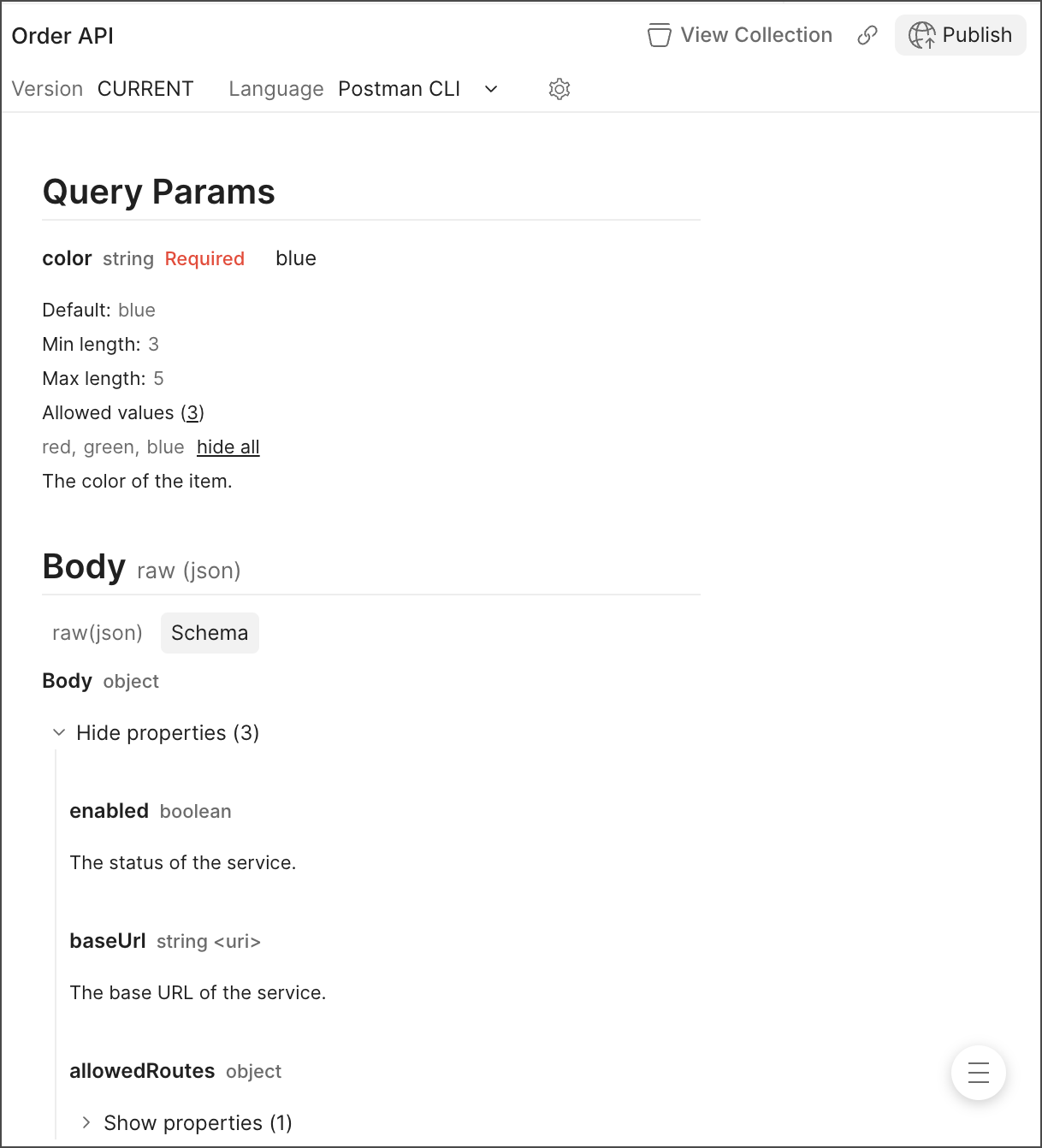
If a request has body data, you can view it in raw (JSON) format or as a schema. When viewing the schema, click **Show properties** to show the body data with its types.
**Schema** to show the schema pane. Hover over a key or value in the body data to view more details, such as the description, or view any issues with the body data.
When you [fork](/docs/collaborating-in-postman/using-version-control/forking-elements/) a collection with types, you fork both the collection and types added to request components, such as parameters. Note that changes to types can't be [pulled](/docs/collaborating-in-postman/using-version-control/forking-elements/#pull-updates-from-a-parent-element) into a forked collection, [merged](/docs/collaborating-in-postman/using-version-control/forking-elements/#merge-changes-from-a-fork) into the parent collection, or pulled or merged during the [pull request process](/docs/collaborating-in-postman/using-version-control/creating-pull-requests/).
## View documentation for a collection with types
To [view documentation](/docs/publishing-your-api/viewing-documentation/) for a collection, click the collection's **Overview** tab. Then, click **View complete documentation**.
The documentation for a collection includes any types added to parameters and headers, such as format, allowed values (enumerations), and if the component is required.

If a request has body data, you can view it in raw (JSON) format or as a schema. When viewing the schema, click **Show properties** to show the body data with its types.