***
title: View live documentation for your API specification
updated: 2025-03-17T00:00:00.000Z
max-toc-depth: 2
----------------
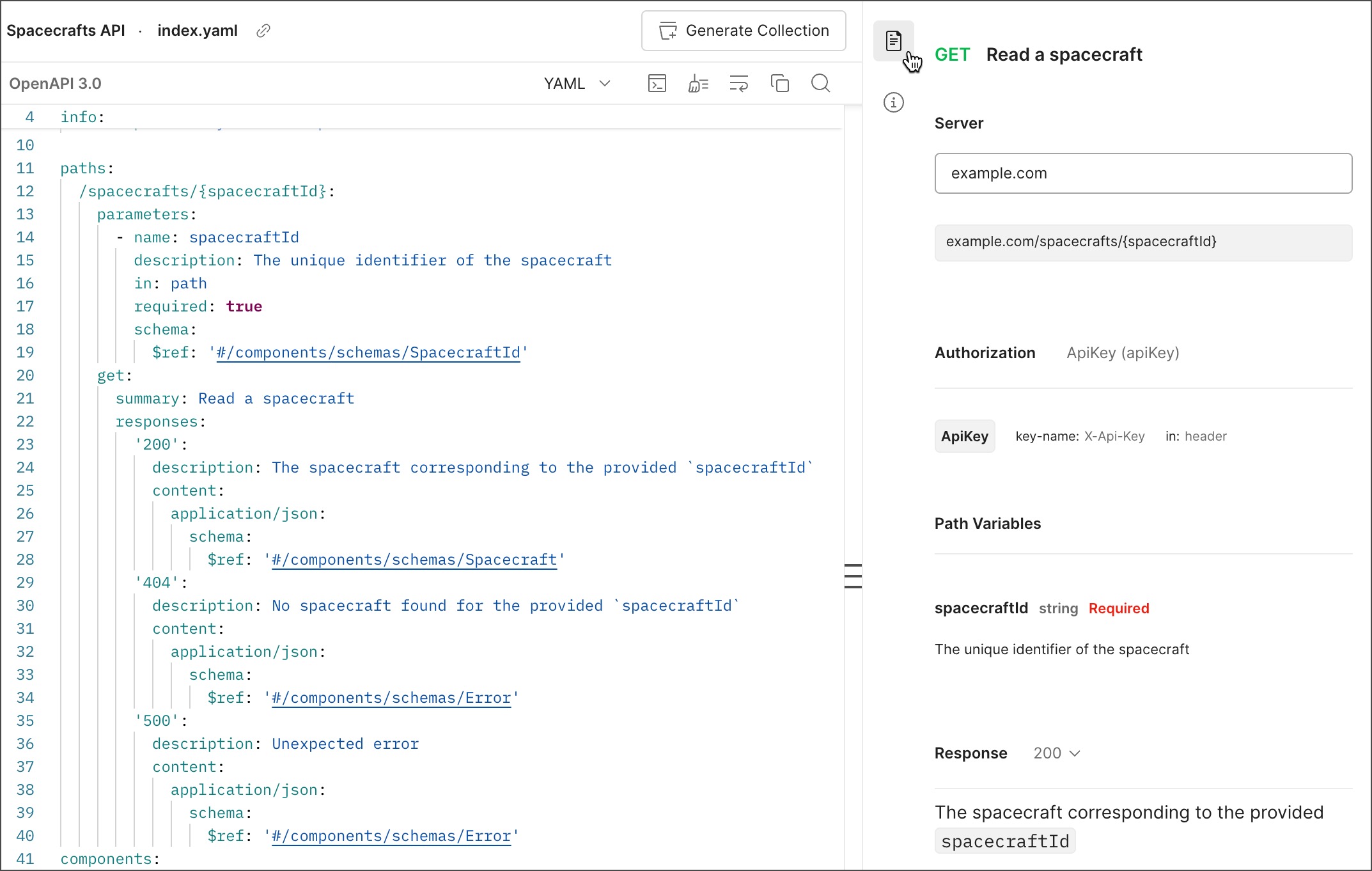
Postman displays a live preview of your API's documentation if you're editing an OpenAPI 2.0, 3.0, or 3.1 specification or AsyncAPI 2.0 specification. The documentation preview is updated as you edit the specification. You can use the preview to help you visualize your changes as you work.
As you edit an OpenAPI specification with [multiple files and folders](/docs/design-apis/specifications/add-files-to-a-specification/), a live preview also displays for your the root and non-root files.
To show the documentation preview, click  **Live preview** in the right sidebar. Click
  **Close** to hide the documentation preview.
You can view live documentation for the following types of sections:
* **OpenAPI** - The live preview shows documentation for `Info`, `Servers`, and `Paths` sections of your specification. Live preview also shows documentation for the following `Components` (OpenAPI 3.0 and 3.1) and `Definitions` (OpenAPI 2.0) sections: `Schemas`, `Responses`, and `Request Bodies`. The preview doesn't show documentation for other sections such as `Security`.
* **AsyncAPI 2.0** - The live preview shows documentation for the `Info`, `Servers`, and `Channels` sections of your specification. The preview doesn't show documentation for other sections such as `Components`.
**Close** to hide the documentation preview.
You can view live documentation for the following types of sections:
* **OpenAPI** - The live preview shows documentation for `Info`, `Servers`, and `Paths` sections of your specification. Live preview also shows documentation for the following `Components` (OpenAPI 3.0 and 3.1) and `Definitions` (OpenAPI 2.0) sections: `Schemas`, `Responses`, and `Request Bodies`. The preview doesn't show documentation for other sections such as `Security`.
* **AsyncAPI 2.0** - The live preview shows documentation for the `Info`, `Servers`, and `Channels` sections of your specification. The preview doesn't show documentation for other sections such as `Components`.
