> For clean Markdown content of this page, append .md to this URL. For the complete documentation index, see https://learning.postman.com/llms.txt. For full content including API reference and SDK examples, see https://learning.postman.com/llms-full.txt.
# Update Postman
Postman regularly releases updates that include new features, improvements, and bug fixes. To ensure you have the best experience with Postman, it's important to keep your app up to date. This page provides instructions on how to check for updates and troubleshoot common update issues.
* To check whether your Postman app is up to date, click  **Settings** in the header, click **App settings**, then click the **Update** tab.
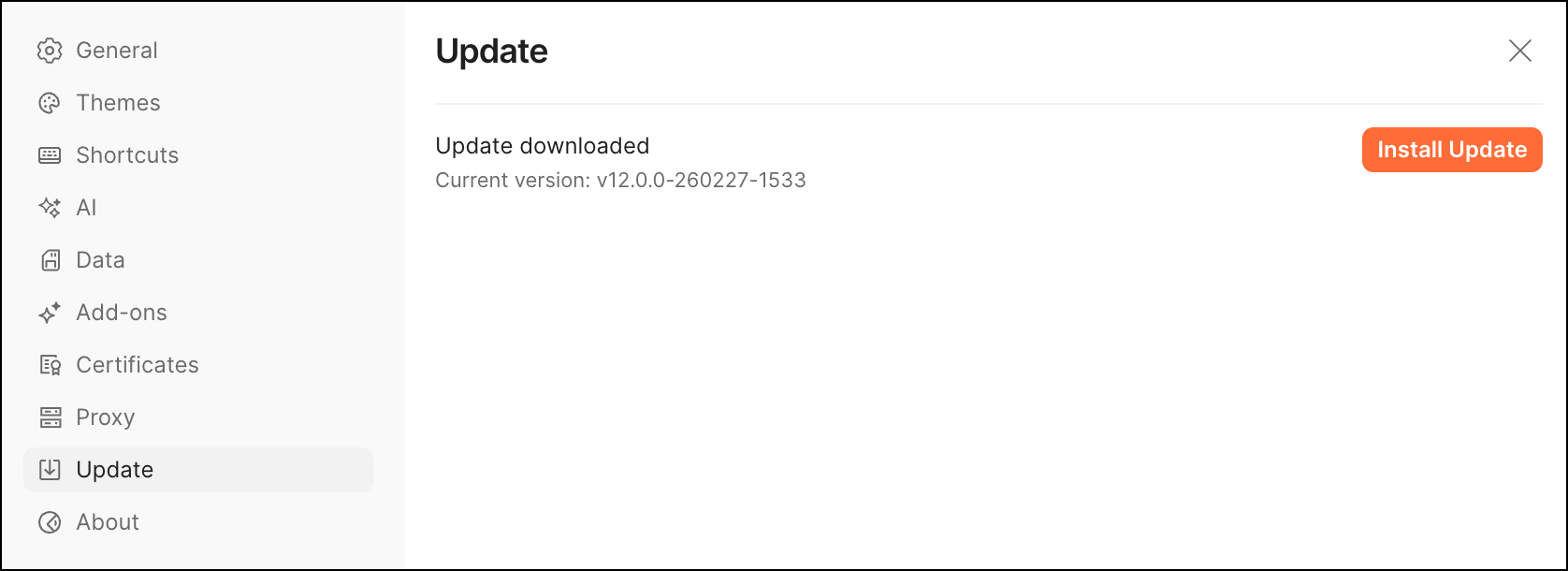 If it's not already up to date, Postman might be waiting for a restart because it has automatically downloaded an update. When you restart Postman, it will install the update (Postman v9.13 and later downloads updates automatically).
* When the **Update** tab says Postman is up to date, you can still check for newer updates. This can happen if Postman went offline after its last update. In this case, click **Check for Updates**.
* When Postman is waiting to install an automatically downloaded update, click **Restart to Install Update**.
If it's not already up to date, Postman might be waiting for a restart because it has automatically downloaded an update. When you restart Postman, it will install the update (Postman v9.13 and later downloads updates automatically).
* When the **Update** tab says Postman is up to date, you can still check for newer updates. This can happen if Postman went offline after its last update. In this case, click **Check for Updates**.
* When Postman is waiting to install an automatically downloaded update, click **Restart to Install Update**.