# Get started with Postman Insights
To get started with Postman Insights, install the Postman Insights Agent and allow it to watch your API traffic. Within minutes, the AI algorithms will discover your endpoints, and you’ll be able to monitor errors across your endpoints.
**Important:** Before installing the Insights Agent, [create an internal workspace](/docs/collaborating-in-postman/using-workspaces/create-workspaces/) that only you and your team can access, and ensure you have [Workspace Admin](/docs/administration/roles-and-permissions/#workspace-roles) access. Insights isn't supported by partner or public workspaces.
Next, you'll enable Insights for your workspace, create a new Insights project, and select your container environment.
## Add Insights to your workspace
To add Insights to your workspace, access your **Workspace settings** and turn on **Insights**.
 ## Create an Insights project
To create an Insights project, select **Insights** from the sidebar and click **Get started**. Alternatively, click **Get started** from the **Welcome to Insights** page. You can also start a project by clicking
## Create an Insights project
To create an Insights project, select **Insights** from the sidebar and click **Get started**. Alternatively, click **Get started** from the **Welcome to Insights** page. You can also start a project by clicking  **Create new Insights project**.
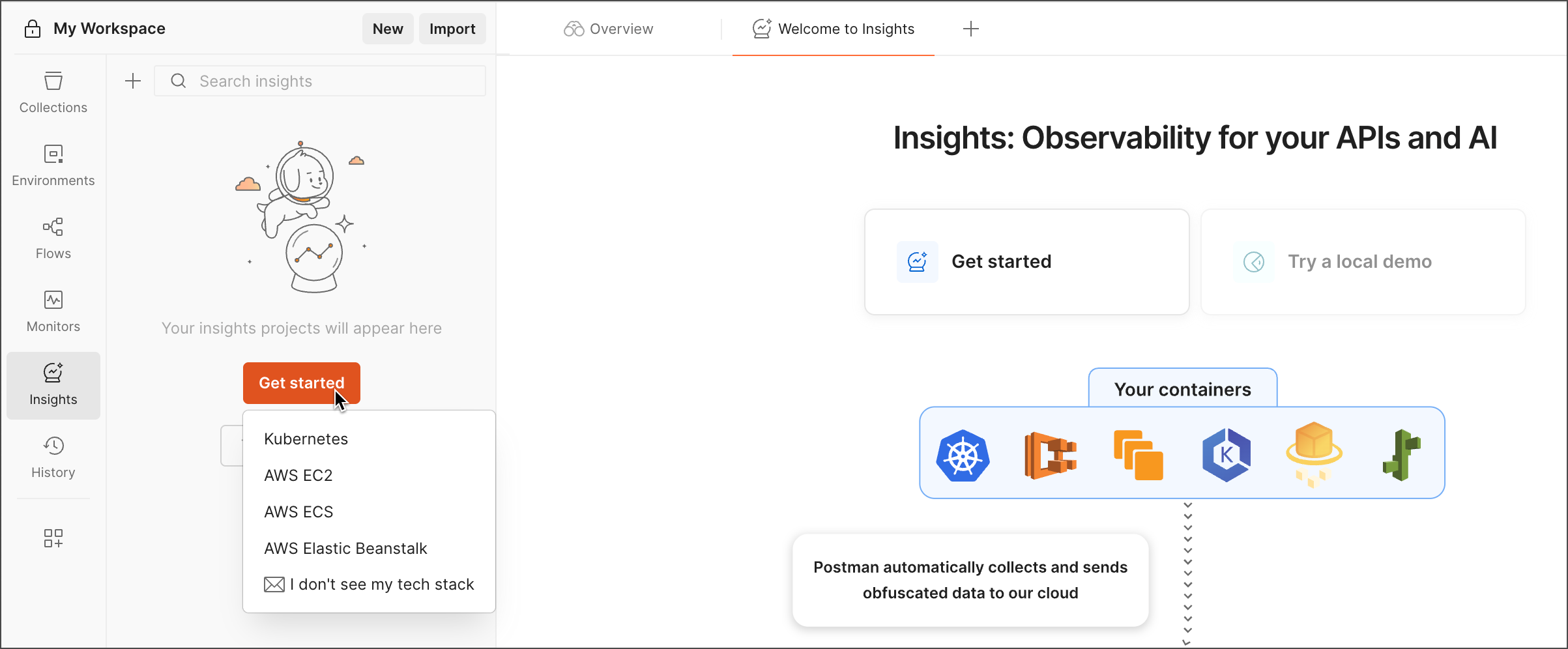 ## Select your container environment
You can select your container environment from the **Get started** dropdown list or the Insights project **Setup** tab.
## Select your container environment
You can select your container environment from the **Get started** dropdown list or the Insights project **Setup** tab.
 **Important:** To proceed with the installation, read and acknowledge the Insights terms.
 The Postman Insights Agent supports the following tech stacks:
* [Kubernetes](/docs/insights/get-started/kubernetes/overview/) DaemonSet and sidecar
* [Amazon Elastic Container Service (ECS)](/docs/insights/get-started/ecs/) on EC2 and ECS Fargate deployments
* [Amazon Elastic Compute Cloud (EC2)](/docs/insights/get-started/ec2/) standalone deployments
* [AWS Elastic Beanstalk](/docs/insights/get-started/beanstalk/)
If you don't see your stack, you can email the team using the corresponding option in the **Get started** dropdown list or **Resources** on the bottom left.
## Debug with Insights
Set up your [alerts](/docs/insights/reference/app/alerts-tab/) and integrate them with Slack. Use Repro Mode to rerun requests using real data. Enable Repro Mode from your Insights project **Settings**. Then, [debug your endpoints using Repro Mode](/docs/insights/debug/).
The Postman Insights Agent supports the following tech stacks:
* [Kubernetes](/docs/insights/get-started/kubernetes/overview/) DaemonSet and sidecar
* [Amazon Elastic Container Service (ECS)](/docs/insights/get-started/ecs/) on EC2 and ECS Fargate deployments
* [Amazon Elastic Compute Cloud (EC2)](/docs/insights/get-started/ec2/) standalone deployments
* [AWS Elastic Beanstalk](/docs/insights/get-started/beanstalk/)
If you don't see your stack, you can email the team using the corresponding option in the **Get started** dropdown list or **Resources** on the bottom left.
## Debug with Insights
Set up your [alerts](/docs/insights/reference/app/alerts-tab/) and integrate them with Slack. Use Repro Mode to rerun requests using real data. Enable Repro Mode from your Insights project **Settings**. Then, [debug your endpoints using Repro Mode](/docs/insights/debug/).