***
title: Insights Alerts
updated: 2025-08-28T00:00:00.000Z
max-toc-depth: 2
----------------
The Postman Insights **Alerts** tab provides a centralized alert system for endpoint error rates to help you catch and fix critical issues. With Insights alerts you can adjust error rate thresholds, find and view problematic endpoints, hide or display alerts globally for specific endpoints, and integrate your alerts with Slack.
**Coming soon:** Support for alerts on error count, total volume, and more.
 ## Configure Insights alerts
To turn on and configure Insights alerts, do the following:
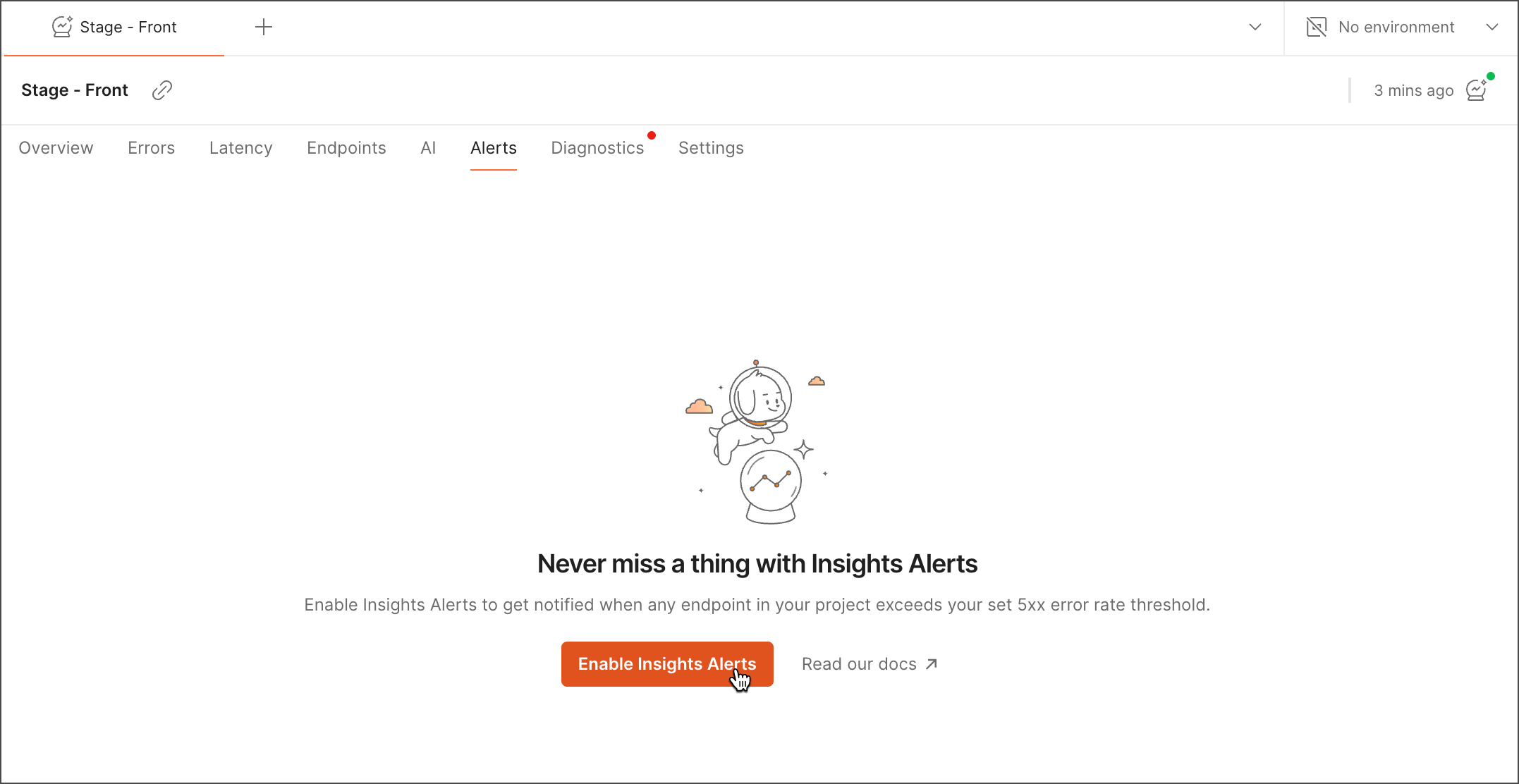
1. From your Insights project, select the **Alerts** tab and click **Enable Insights Alerts**.
## Configure Insights alerts
To turn on and configure Insights alerts, do the following:
1. From your Insights project, select the **Alerts** tab and click **Enable Insights Alerts**.
 2. Set your error rate and request count thresholds. Then, click **Confirm**.
 3. Select whether to receive Slack alerts. You can decide to do this later. If you choose to integrate your alerts with Slack, you can select a destination channel for your alerts.
 You'll begin receiving Slack notifications about your error rate spikes.
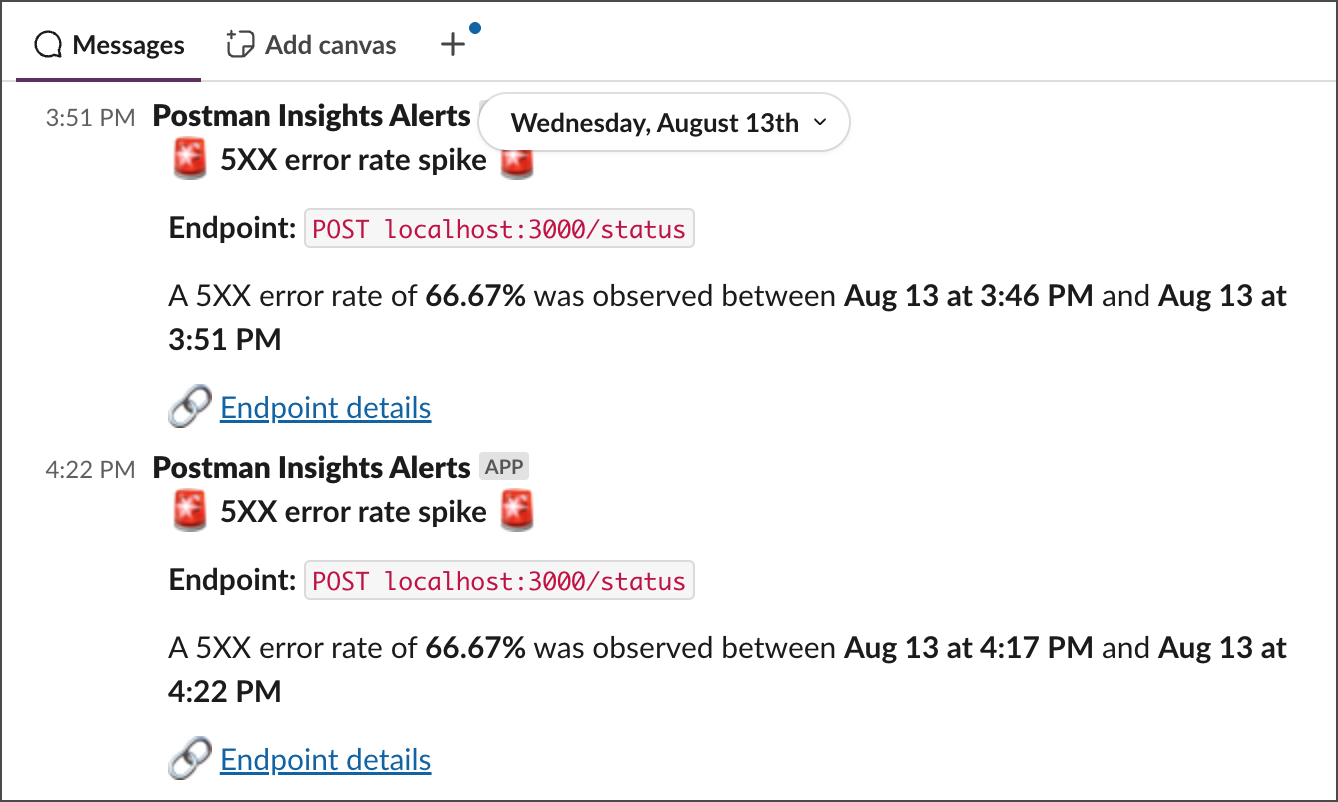 Click **Endpoint details** to get more information about your endpoint errors. Learn more about how you can [analyze your errors using an AI summary](/docs/insights/debug/#analyze-your-alert-ai-summary).
You can [turn off Slack alerts](#turn-off-slack-integration) at any time.
## Explore Insights alerts
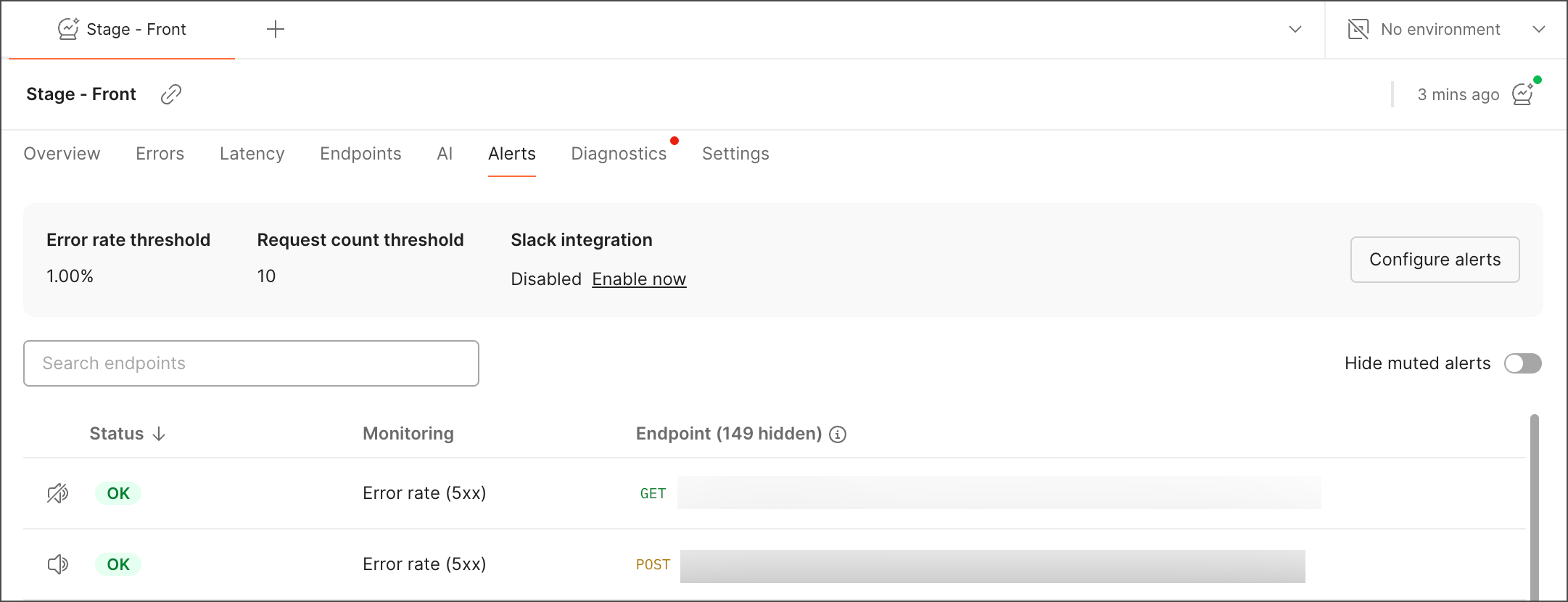
The **Alerts** tab displays the endpoints you selected based on your selected thresholds.
To learn more about or focus on a specific endpoint or endpoint cluster, you can:
* Use the search bar to filter your endpoints.
* Mute and hide alerts for specific endpoints you're not interested in.
* Click an endpoint to explore more [details](/docs/insights/reference/app/errors-tab/#error-details).
## Reconfigure or turn off Insights alerts
To update your alerts configuration, do the following:
1. Click **Configure alerts**.
2. Adjust your error rate and request count thresholds.
3. Click **Save changes**.
To stop receiving alerts about your endpoint errors, click **Configure alerts** and select **Disable alerts**.
## Turn off Slack integration
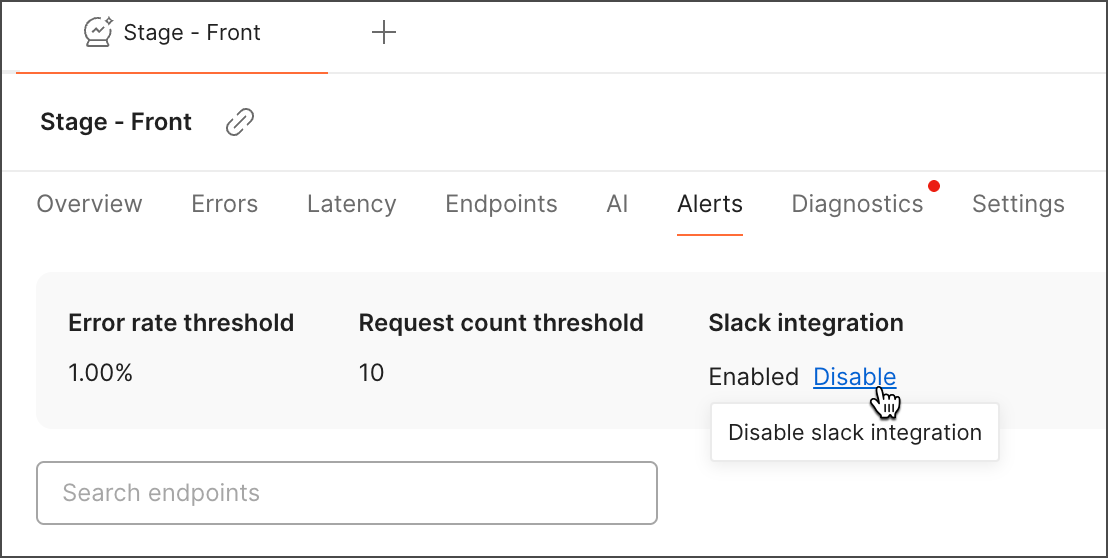
To turn off your alerts integration with Slack, click **Disable** under **Slack integration** in the **Alerts** tab.
Click **Endpoint details** to get more information about your endpoint errors. Learn more about how you can [analyze your errors using an AI summary](/docs/insights/debug/#analyze-your-alert-ai-summary).
You can [turn off Slack alerts](#turn-off-slack-integration) at any time.
## Explore Insights alerts
The **Alerts** tab displays the endpoints you selected based on your selected thresholds.
To learn more about or focus on a specific endpoint or endpoint cluster, you can:
* Use the search bar to filter your endpoints.
* Mute and hide alerts for specific endpoints you're not interested in.
* Click an endpoint to explore more [details](/docs/insights/reference/app/errors-tab/#error-details).
## Reconfigure or turn off Insights alerts
To update your alerts configuration, do the following:
1. Click **Configure alerts**.
2. Adjust your error rate and request count thresholds.
3. Click **Save changes**.
To stop receiving alerts about your endpoint errors, click **Configure alerts** and select **Disable alerts**.
## Turn off Slack integration
To turn off your alerts integration with Slack, click **Disable** under **Slack integration** in the **Alerts** tab.