***
title: Get personal notifications in Slack
updated: 2025-12-30T00:00:00.000Z
slug: docs/integrations/available-integrations/slack/slack-notifications
max-toc-depth: 2
----------------
[Notifications](/docs/getting-started/account/settings/#update-your-notification-preferences) keep you up to date on what's happening in Postman. In addition to in-app and email notifications, you can get Postman notifications and alerts in Slack. Once you connect your Postman account to Slack, you can customize the types of notifications you'll receive.
You can choose to get the following notifications in Slack:
* **Comment mentions and replies** - Get notified in Slack when teammates mention you in a comment or reply to one of your comments.
* **Security alerts** - Get an alert in Slack if you publicly expose a token in Postman, or if you expose a Postman API key in your repository.
* **System alerts for monitors** - Get notified in Slack when there are system events that affect scheduled monitor runs.
## Set up notifications in Slack
To get personal notifications in Slack, do the following:
{/* vale postman-style-guide.Vocab = NO */}
1. Click  **Notifications** in the Postman header and select
  **Notification settings**.
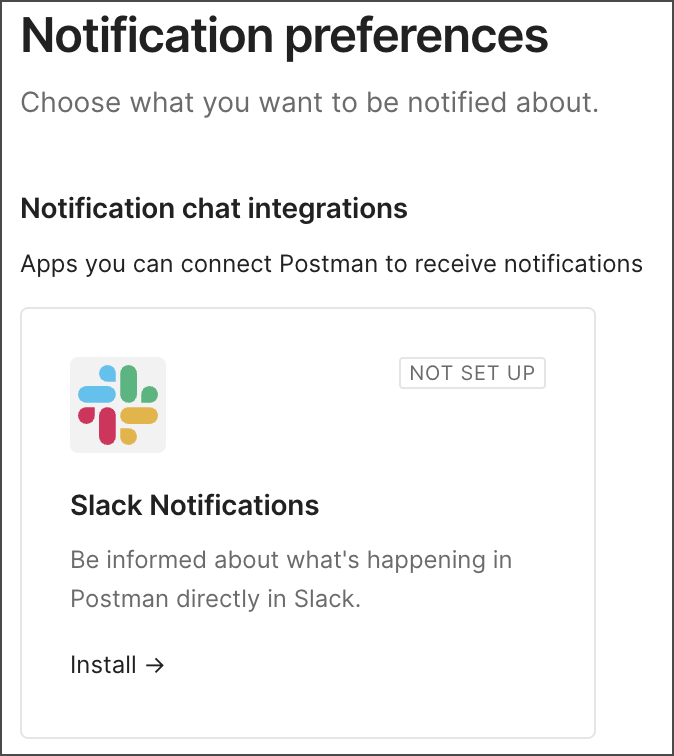
2. If Slack isn't already connected to your Postman account, click **Install** in the **Slack Notifications** integration.
**Notification settings**.
2. If Slack isn't already connected to your Postman account, click **Install** in the **Slack Notifications** integration.
 3. A browser tab opens asking you to sign in to Slack. Click **Continue**, then enter your Slack workspace URL and sign in with your email or SSO.
4. Click **Allow** to give Postman permission to view content and perform actions in Slack. Close the tab to continue in Postman.
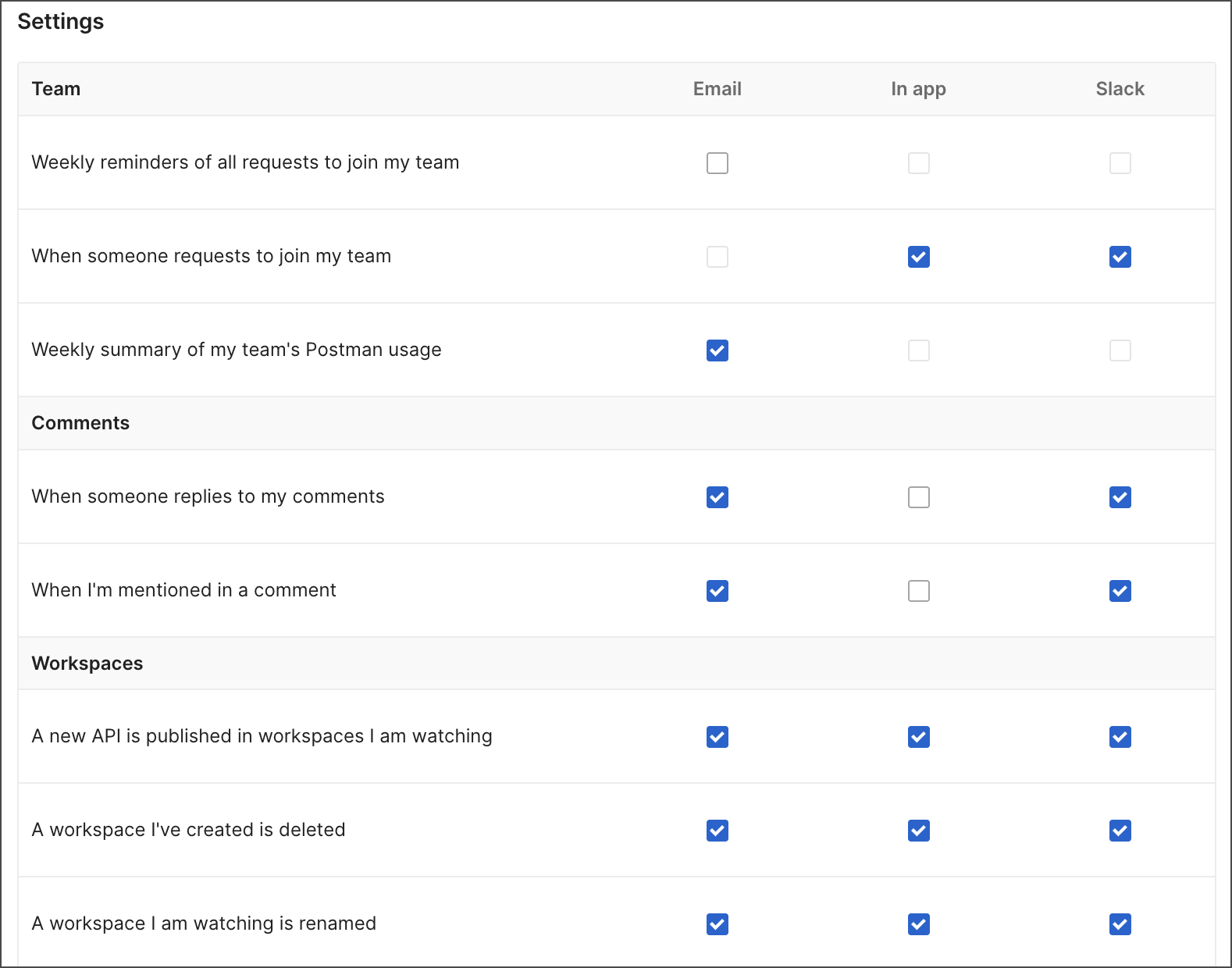
5. In the **Slack** column, select or clear the checkbox next to each item, then click **Update Preferences** to save your changes.
6. To view your notifications, click **Apps > Postman** in the Slack sidebar.

To view a list of available personal notifications, see [Personal notifications in Slack](/docs/integrations/available-integrations/slack/personal-notifications/).
{/* vale postman-style-guide.Vocab = YES */}
If you no longer want to get personal notifications in Slack, open your notification preferences and click
3. A browser tab opens asking you to sign in to Slack. Click **Continue**, then enter your Slack workspace URL and sign in with your email or SSO.
4. Click **Allow** to give Postman permission to view content and perform actions in Slack. Close the tab to continue in Postman.
5. In the **Slack** column, select or clear the checkbox next to each item, then click **Update Preferences** to save your changes.

6. To view your notifications, click **Apps > Postman** in the Slack sidebar.

To view a list of available personal notifications, see [Personal notifications in Slack](/docs/integrations/available-integrations/slack/personal-notifications/).
{/* vale postman-style-guide.Vocab = YES */}
If you no longer want to get personal notifications in Slack, open your notification preferences and click  to disconnect Slack. Click **Delete Integration** to confirm.