***
title: Troubleshoot monitors in Postman
updated: 2025-10-14T00:00:00.000Z
slug: docs/monitoring-your-api/troubleshooting-monitors
max-toc-depth: 2
----------------
If you encounter a problem with a monitor, the following troubleshooting steps may help you identify and resolve the issue.
## View failed monitors
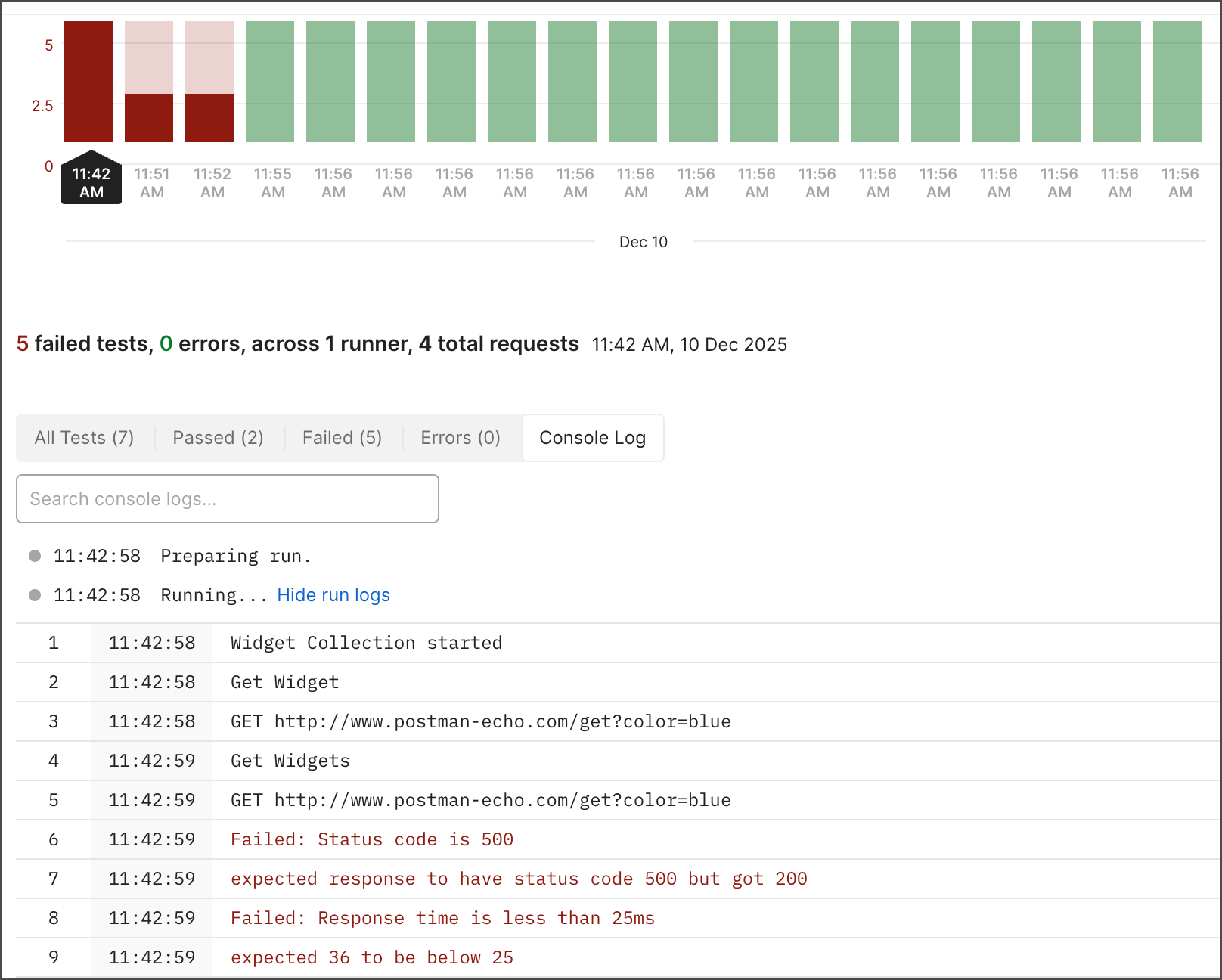
The [Console Log](/docs/monitoring-your-api/viewing-monitor-results/#console-log) can help you debug issues you might encounter with your monitors.
1. Go to your workspace and click **Monitors** in the sidebar.
2. Select a monitor, and then select a failed monitor run in the performance graph.
3. Click **Console Log** to view monitor run details, along with any `console.log()` statements you included in your pre-request and post-response scripts.
4. (Optional) Click **Search console logs** and enter a search term like "error" or "failed". Matches are highlighted in the log. You can also click  **Next match** and
  **Previous match** to cycle through them.
For more information on debugging with the Postman Console, see [Troubleshooting API requests](/docs/sending-requests/response-data/troubleshooting-api-requests/).
## Debug local run attempts
* Run the failing monitor's collection with its environment in Postman, the [Postman CLI](/docs/postman-cli/postman-cli-overview/), or [Newman](/docs/collections/using-newman-cli/command-line-integration-with-newman/) to see if it's working.
* If a local run passes, check that [sync](/docs/getting-started/basics/syncing/) is working by looking for the sync symbol on the left side of Postman's footer. This will ensure any local changes persist.
**Previous match** to cycle through them.

For more information on debugging with the Postman Console, see [Troubleshooting API requests](/docs/sending-requests/response-data/troubleshooting-api-requests/).
## Debug local run attempts
* Run the failing monitor's collection with its environment in Postman, the [Postman CLI](/docs/postman-cli/postman-cli-overview/), or [Newman](/docs/collections/using-newman-cli/command-line-integration-with-newman/) to see if it's working.
* If a local run passes, check that [sync](/docs/getting-started/basics/syncing/) is working by looking for the sync symbol on the left side of Postman's footer. This will ensure any local changes persist.
 ## Debug variable issues
* Ensure that the same environment is used across local runs and monitor runs. To confirm, add `console.log(environment);` to your request scripts and compare the results across monitoring and local runs.
* Ensure that any collection or environment variables that your collection run depends on have been [shared](/docs/sending-requests/variables/variables/#share-variable-values). Because they run in the Postman cloud, monitors can only use variables whose values have been shared. (Sharing syncs variable values to the Postman cloud.)
* If your collection run depends on a saved global variable, change it to an environment variable, and [share](/docs/sending-requests/variables/variables/#share-variable-values) its value. Saved global variables aren't supported in monitors.
## Log relevant information
* Unexpected response bodies or header values can be a source of monitor issues. You can log these with the following code:
```js
console.log(JSON.stringify(responseBody, null, 2));
console.log(JSON.stringify(responseHeaders, null, 2));
```
## Uncaught errors
* Wrap suspicious code in a `try - catch` block to ensure test and pre-request scripts in your collection run to completion.
## Debug variable issues
* Ensure that the same environment is used across local runs and monitor runs. To confirm, add `console.log(environment);` to your request scripts and compare the results across monitoring and local runs.
* Ensure that any collection or environment variables that your collection run depends on have been [shared](/docs/sending-requests/variables/variables/#share-variable-values). Because they run in the Postman cloud, monitors can only use variables whose values have been shared. (Sharing syncs variable values to the Postman cloud.)
* If your collection run depends on a saved global variable, change it to an environment variable, and [share](/docs/sending-requests/variables/variables/#share-variable-values) its value. Saved global variables aren't supported in monitors.
## Log relevant information
* Unexpected response bodies or header values can be a source of monitor issues. You can log these with the following code:
```js
console.log(JSON.stringify(responseBody, null, 2));
console.log(JSON.stringify(responseHeaders, null, 2));
```
## Uncaught errors
* Wrap suspicious code in a `try - catch` block to ensure test and pre-request scripts in your collection run to completion.