# Create GraphQL requests in Postman
Use Postman's GraphQL client to create GraphQL requests with one or multiple queries. The GraphQL client interface is specifically designed for crafting GraphQL requests. It enables you to explore a GraphQL API's data fields and construct queries by selecting fields or entering code in an editor. For requests with multiple queries, you can select specific queries and run them individually.
You can also create GraphQL requests [with Postman's HTTP interface](/docs/sending-requests/graphql/graphql-http/), which supports GraphQL but requires more steps than the GraphQL client.
## Create a GraphQL request with one query
This example creates and runs a GraphQL query using the schema explorer.
If you're using the Postman web app, you must use the Postman Desktop Agent. See [About the Postman Agent](/docs/getting-started/basics/about-postman-agent/) for more information.
1. In Postman, click **New > GraphQL** to open a request in a new tab. (In the Postman desktop app, you can also press **⌘+N** or **Ctrl+N**, then click **GraphQL**.)
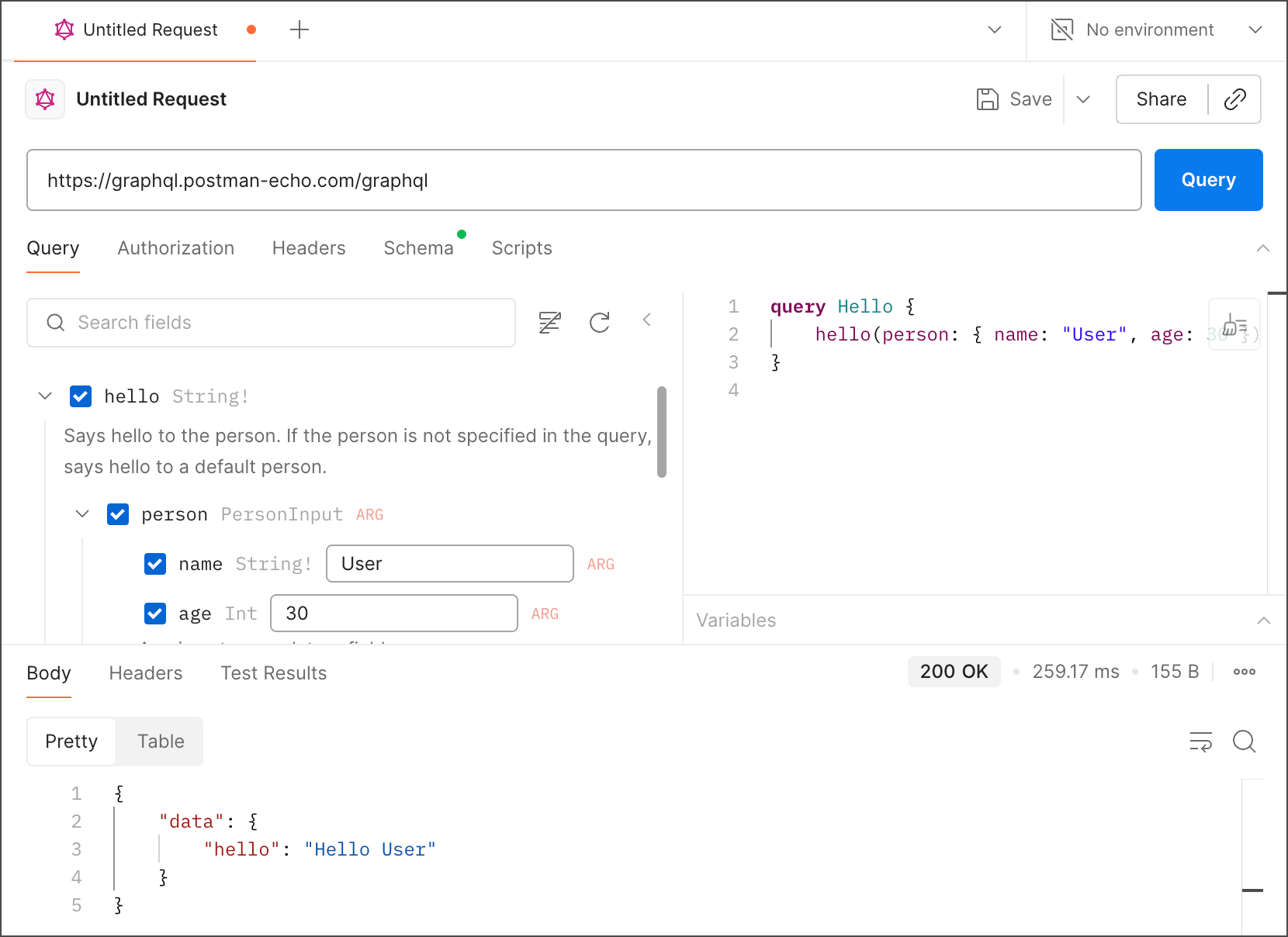
2. Click the URL box, then select `https://graphql.postman-echo.com/graphql` from the dropdown list. Postman uses introspection to load the schema and populate the schema explorer with data fields.
In the schema explorer, the data fields are grouped under their respective types: **Query**, **Mutation**, and **Subscription**.
3. In the schema explorer, select the `hello` checkbox, then select the `person`, `name`, and `age` checkboxes. A query based on your selections appears in the query editor.
You can also build a query by entering code in the query editor.
4. Enter your age and name in the text boxes next to `age` and `name` or in the query editor.
5. Click **Query**.
## Create a GraphQL request with multiple queries
This request has multiple queries and runs them one at a time. To run only the selected query, select a checkbox in the schema explorer and click **Query**.
1. In Postman, click **New > GraphQL** to open a request in a new tab. (In the Postman desktop app, you can also press **⌘+N** or **Ctrl+N**, then click **GraphQL**.)
2. Click the URL box, then select `https://graphql.postman-echo.com/graphql` from the dropdown list. Postman uses introspection to load the schema and populate the schema explorer with data fields.
3. In the schema explorer, select the `hello`, `person`, and `name` checkboxes. Enter your name in the `name` field. A query appears in the query editor.
4. In the schema explorer, scroll down and select the `greetings` checkbox. A second query appears in the query editor and the first query is dimmed.
5. In the query editor, click anywhere in the first query to activate it and click **Query**.
6. Click anywhere in the second query and click **Query**.
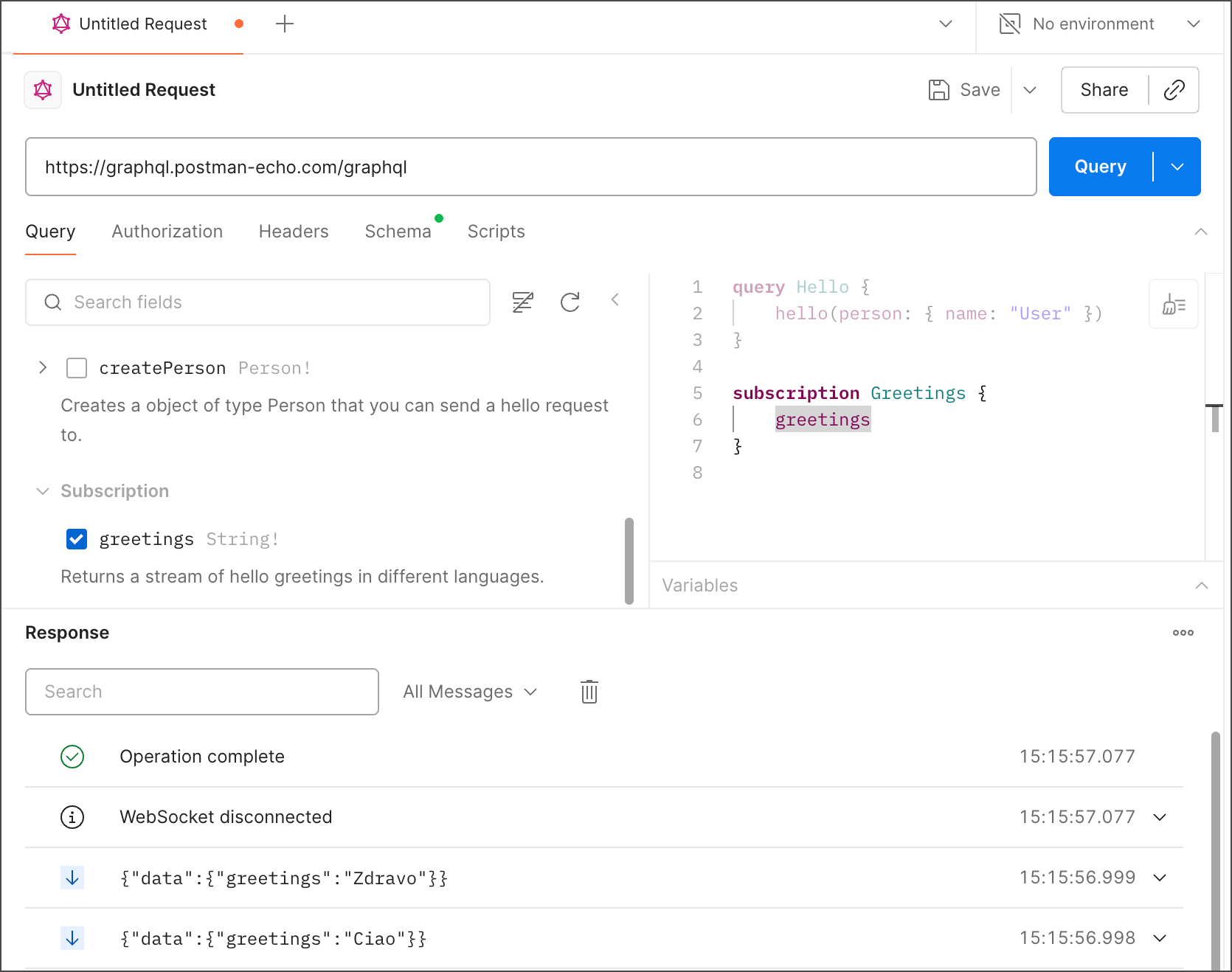
You can also use the **Query** button dropdown list to browse and select queries from a request with multiple queries.
