> For clean Markdown content of this page, append .md to this URL. For the complete documentation index, see https://learning.postman.com/llms.txt. For full content including API reference and SDK examples, see https://learning.postman.com/llms-full.txt.
# Troubleshoot Agent Mode
If you get stuck, click  in the upper right corner to start a new chat. You can also view and continue any previous conversation by clicking
  .
Your feedback and insights are valuable to Postman. Your input directly shapes the evolution of Agent Mode.
To report an issue, under results select
.
Your feedback and insights are valuable to Postman. Your input directly shapes the evolution of Agent Mode.
To report an issue, under results select  and **Report issue**.
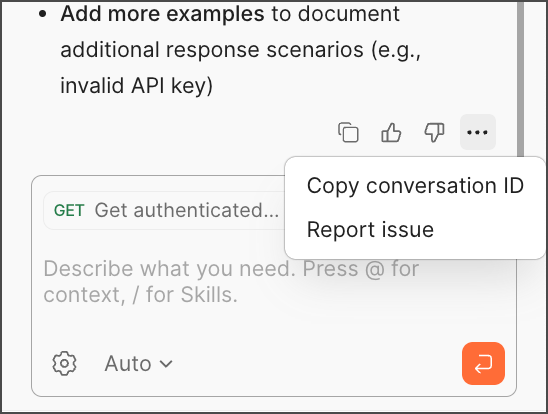 You can also use
  thumbs up or
  thumbs down to provide feedback. Thumbs down opens a dialog for you to describe and submit your issue with Agent Mode.