> For clean Markdown content of this page, append .md to this URL. For the complete documentation index, see https://learning.postman.com/llms.txt. For full content including API reference and SDK examples, see https://learning.postman.com/llms-full.txt.
# Create a WebSocket Request
You can create a WebSocket request from the sidebar in Postman.
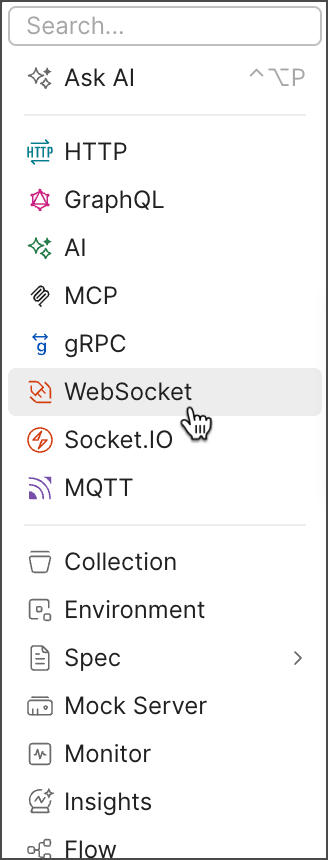
1. Click **New > WebSocket** to open a raw WebSocket request in a new tab. You can also click **New > Socket.IO** to open a [Socket.IO request](/docs/use/send-requests/protocols/websocket/create-a-socketio-request/) in a new tab. (In the Postman desktop app, you can also press **⌘+N** or **Ctrl+N**.)
 2. Enter the WebSocket server URL. A WebSocket URL begins with `ws://` or `wss://`.
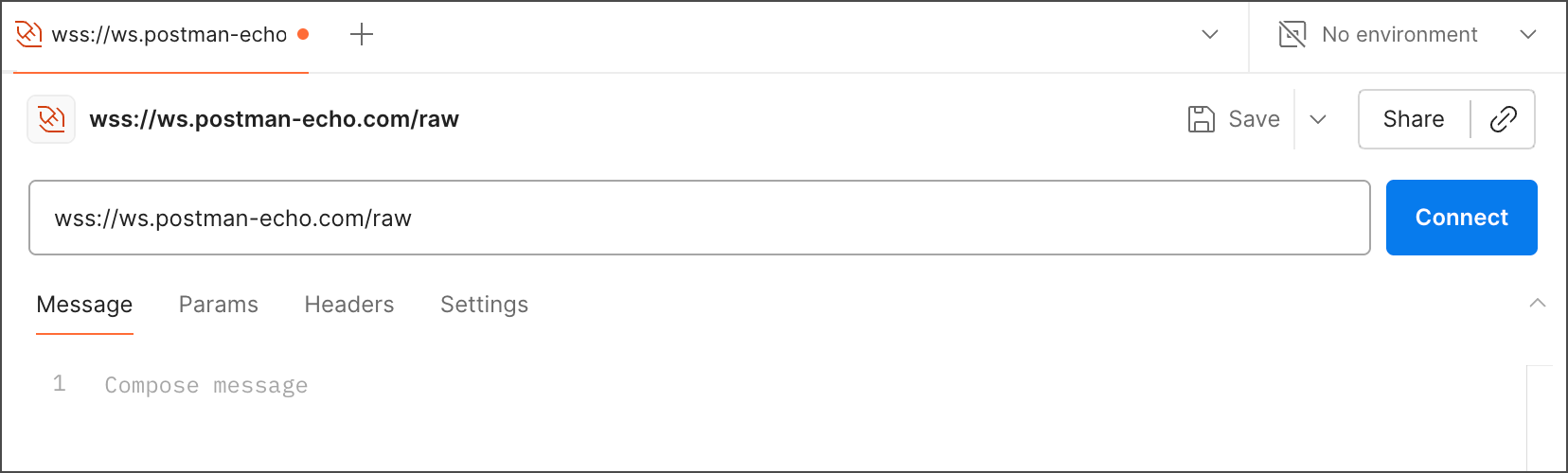 3. Click **Connect**.
To disconnect your WebSocket request's connection, click **Disconnect**.
If you're using the Postman web app, consider using the Postman Desktop Agent for the best experience. See [About the Postman Agent](/docs/getting-started/basics/about-postman-agent/) for more information.
3. Click **Connect**.
To disconnect your WebSocket request's connection, click **Disconnect**.
If you're using the Postman web app, consider using the Postman Desktop Agent for the best experience. See [About the Postman Agent](/docs/getting-started/basics/about-postman-agent/) for more information.