> For clean Markdown content of this page, append .md to this URL. For the complete documentation index, see https://learning.postman.com/llms.txt.
# Create a route
You can build a route directly or by using the [integration wizard](/fabric-gateway/product/gateway/integrations/).
To build a route directly, go to **Routes > Create route**.
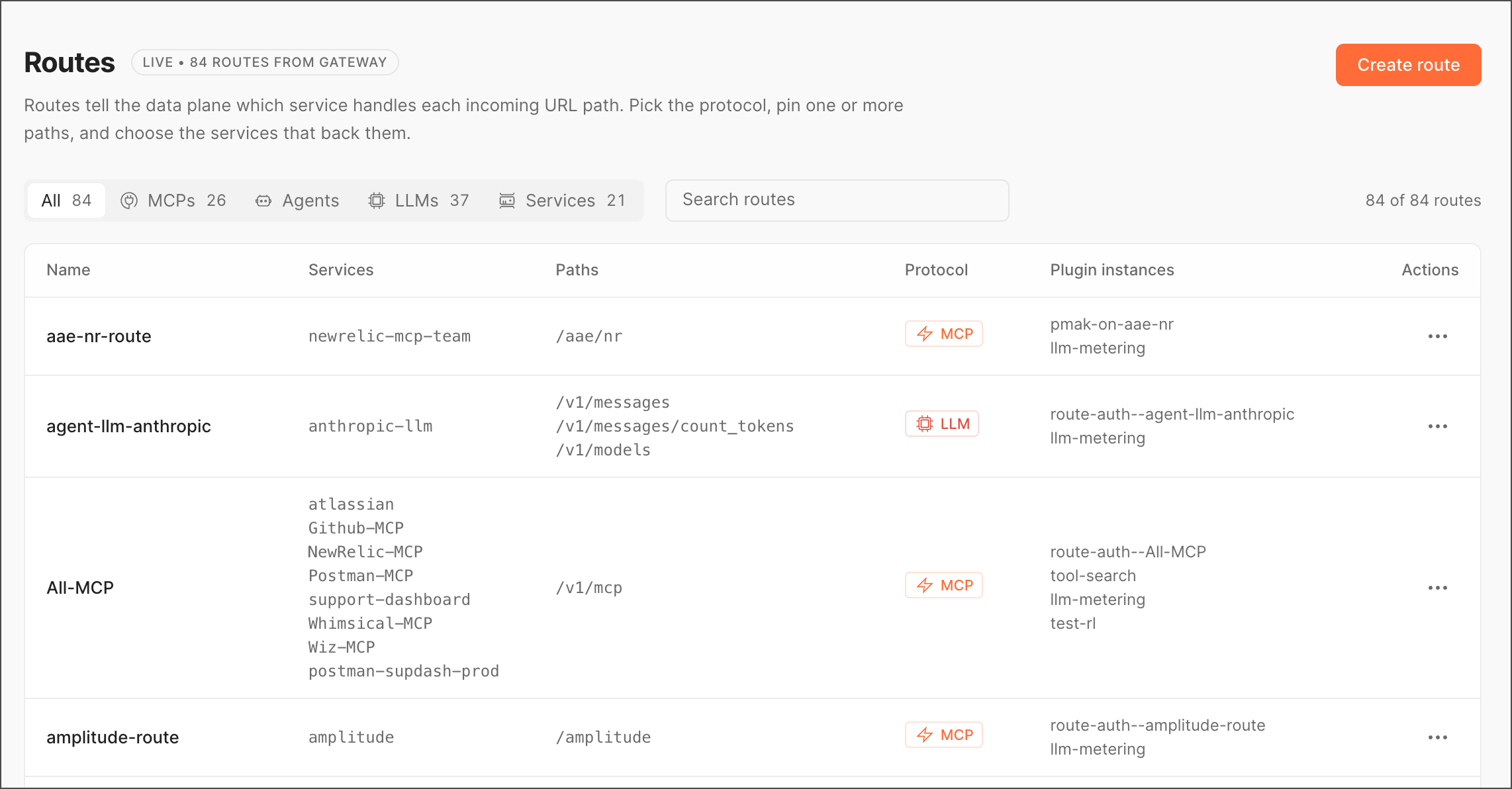 ## Create a route
To get started, do the following:
1. Click **Create route**.
## Create a route
To get started, do the following:
1. Click **Create route**.
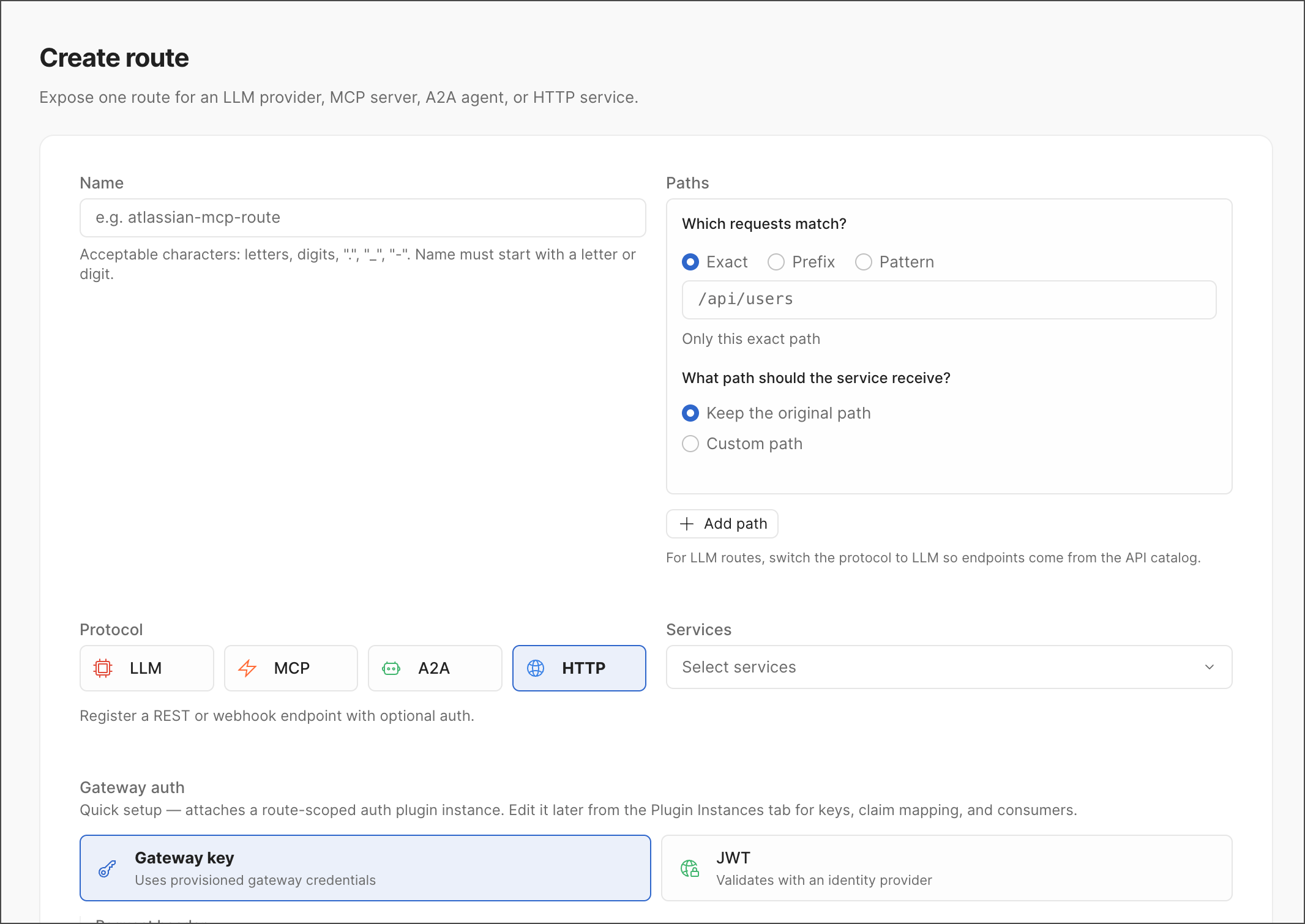 2. Provide the following information:
| Field | Description |
| ----------------- | ------------------------------------------------------------------------------------------------------------------------------------------------------------------------------------------------------------------------------------- |
| Name | Route name, for example `mcp-example`. |
| Paths | One or more URL paths for the route. Use **Add path** for multiple paths. |
| Protocol | `LLM`, `MCP`, `A2A`, or `HTTP`. HTTP registers a REST or webhook endpoint with optional auth. |
| Services | A searchable multi-select drawing from the full catalog of MCP servers and LLM platforms. Selecting an MCP-only service set automatically syncs the protocol to MCP. |
| Gateway auth | **No gateway auth** (public at the gateway), **Gateway key** (uses provisioned gateway credentials), or **JWT** (validates with an identity provider — selecting this reveals an **Identity provider** dropdown, for example `okta`). |
| Advanced settings | Set up the priority, hosts, and methods. |
3. Click **Create route**.
A route created this way appears in the **Routes** list alongside its selected services.
2. Provide the following information:
| Field | Description |
| ----------------- | ------------------------------------------------------------------------------------------------------------------------------------------------------------------------------------------------------------------------------------- |
| Name | Route name, for example `mcp-example`. |
| Paths | One or more URL paths for the route. Use **Add path** for multiple paths. |
| Protocol | `LLM`, `MCP`, `A2A`, or `HTTP`. HTTP registers a REST or webhook endpoint with optional auth. |
| Services | A searchable multi-select drawing from the full catalog of MCP servers and LLM platforms. Selecting an MCP-only service set automatically syncs the protocol to MCP. |
| Gateway auth | **No gateway auth** (public at the gateway), **Gateway key** (uses provisioned gateway credentials), or **JWT** (validates with an identity provider — selecting this reveals an **Identity provider** dropdown, for example `okta`). |
| Advanced settings | Set up the priority, hosts, and methods. |
3. Click **Create route**.
A route created this way appears in the **Routes** list alongside its selected services.