> For clean Markdown content of this page, append .md to this URL. For the complete documentation index, see https://learning.postman.com/llms.txt.
# Work with date and time formats in Postman Flows
Many APIs expect different formats for date and time. Flows has many built-in [Flows Query Language (FQL)](/flows/flows-query-language/introduction-to-fql/) and TypeScript functions to handle any of the formats required.
## How date and time is stored in Flows
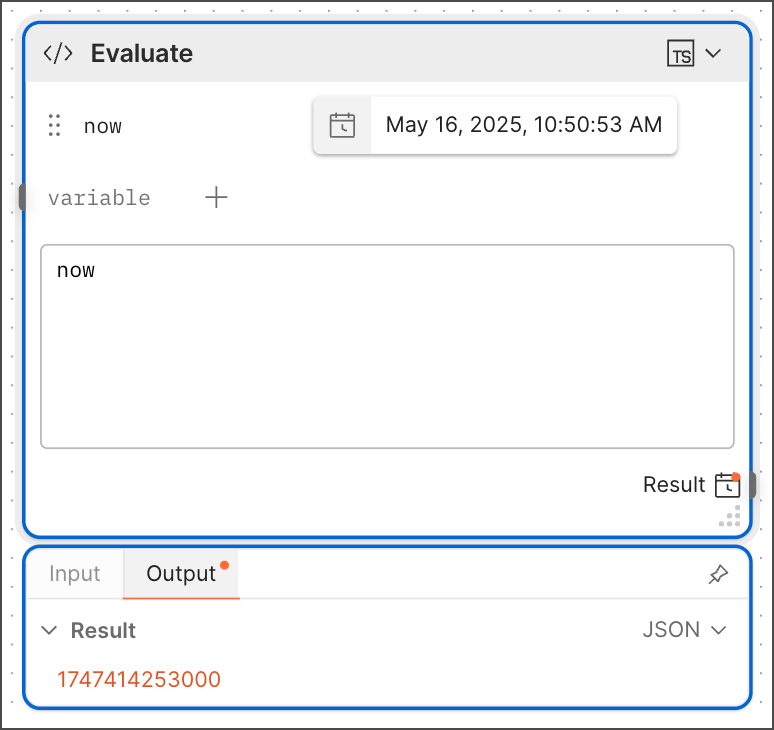
Flows date and time blocks (such as **Now**, **Date**, and **Date & Time**) store date and time as a number. This number is a common format which is the number of milliseconds since 00:00:00 UTC on 1st January 1970 (referred to as *Unix time*). This simplifies date comparison, and the number can be converted into other formats as needed.
 ## Use FQL for different formats
The [ISO 8601 format](https://www.iso.org/iso-8601-date-and-time-format.html/) is commonly used in APIs. FQL has a `now` function that prints the current timestamp in date, time, and UTC offset format (for example, `2023-08-11T02:03:46.145+00:00`). If an API requires a shortened version of the timestamp, you can use the [`fromMillis` function](/flows/flows-query-language/data-manipulation/#convert-from-unix-epoch-time-into-a-specific-date-format).
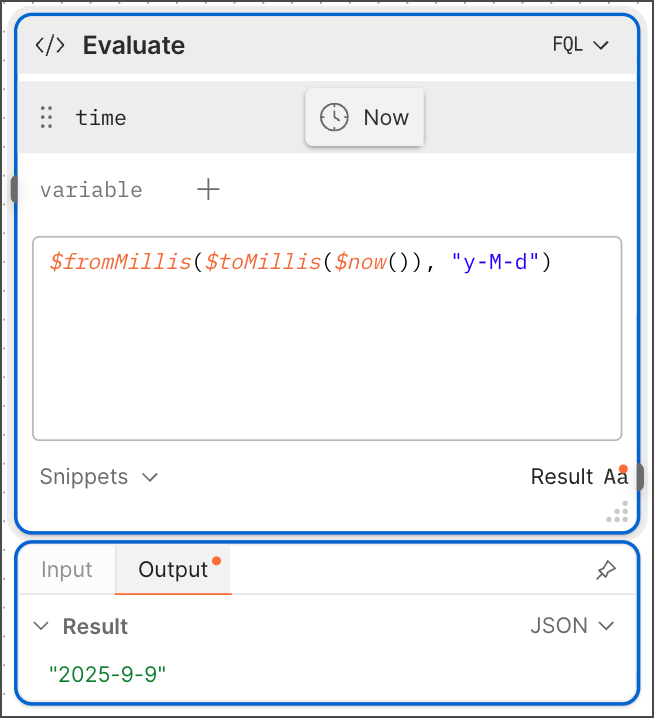
For example, to get a date without the time in ISO format, use `$fromMillis($toMillis($now()), "y-M-d")`. This function converts the date and returns it in a shortened YYYY-DD-MM format. For a list of supported FQL date and time formats, see [Time and date formatting](/flows/flows-query-language/data-manipulation/#time-and-date-formatting).
## Use FQL for different formats
The [ISO 8601 format](https://www.iso.org/iso-8601-date-and-time-format.html/) is commonly used in APIs. FQL has a `now` function that prints the current timestamp in date, time, and UTC offset format (for example, `2023-08-11T02:03:46.145+00:00`). If an API requires a shortened version of the timestamp, you can use the [`fromMillis` function](/flows/flows-query-language/data-manipulation/#convert-from-unix-epoch-time-into-a-specific-date-format).
For example, to get a date without the time in ISO format, use `$fromMillis($toMillis($now()), "y-M-d")`. This function converts the date and returns it in a shortened YYYY-DD-MM format. For a list of supported FQL date and time formats, see [Time and date formatting](/flows/flows-query-language/data-manipulation/#time-and-date-formatting).