***
title: Connect API Catalog to your services
approved: 2026-03-01T00:00:00.000Z
max-toc-depth: 2
----------------
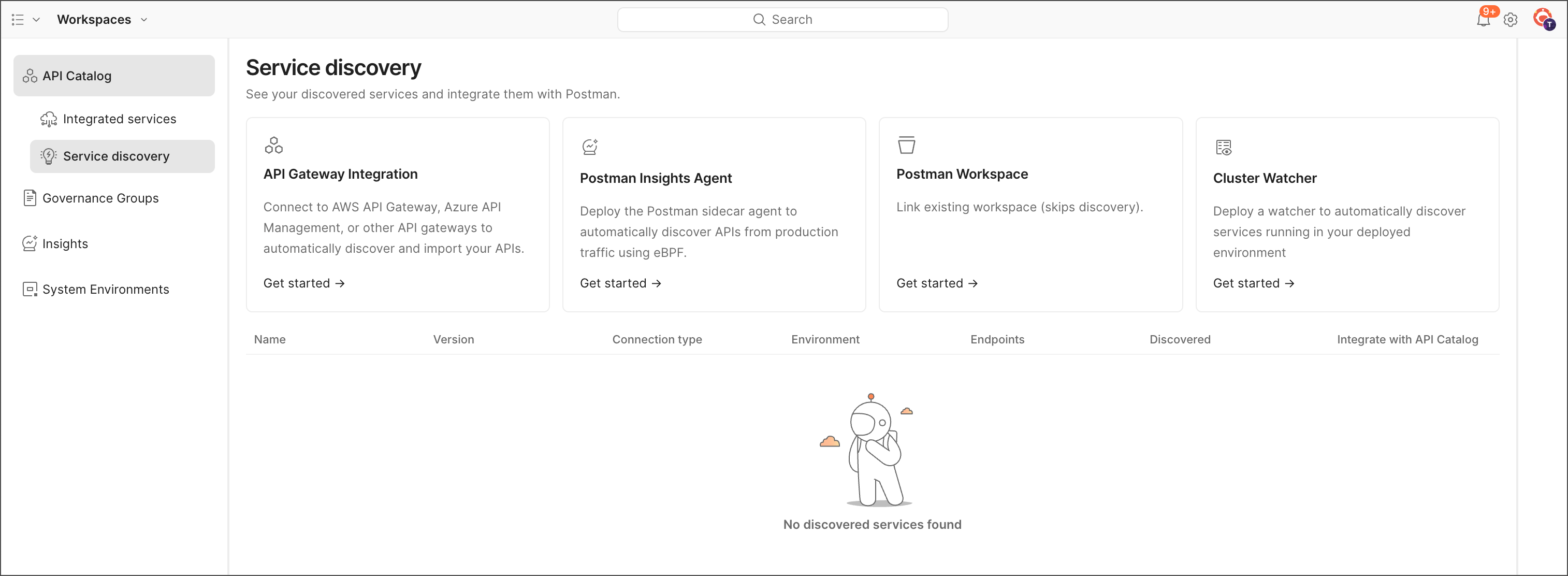
To bring your APIs and services into the API Catalog, you connect your Postman workspace to your source code. You can do that in the following ways:
* [API gateways](/docs/api-catalog/connect/gateway/) — Connect to your API gateway, and the API Catalog automatically shows all APIs in that gateway.
* [Postman Insights](/docs/api-catalog/connect/insights/) — Install the Postman Insights Agent and configure it for your Kubernetes deployment as a sidecar or DaemonSet.
* [Git-connected workspaces](/docs/api-catalog/connect/workspace/) — Connect your Postman workspace to your Git repository. The API Catalog automatically shows all APIs in that repository.
* [Cluster Watcher](/docs/api-catalog/connect/watcher/) — Set up a Kubernetes cluster custom resource as a watcher. The API Catalog automatically shows all APIs in that cluster.
The following table summarizes the differences between these methods:
| Method | Setup | Access Required | Best For |
| --------------- | ------- | --------------- | --------------------------------------------- |
| Cluster Watcher | Minimal | Basic K8s API | Fast onboarding, Git integration |
| Insights Agent | Complex | Elevated access | Traffic monitoring, detailed analytics |
| API Gateway | Medium | Gateway access | Spec-first teams with existing infrastructure |
To get started, do the following:
1. From  **Home**, click **API Catalog**.
2. Click **Service discovery**.
3. Select your preferred method of connecting to your services.
**Home**, click **API Catalog**.
2. Click **Service discovery**.
3. Select your preferred method of connecting to your services.