> For clean Markdown content of this page, append .md to this URL. For the complete documentation index, see https://learning.postman.com/llms.txt. For full content including API reference and SDK examples, see https://learning.postman.com/llms-full.txt.
# View collection activity and elements with the Overview tab
A collection's **Overview** tab provides a summary of the collection's purpose, recent activity, and related elements. Collaborators can check this tab to view the collection's description, recent changes, pinned environments, monitors, mocks, and more.
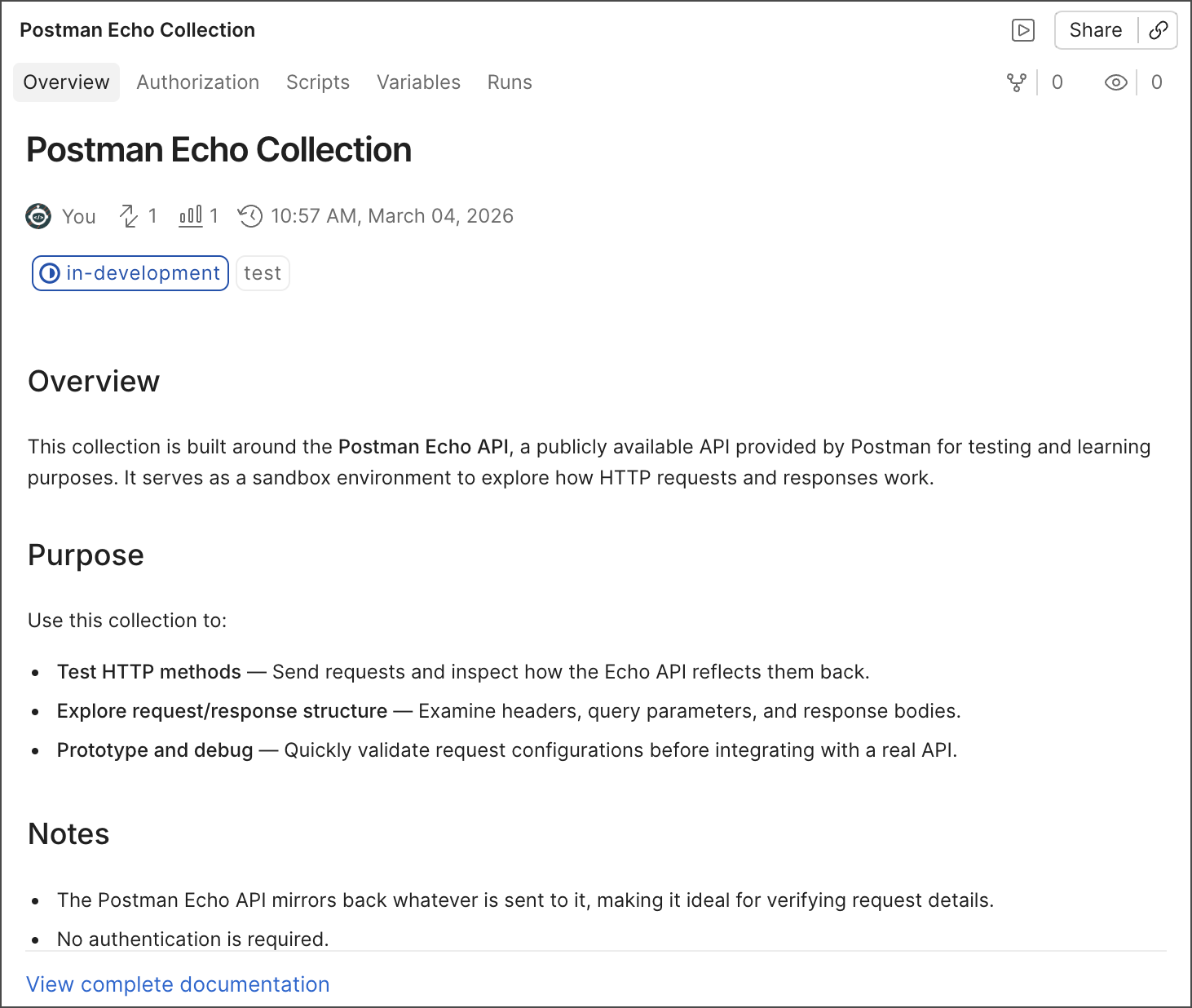 On the **Overview** tab you can view the following collection information:
* **Description** — Explains what the collection is and how it can be used. To learn more, see [Add descriptions to a collection](/docs/publishing-your-api/document-a-collection/#add-descriptions-to-a-collection).
* **View complete documentation** — Click to view the collection's complete [documentation](/docs/publishing-your-api/document-a-collection/).
* **Collection details** — View information about the collection, including:
* The user who created the collection.
* The number of [requests](/docs/use/send-requests/requests) (
On the **Overview** tab you can view the following collection information:
* **Description** — Explains what the collection is and how it can be used. To learn more, see [Add descriptions to a collection](/docs/publishing-your-api/document-a-collection/#add-descriptions-to-a-collection).
* **View complete documentation** — Click to view the collection's complete [documentation](/docs/publishing-your-api/document-a-collection/).
* **Collection details** — View information about the collection, including:
* The user who created the collection.
* The number of [requests](/docs/use/send-requests/requests) ( ) the collection contains.
* How many views (
) the collection contains.
* How many views ( ) the collection has received.
* The collection's last updated date and time. Click the date to view the collection's [changelog](/docs/use/use-collections/manage-collections/#use-the-changelog).
* The collection's specification. Click the specification's name to view the generated specification. To learn more, see [Generate an API specification from your collection](/docs/design-apis/collections/generate-specifications/).
* **Status and Tags** — Lists the collection's assigned [tags](/docs/use/use-collections/collaborate-with-collections#tag-a-collection) and [status](/docs/use/use-collections/collaborate-with-collections#set-a-collections-status).
) the collection has received.
* The collection's last updated date and time. Click the date to view the collection's [changelog](/docs/use/use-collections/manage-collections/#use-the-changelog).
* The collection's specification. Click the specification's name to view the generated specification. To learn more, see [Generate an API specification from your collection](/docs/design-apis/collections/generate-specifications/).
* **Status and Tags** — Lists the collection's assigned [tags](/docs/use/use-collections/collaborate-with-collections#tag-a-collection) and [status](/docs/use/use-collections/collaborate-with-collections#set-a-collections-status).