Mock APIs with response examples
Mock servers simulate an API server by returning predefined data, so you can develop or test an API before it’s ready for production. In Postman, mock servers use examples saved in an HTTP collection to return mock data.
In this tutorial, you’ll learn how mock servers and examples work together and how to integrate them into your API workflow.
Create a new collection and request
To get started, you’ll need to create a collection and an example response.
- In the sidebar, click
 and select New Collection. Give the collection the “C1” name.
 - In the sidebar, open the C1 collection and click
 Add Request.
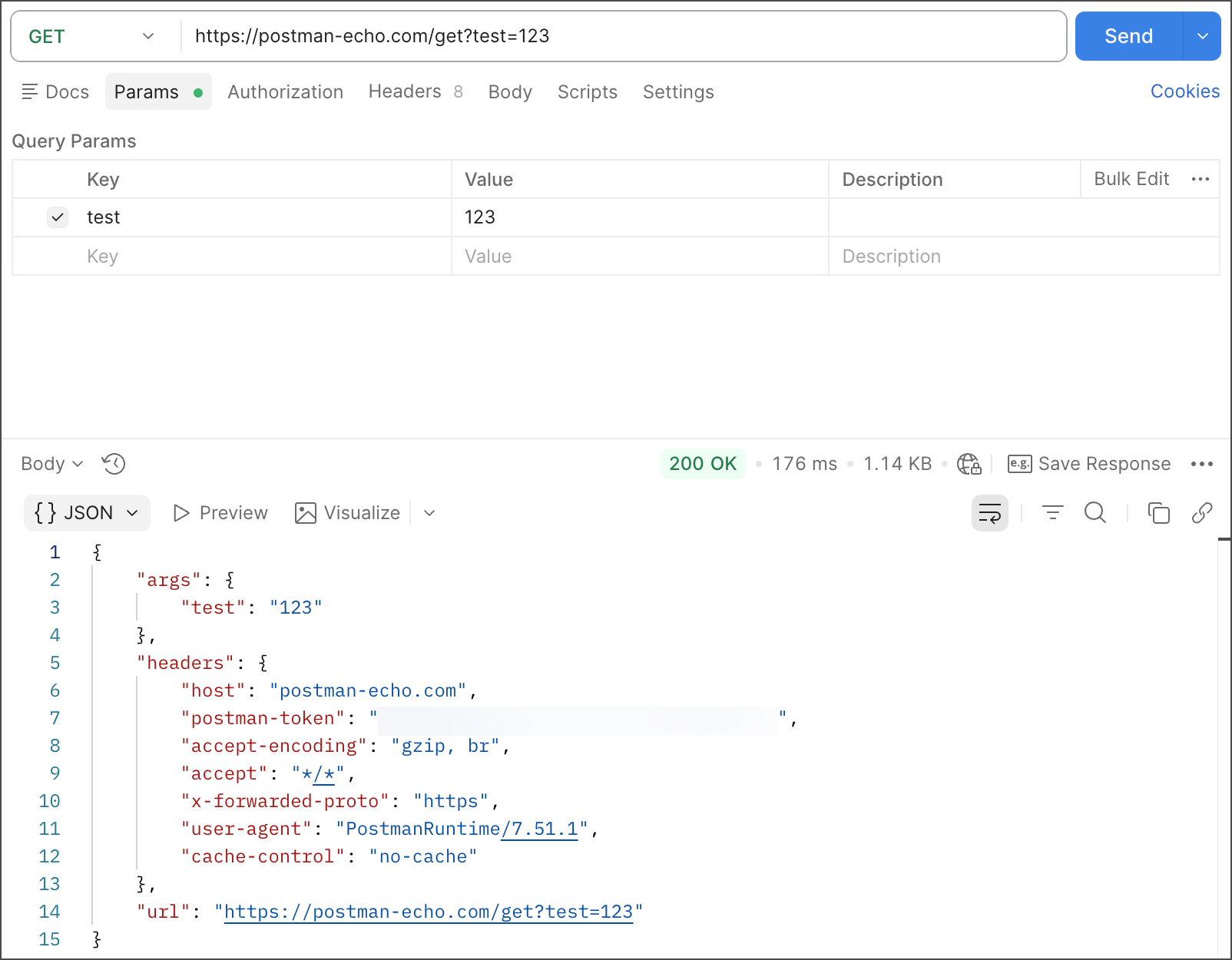
 - In the request, select the GET method, then enter
https://postman-echo.com/get?test=123as the request URL. - Click Send, then click
 Save to save the request in the C1 collection.
Save a response as an example
Save the response you received from the Postman Echo service as an example.
- Click
 Save Response to save the example in the request.
 - (Optional) Rename the example (for example, “E1”). The request method, URL, and status code are all saved as part of the example. Postman uses these items to decide which responses the mock server returns.
Send a request to the mock server
Next, create a mock server for the C1 collection.
-
In the sidebar, click
and select Mock Server. -
Create a mock server for the C1 collection. For this tutorial, name the mock server “M1”.
-
Click Create Mock Server to create it.
-
Click
 Copy Mock URL to copy the “M1” mock server’s URL.
 -
In the C1 collection, create a new request.
-
Paste the mock URL as the request’s URL, then click Send.
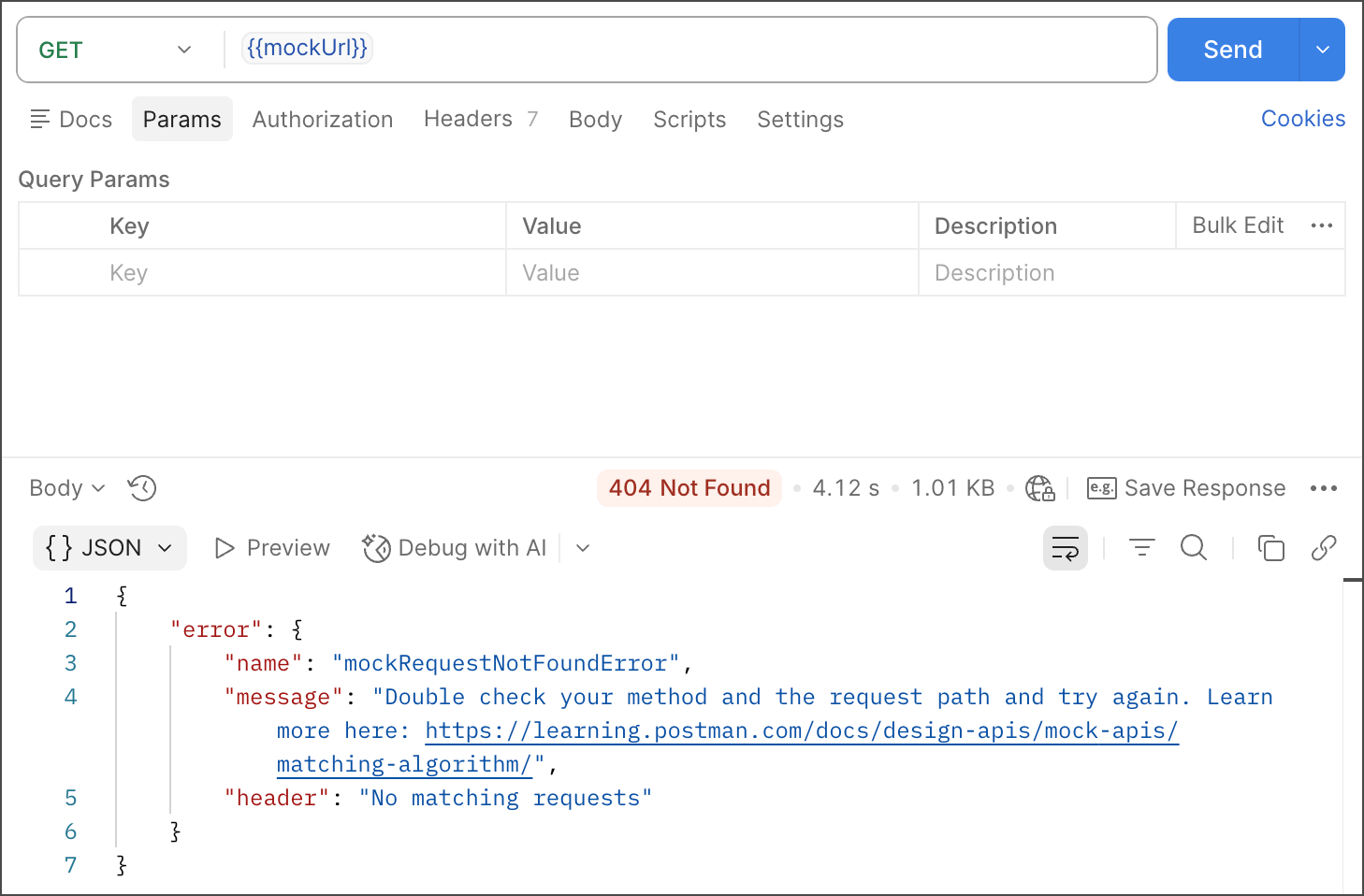
The request returns an error because the mock server’s URL doesn’t have a defined path. The path appended to the end of the mock server URL must match the path in the example’s request URL (
/get). The method selected in the mock server and example must also match. Responses returned by the mock service depend on the URL and method in your saved examples. -
To send a request to the mock server, add
/getto the end of the mock server’s URL, then click Send.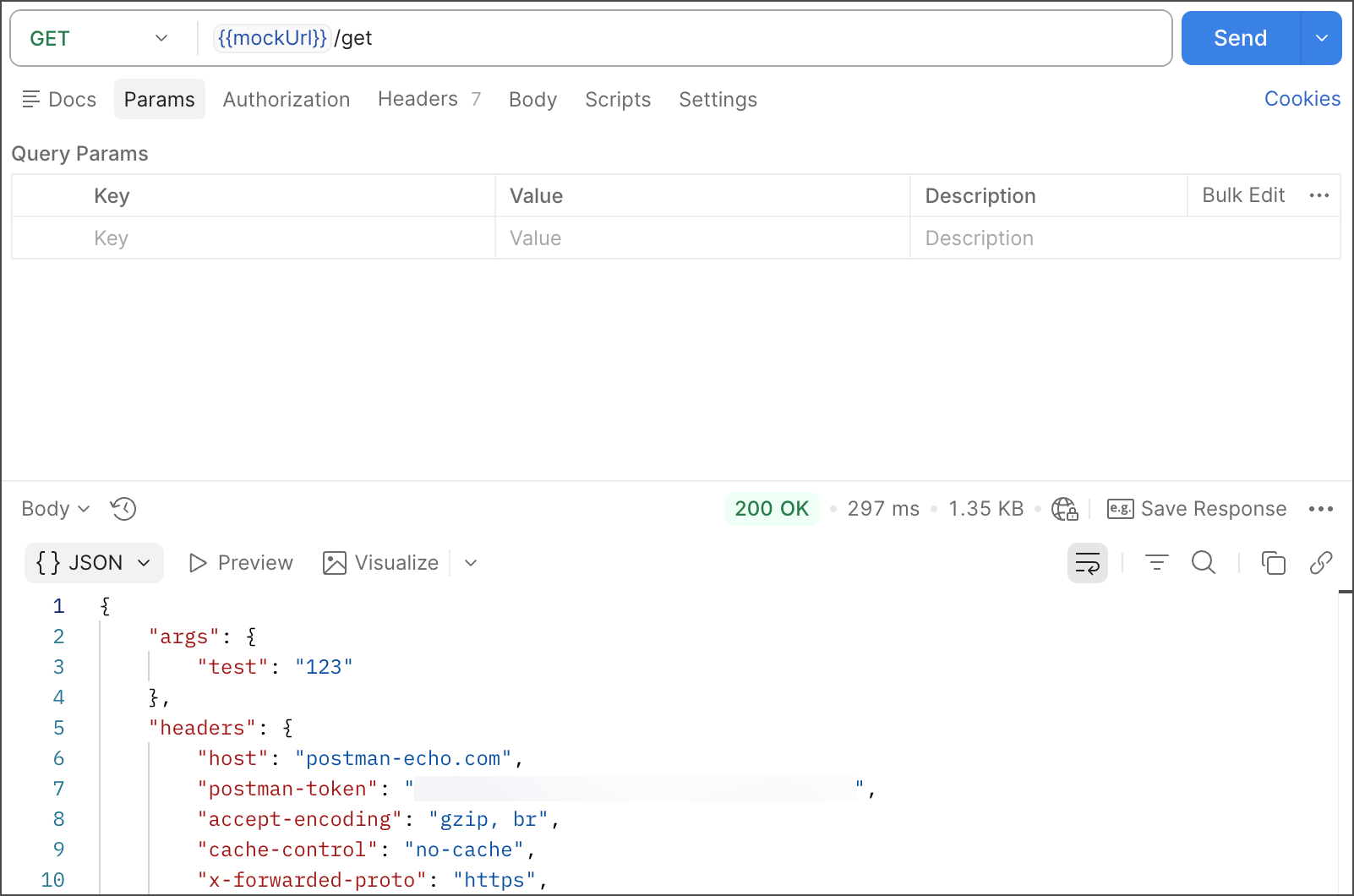
Add another example
You can add another example to test how responses from the mock service depend on saved examples.
-
Create and send a request. Select the GET method, then enter
https://postman-echo.com/testas the request URL.The GET request to
https://postman-echo.com/testreturns an HTTP 404 Not Found status code. -
Save the request to the C1 collection.
-
Save the response as an example. Rename the example to “E2”.
-
Send a request to the mock server. Update the path at the end of the mock server URL to
/testand click Send. The mock server returns the expected HTTP 404 Not Found status code.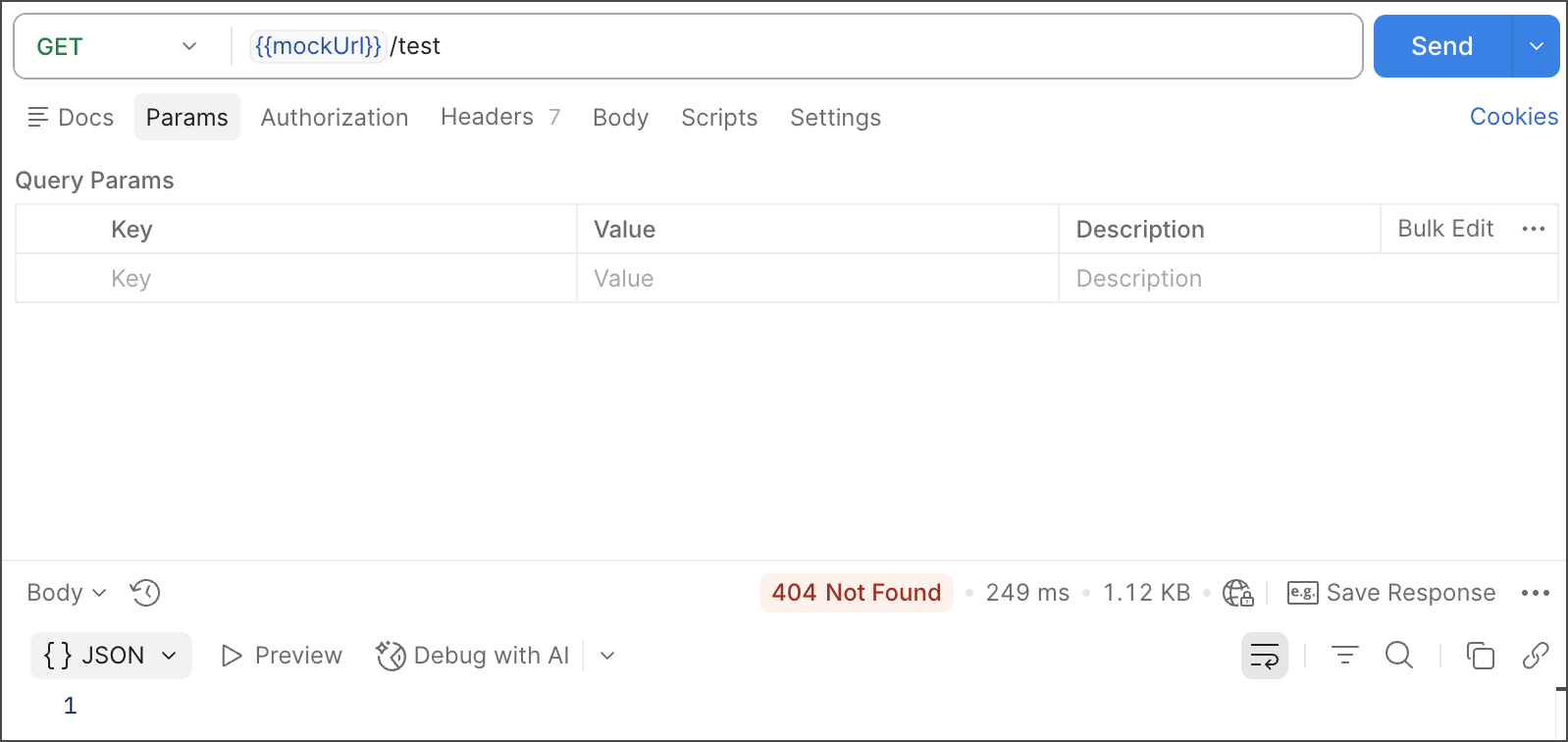
Your examples can vary depending on the URL endpoint, request method, or status code. If you have multiple examples, you can choose to save each example under a unique endpoint URL, like you saw in this demonstration with /get and /test. If you’ve saved examples with different response status codes, you can send an authenticated request to the mock server along with the x-mock-response-code header specifying which integer response code your returned response needs to match.
Use query parameters
Postman’s mock service uses a matching algorithm to select the best saved example to return in response to a request. As part of this algorithm, the mock server looks at the request’s path and query parameters, and then matches the request to a saved example. If you have examples with the same request path but different query parameters, you can mock different responses for different query parameters on the same request path.
The following scenario demonstrates how the matching algorithm selects the best saved example:
-
A mocked collection has one request named Request1 with two examples named Example1 and Example2.
-
In Example1, the
idparameter has a1value.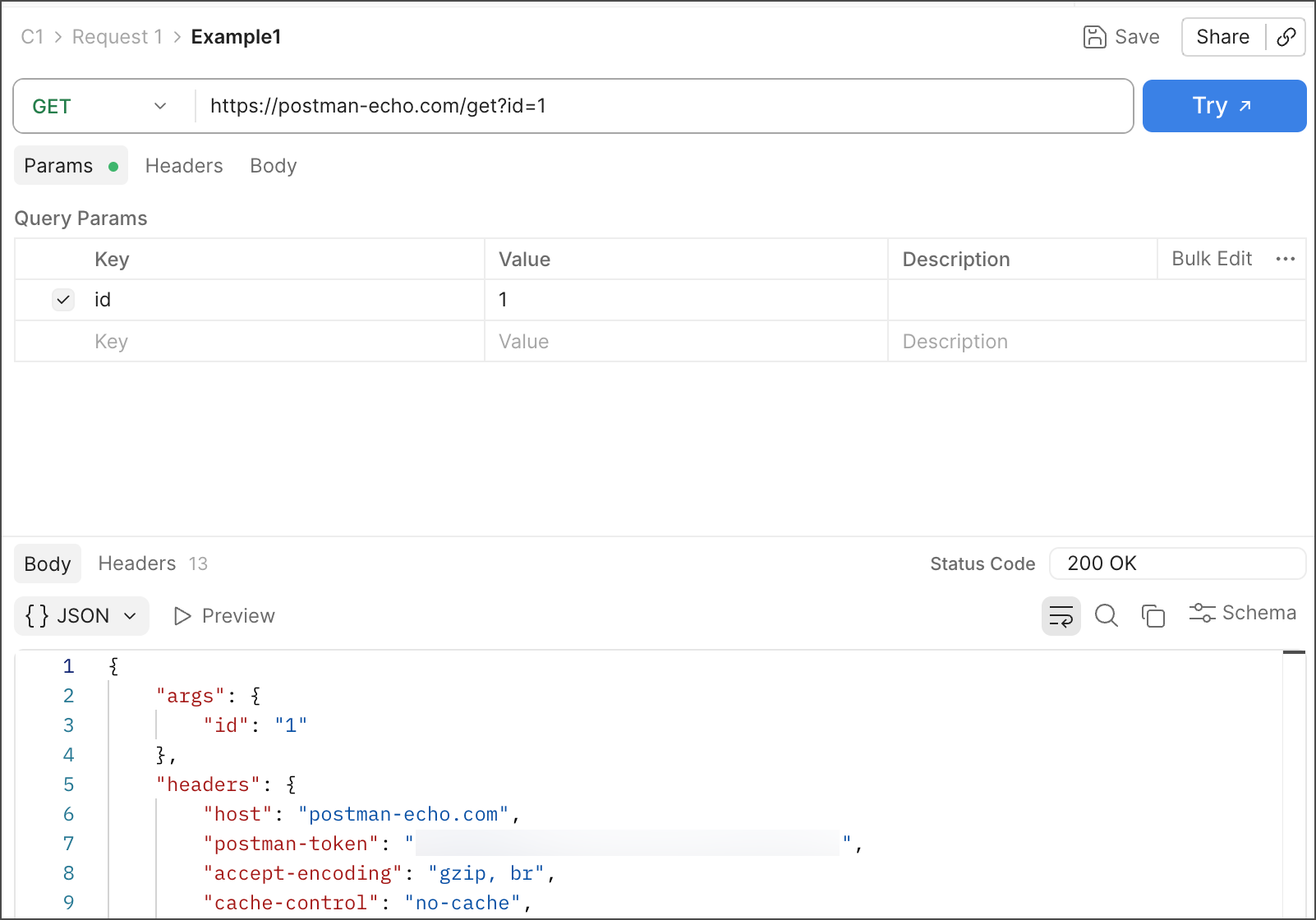
-
In Example2, the
idparameter has a5value.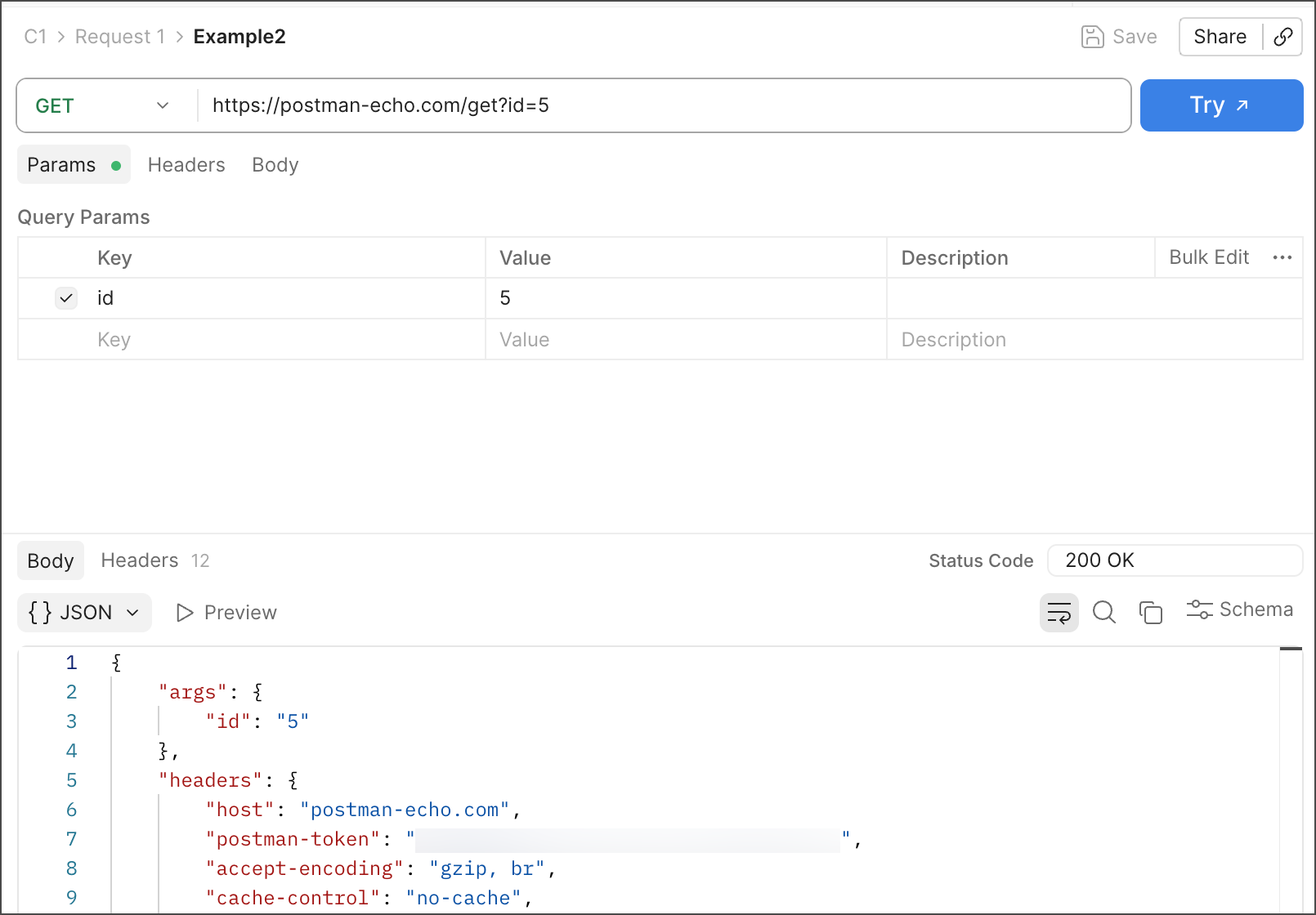
-
In this scenario, Example1 and Example2 have the same request path (
/get), but they each have anidquery parameter with different values. When you send a request to the mock server URL and pass these different query parameters, Postman returns the exact response that matches both the path and the query parameters.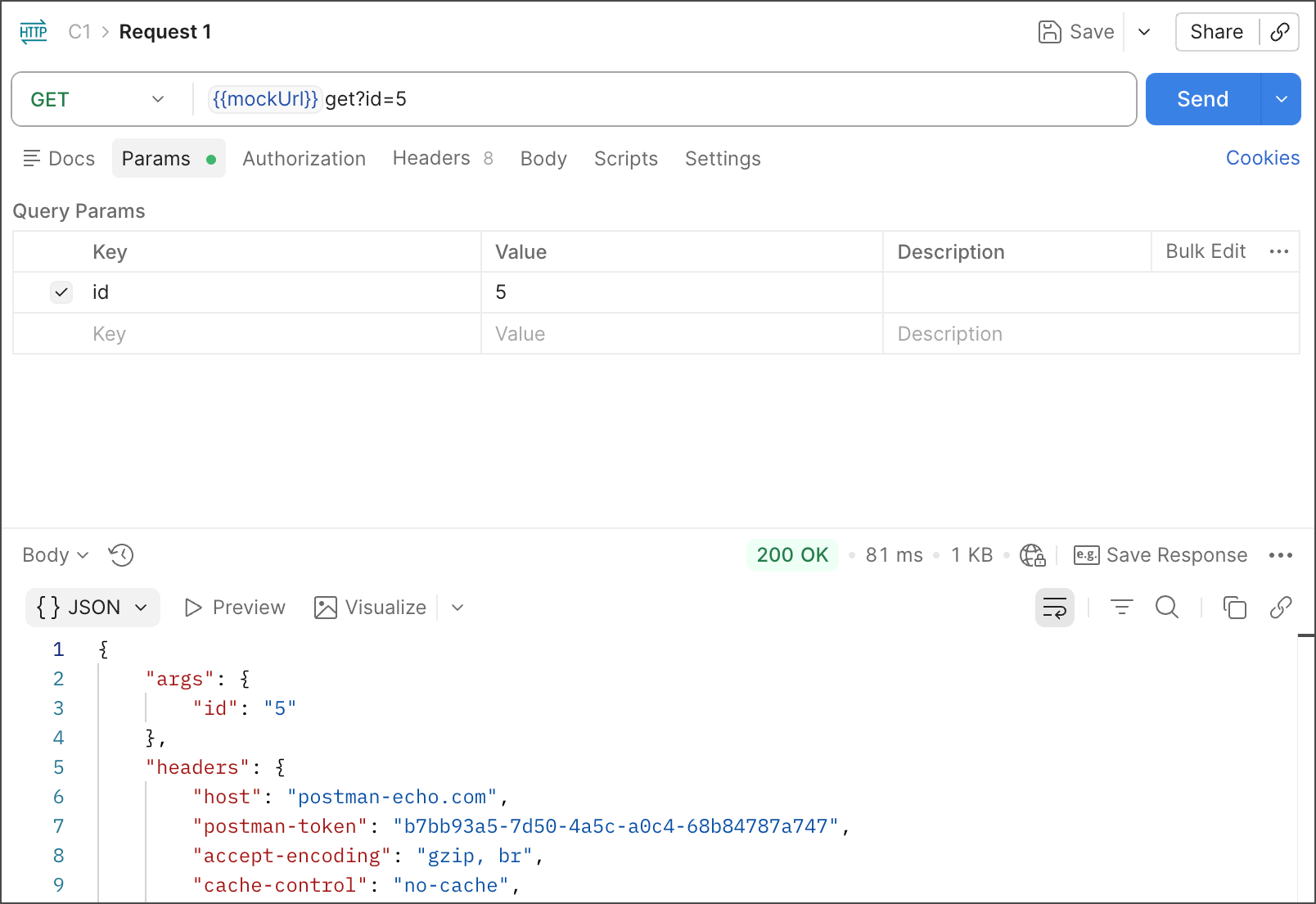
If no exact match is found, Postman returns the best response based on its matching algorithm.
Mock GraphQL queries
Postman’s mock service enables you to mock GraphQL queries. To mock GraphQL queries, make a request to the mock server using the request path and request body saved in the examples in the mocked collection.
Make sure to set the Content-type: application/json header to in your examples.