Create and capture cookies using Postman's cookie manager
Postman’s cookie manager enables you to view and edit cookies that are associated with different domains. You can manually create cookies for a domain, or you can capture cookies using the Postman proxy or Postman Interceptor. You can then use the cookies stored in the Postman cookie jar when sending requests in Postman.
To turn off sending cookies with a request, select the request’s Settings tab, then select Disable cookie jar.
About cookies
A cookie is a packet of data that a computer receives and then sends back without changing or altering it. Most cookies have two pieces of data: a unique ID for each user and a site name.
Websites can retrieve the cookie when you revisit them, so they can remember you and your preferences and tailor page content for you based on this information. Without cookies, you’d have to sign in again after you leave a site or rebuild your shopping cart if you closed a web page. This makes cookies an important part of the internet experience.
Use the cookie manager
To manage cookies in Postman, open a request, then select Cookies (under Send).

In the Cookies window, select the Manage Cookies tab to display a list of domains and the cookies associated with each one. If you want to view cookies for a domain that isn’t in the list, you can add a domain.
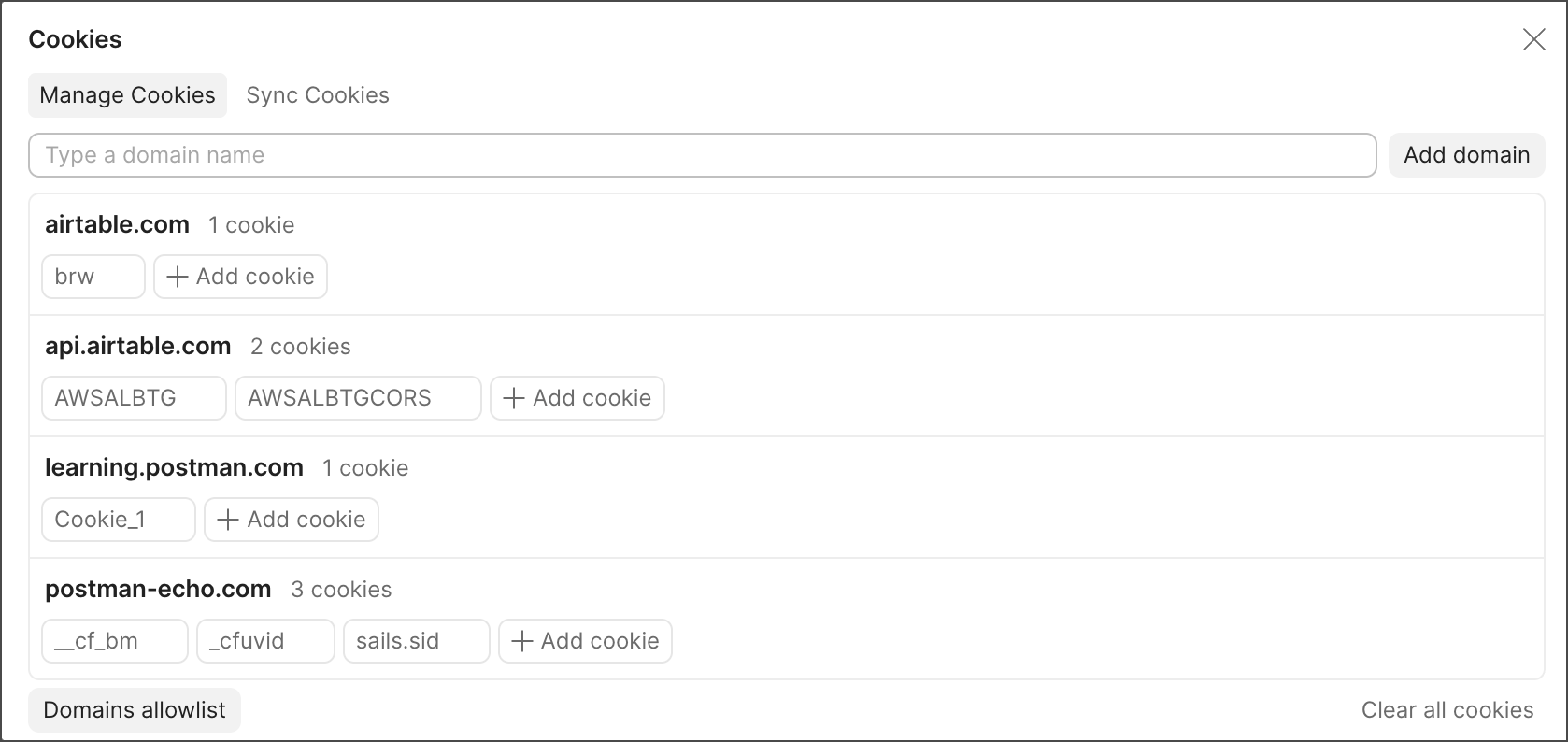
Add a domain
To add a new domain to the cookie manager, do the following:
- Enter the domain name in the Type a domain name text box. If you enter a protocol (such as
http://) or port number, they won’t be stored with the domain name in the cookie manager. - Click Add domain.
Create cookies
To add a new cookie for a domain, do the following:
-
Click
 Add cookie under the domain. A pre-generated cookie string compliant with HTTP State Management standards is created.
Postman supports the following attributes:
- cookieName = cookieValue — The name of the cookie and its stored value.
- Domain — The domain Postman will send the cookie to.
- Path — The URL path that the cookie is restricted to. If the path is
/, the cookie will be sent to all requests in the specified domain. - HttpOnly — If present, the cookie won’t be available to the client-side scripts run on the page (for example, with
document.cookiein JavaScript). The cookie will only be added to the cookie header in requests that are made. This field doesn’t have an effect on Postman’s behavior. - Secure — If present, the cookie is only sent when the URL begins with
https://and won’t be sent over an insecure connection. - Expires — The time after which the cookie expires and won’t be sent by Postman.
-
Click Save to save the cookie to the Postman cookie jar under the relevant domain.
Postman doesn’t support the SameSite attribute, or the __Secure- and __Host- prefixes.
You can also add or edit the cookies in a response with the Set-Cookie header.
Edit or delete cookies
To update an existing cookie for a domain, click the cookie you want to edit, edit any attribute, then click Save.
To delete a domain and all cookies associated with it, click  next to the cookie. To delete an individual cookie, click next to the cookie.
To remove all cookies and domains from the Postman cookie jar, click Clear all cookies.
Send cookies with a request
When you make a request to a domain you have added a cookie to, the cookie automatically appears in your request Headers tab. If the cookie isn’t visible, click hidden to show autogenerated headers.
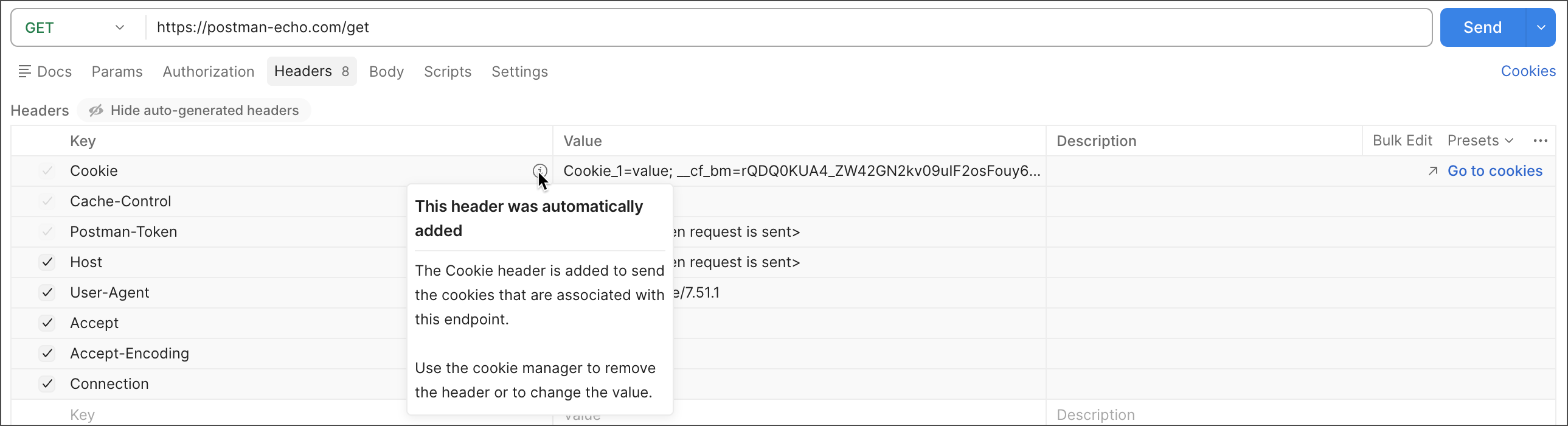
You can’t override cookie headers directly in the Headers tab. Edit the cookie in the cookie manager, or delete the cookie and set your request headers manually. You can add cookies in the cookie manager and the Headers tab, and Postman merges the cookies before sending the request.
Script with cookies
You can write scripts that create, get, and delete cookies, giving you more control over your cookies. Use the pm.cookies object to access cookies associated with the request. Use the pm.cookies.jar() methods to create, get, and delete cookies for a specific domain. To access cookies for specific domains using the pm.cookies.jar() methods, you must first add domains to the allowlist.
Learn more about writing scripts that create, get, and delete cookies.
Access cookies in scripts
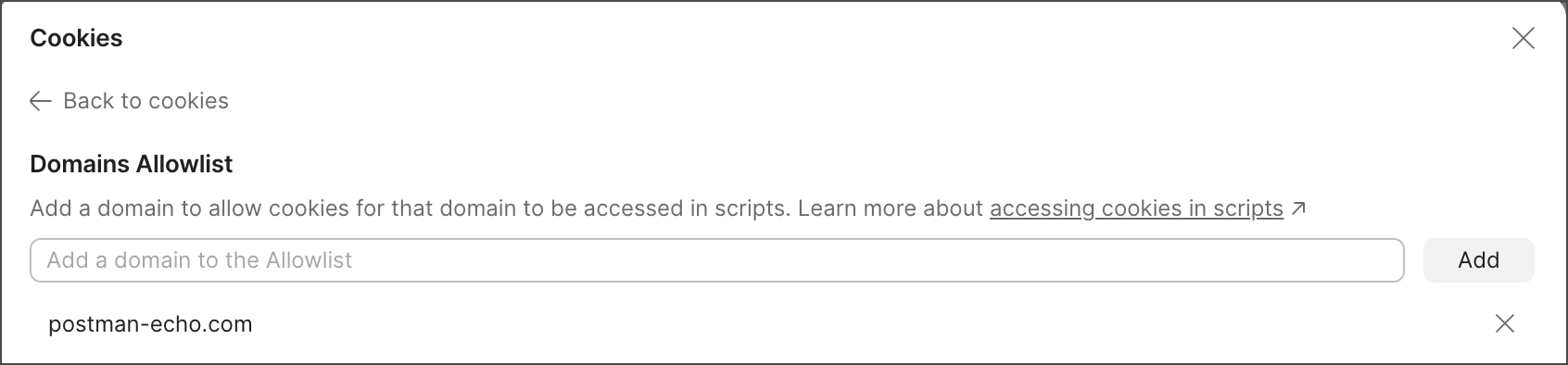
When you add a domain to the allowlist, cookies for that domain can be accessed in scripts using the pm.cookies.jar() methods.
To add a domain to the allowlist, do the following:
- In the Cookies window, click Domains allowlist.
- Enter the allowed domain in the Add a domain to the allowlist text box. If you include anything other than the domain name, such as a protocol, you won’t be able to access cookies for that domain.
- Click Add.
To remove a domain from the allowlist, click next to the domain.
Sync cookies
Postman can capture cookies for a browser or client application using the Postman proxy or Postman Interceptor. For the domains you select, captured cookies are continuously synced with the Postman cookie jar so that you can use any authentication sessions in your browser or client application to make API calls in Postman.
Learn more about capturing cookies with the Postman proxy or Postman Interceptor.