Create Postman requests and variables using Postman Flow blocks
You can send API requests and receive responses in your flows with the HTTP Request block. Your flow can then evaluate and transform the response data to inform its logic, make decisions, and pass relevant information to other blocks.
API requests often use different data each time they’re sent. For example, a request to a weather API might specify a different city each time. In Postman, you can use variables to manage interactions with APIs that expect or respond with data that changes from request to request.
To learn how to create a request in a flow, check out this Postman Flows tutorial.
Requests
With the HTTP Request block, you can select an existing request from a collection in your workspace, or create a new request.
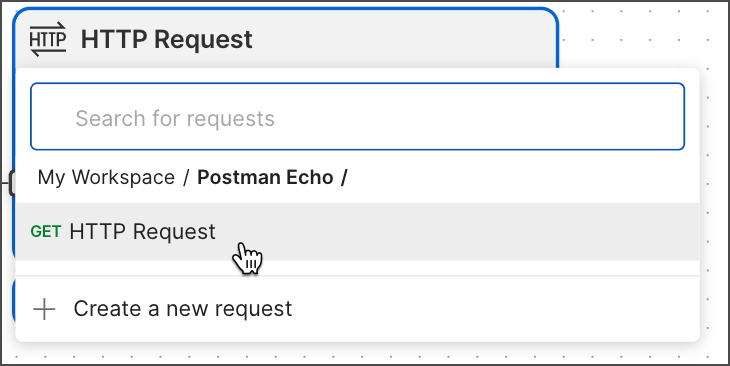
If the workspace contains no collections, you can get started by choosing from the suggested requests that appear under the Spotlight heading.
Postman Flows can run requests that use files in your local working directory to send body data. To make collaboration and publishing your flow easier, upload your test data files to your Postman team.
You can run requests with scripts that import packages from your team’s Postman Package Library. Learn how to add packages to the package library, and import packages into your scripts. You can also run collections that import external packages from npm or JSR package registries.
Variables
Variables are values that can change from one request to another. These can be things like IDs, usernames, and numbers.
When the selected request uses variables, the variables part of the HTTP Request block opens automatically and enables you to insert a data block and enter a value.
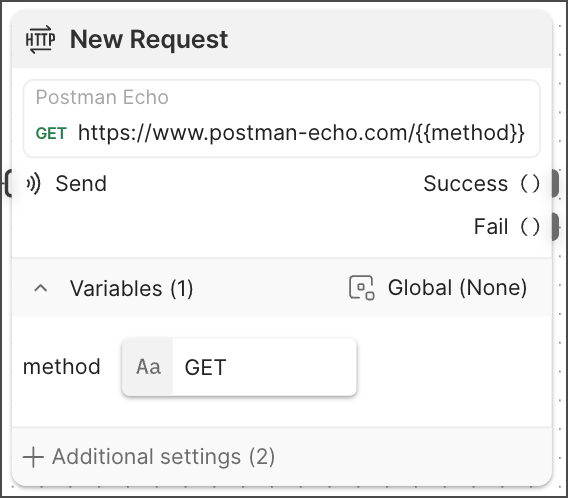
In this request, the variable is named method and its value is the string GET. (For more information on setting up variables in requests, see Store and reuse values using variables.) Once the request runs, you can preview the response by clicking the Success output port. The response body includes the request’s URL, which uses a GET method defined by the variable.
Environment variables
You can configure the HTTP Request block in local flows so that environment variable values changed by pre-request and post-request scripts persist or reset when the block’s run completes. To learn more, see Update environment variables with scripts.
To turn persistent changes to environment variables on or off, do the following:
-
Click the HTTP Request block.
-
Click
 Additional settings.
 -
Under Allow scripts to update environment values, turn the toggle on or off.
 Left is off,
  right is on.
Assign values to query parameters with variables
You can assign values to query parameters using dynamic variables, inline data blocks like the Get Variable block, and environment variables. The following example demonstrates all three ways:
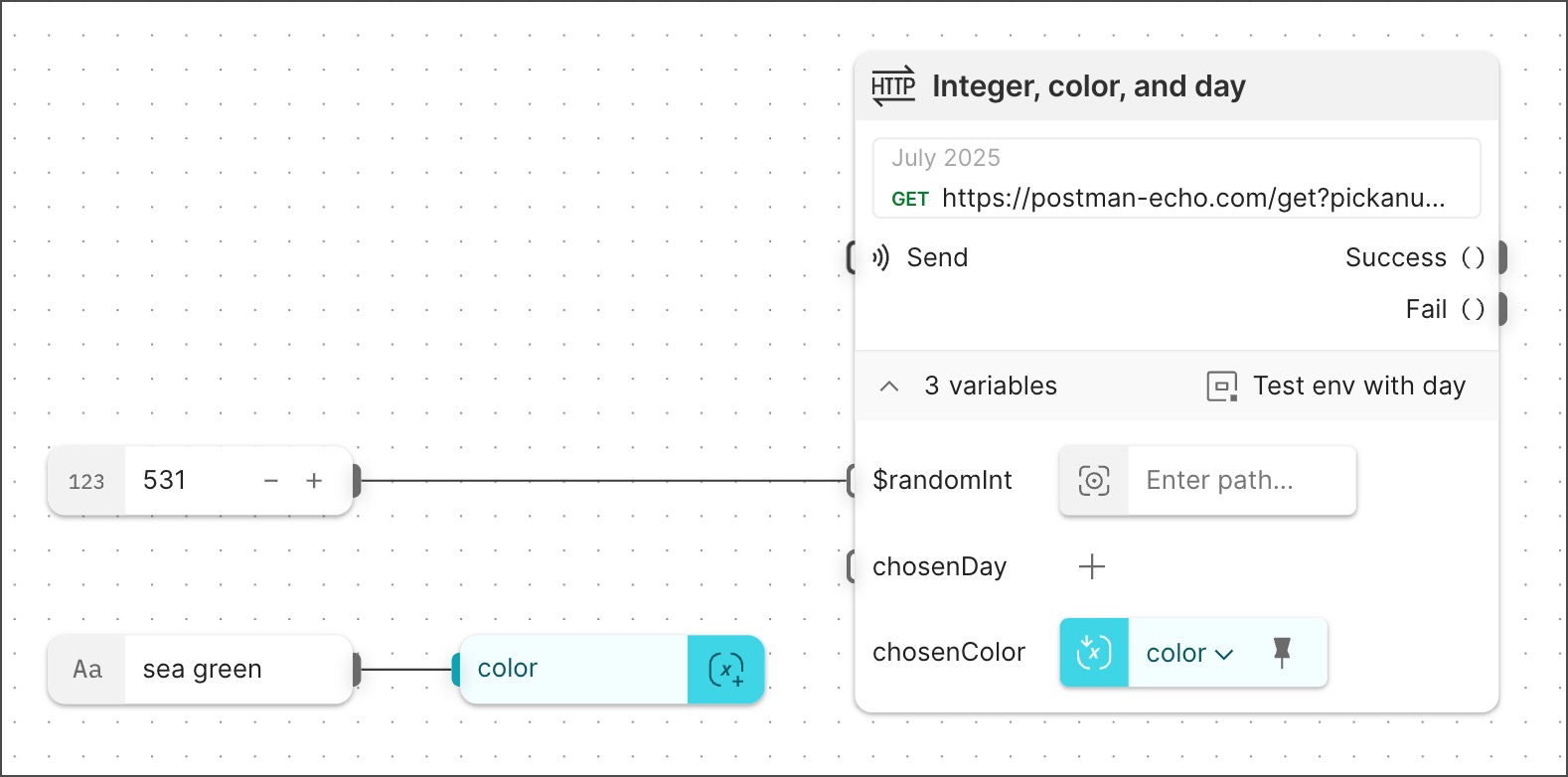
In the example, the request URL is:
The query parameters obtain their values as follows:
-
pickanumbergets its value from the dynamic variable{{$randomInt}}, but the connected Number block overrides it with the value 531. -
pickacolorgets its value from the variable{{chosenColor}}in an inline Get Variable block that references a Create Variable block. That Create Variable block gets its value (sea green) from a connected String block. -
pickadaygets its value (Tuesday) from the environment variable{{chosenDay}}that’s set in the selected environmentTest env with day.
This example shows how a flow stores and retrieves values with Create Variable and Get Variable blocks. You can also store values as configurations and retrieve them with Get Configuration blocks.
Update environment variables with scripts
Requests can change environment variables’ values with scripts. You can configure the HTTP Request block so that environment variable values changed by pre-request and post-response scripts persist or reset when the block’s run completes. By default, script-changed values persist in new HTTP Request blocks. Deployed flows don’t support persistent changed values for environment variables.
To turn persistent changes to environment variables on or off, do the following:
-
Click the HTTP Request block.
-
Click
 Additional Settings.
 -
Next to Allow persistent changes to environment values, turn the toggle on or off.
Left is off, right is on. -
Select a format from the dropdown list.