Add API documentation in Postman
You can view, create, and manage your API’s documentation with collections. You can add detailed API documentation to a collection with types. This enables you to add more details to request parameters, headers, and bodies in an HTTP collection.
The API documentation includes complete API, path, and operation information, such as authentication methods, parameters, request bodies, response bodies and headers, and examples. The documentation also includes information for various data models, such as required attributes, default values, minimum and maximum values, and other constraints.
Add API documentation with collections
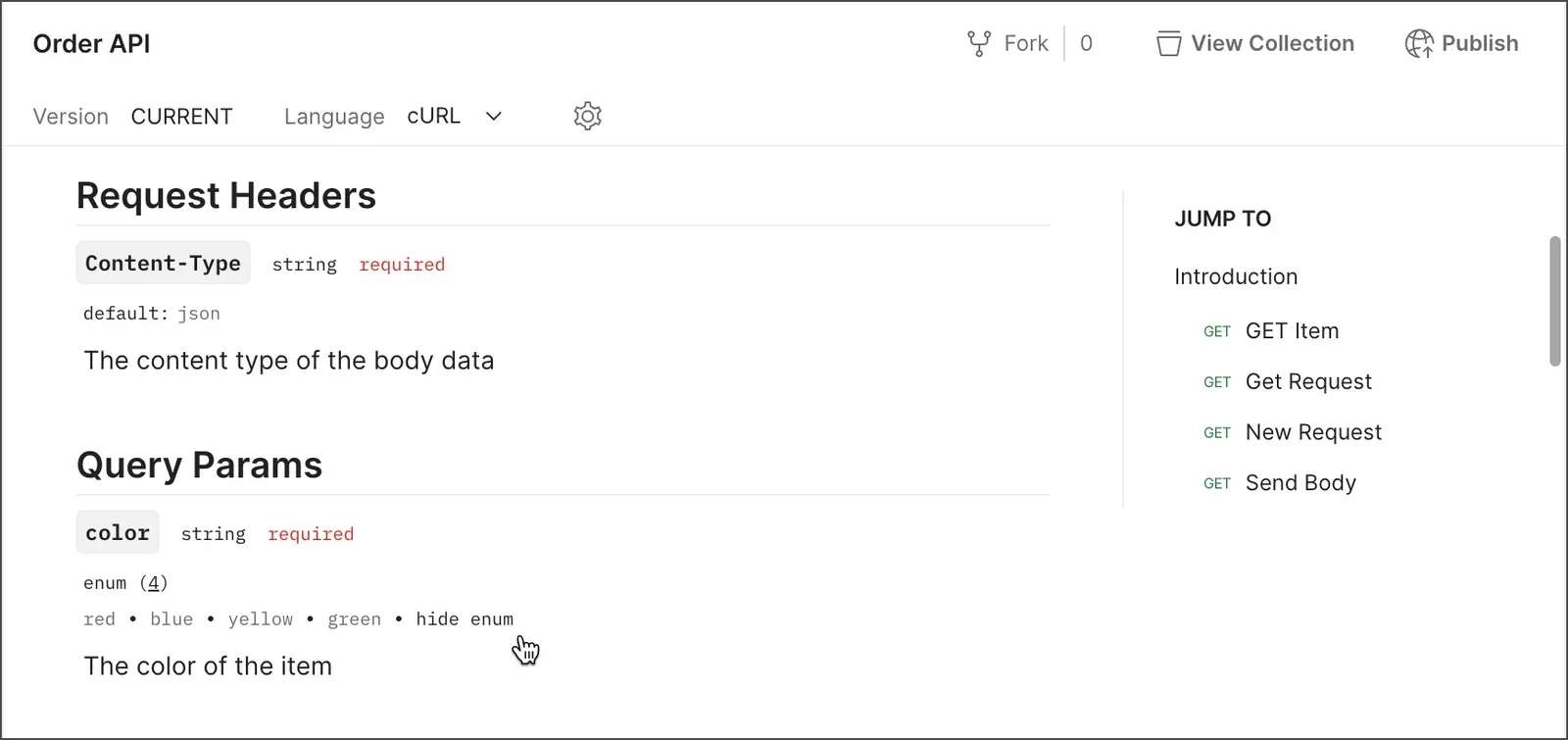
Postman automatically creates documentation for a collection you create. With types in collections, you can build out this documentation by designing your API with the Postman Collection format. You can add more details to request parameters, headers, and bodies in the collection, such as data type and possible values. Details you add appear in your collection’s documentation.
To get started, add types to parameters and headers. You can also add types to body data in your requests.
To view the documentation for a collection with types, do the following:
- In the left sidebar, choose a collection with types.
- Click the collection’s Overview tab and click View complete documentation.
Next steps
After adding documentation to an API in Postman, you can edit and format the docs. You can also publish your API, including the documentation.
- To learn more about adding descriptions to a collection, including collections linked to an API, see Document a collection in Postman.
- To learn more about editing and formatting your documentation, see Write documentation in Postman.
- To learn how users can access your documentation, see View documentation in Postman. By default, your documentation is private, so you must share an API with others before they can access it.