Discover MCPs, agents, and LLM resources
The Postman Gateway Catalog is an inventory of every resource connected to your AI gateway, for example, MCP servers, agents, LLM providers, and services.
To access this catalog, go to Gateway > Catalog.
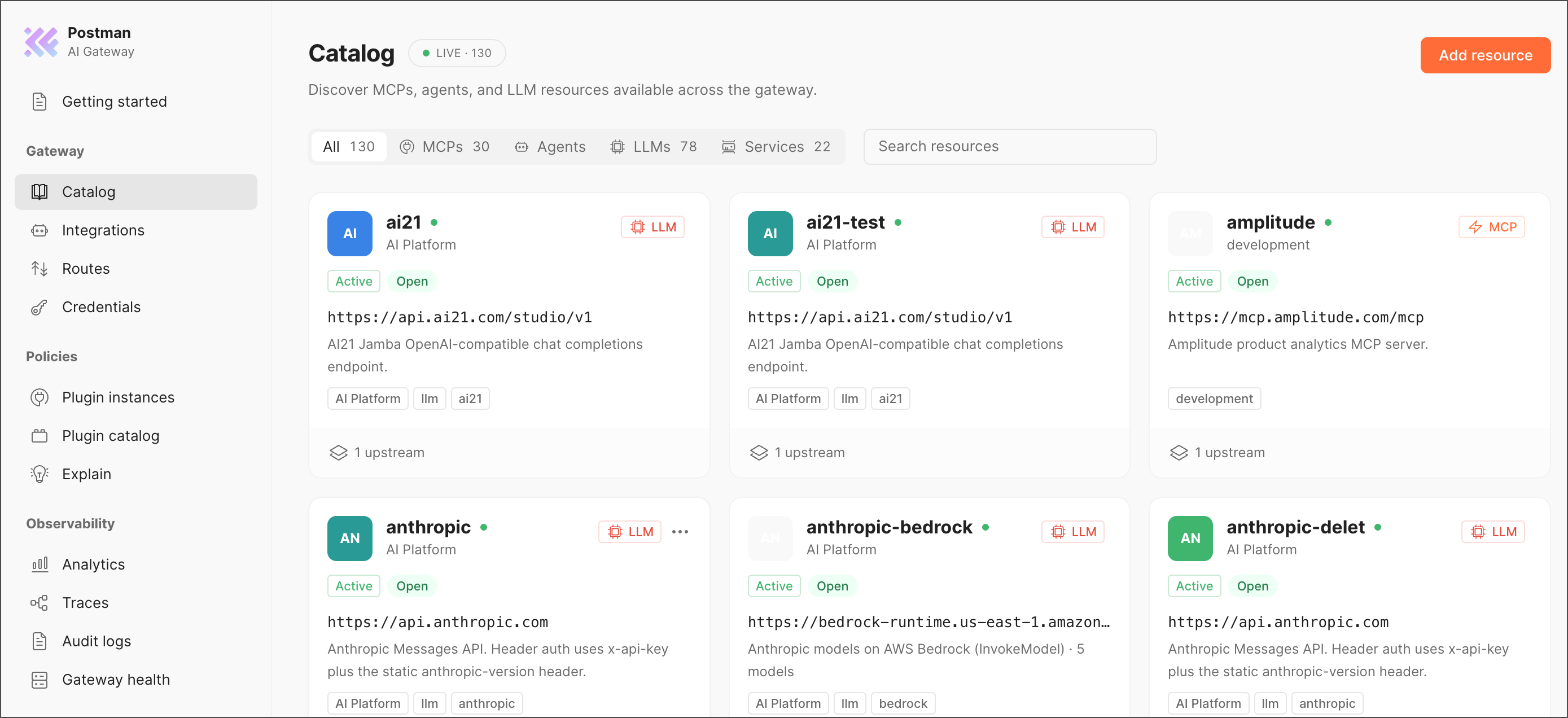
Filter resources
Use the tabs to scope the view: All, MCPs, Agents, LLMs, Services. Use Search resources to jump to a resource by name.
Each resource card displays key information about the resource:
Add a resource
Use this option when a provider has no template under Integrations.
-
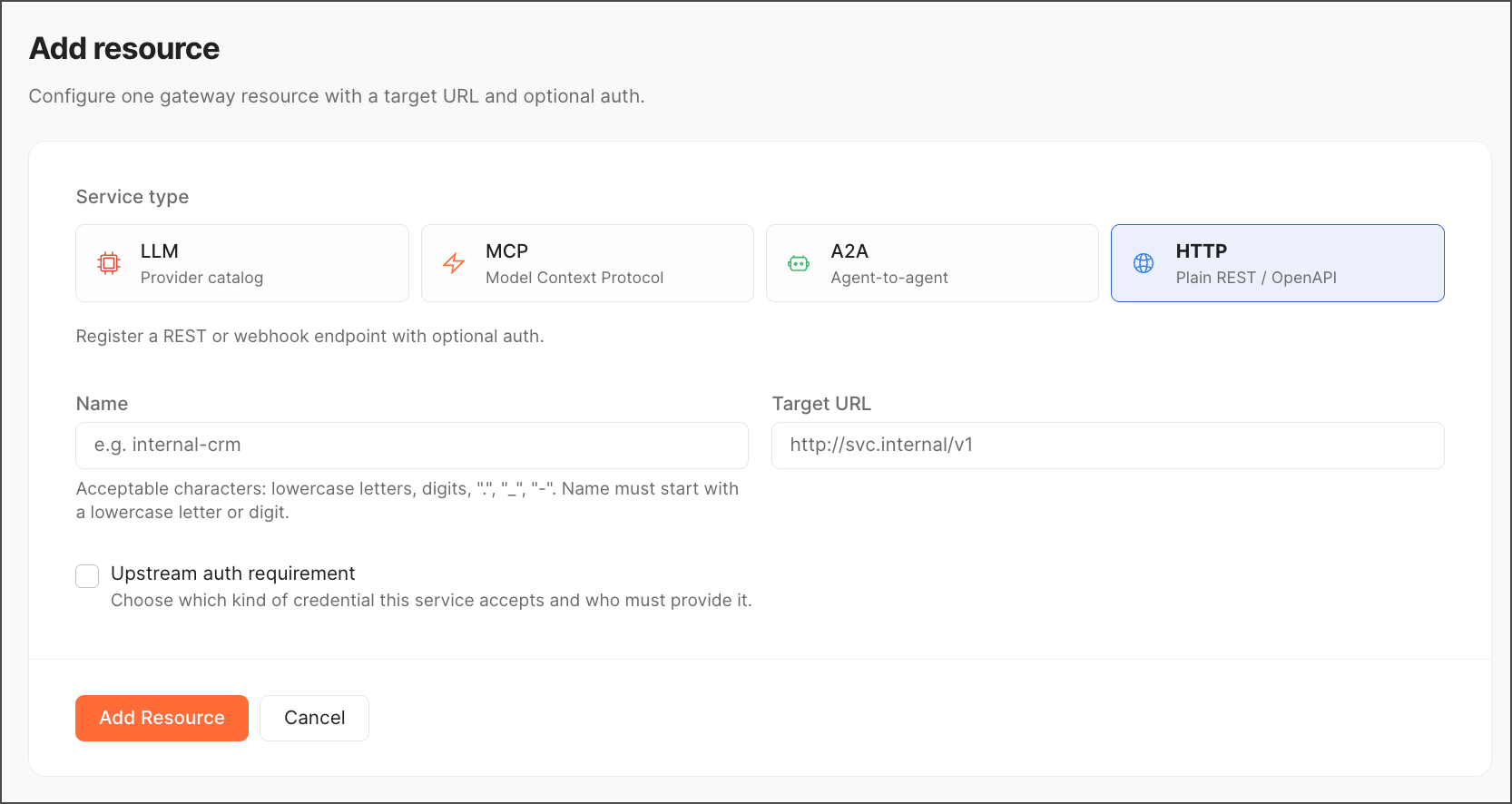
Click Add resource.
-
Choose a service type:
- LLM — Provider from Postman’s catalog
- MCP — Model Context Protocol server
- A2A — Agent-to-agent connection
- HTTP — plain REST endpoint or webhook (use for internal services)
-
Enter a Name (lowercase, digits,
._-, must start with lowercase letter/digit). -
Enter the Target URL.
-
If the upstream needs auth, select Upstream auth requirement and specify who provides the credential — caller or gateway.
-
Click Add Resource to save, or Cancel to discard.
Tips
- Prefer Integrations over manual add when a template exists — auth and endpoints come pre-scaffolded.
- Filter to a tab before searching in large catalogs — faster than searching All.
- Seeing near-duplicate entries? Check Audit logs for creation history before deleting.
- Cross-check a resource against Routes (what points to it) and Credentials (what auth it uses).