Set up gateway services
Use Integrations as the starting point to connect your AI gateway to external providers. Integrations surfaces pre-built templates for LLM providers and MCP servers, each with connection details already scaffolded, so you can stand up a new gateway service in a few clicks rather than configuring routes and auth from scratch.
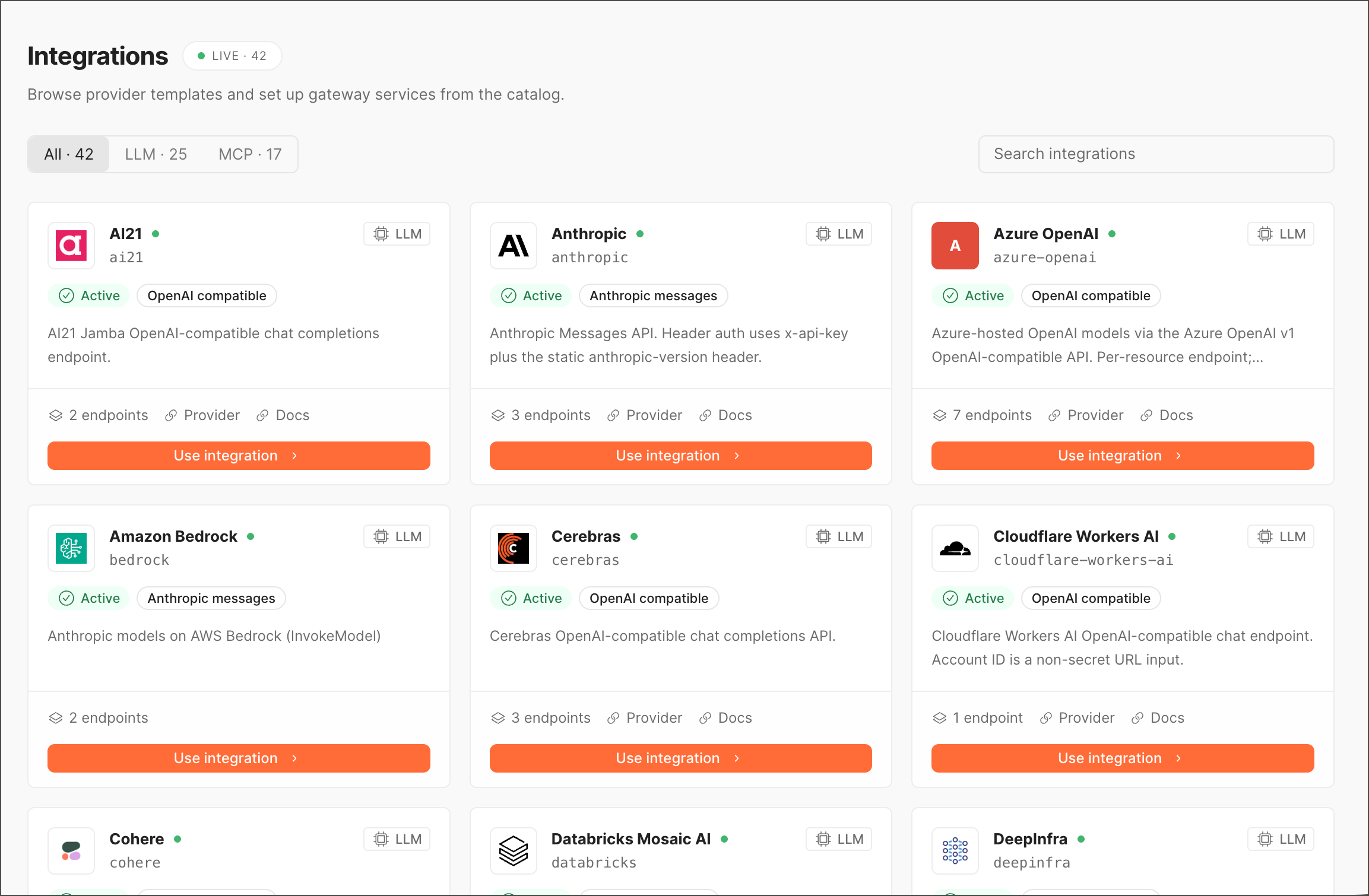
To access Integrations, go to Gateway > Integrations in the left sidebar. The header badge shows the total number of integration templates currently available.
Filter the catalog
You can filter the catalog by the following categories:
Each tab label includes a live count. Use the Search integrations field in the top-right to jump directly to a provider by name.
Use integration templates
Every template in the catalog contains the following elements:
- Name and identifier — The provider’s display name (for example, Anthropic) and its machine-readable slug (
anthropic), with a green status dot indicating the template is available for use. - Type badge —
LLMorMCP, shown in the top-right of the card. - Status —
Activeindicates the integration template is currently usable. - Capability tags — Short labels describing the interface or auth style the integration supports, such as
OpenAI compatible,Anthropic messages,OAuth,API key,Bearer, orPublic. - Description — A one- or two-line summary of what the integration provides and any notable configuration details (for example, header auth requirements, per-resource endpoints).
- Metadata row — Number of endpoints or auth methods, plus links to Provider (the vendor’s own site) and Docs (integration-specific documentation).
Click Use integration to create a gateway service from the template you select. For more information, see Set up an integration.
LLM integrations
The LLM tab lists model provider templates. Each card indicates whether the provider exposes an OpenAI compatible interface or an Anthropic messages-style interface, which determines how your existing client code can talk to it through the gateway.
MCP integrations
The MCP tab lists Model Context Protocol servers you can connect as tool providers for agent traffic. Each card lists supported auth methods instead of API-compatibility tags, since MCP servers are tool/resource providers rather than model endpoints.
Set up an integration
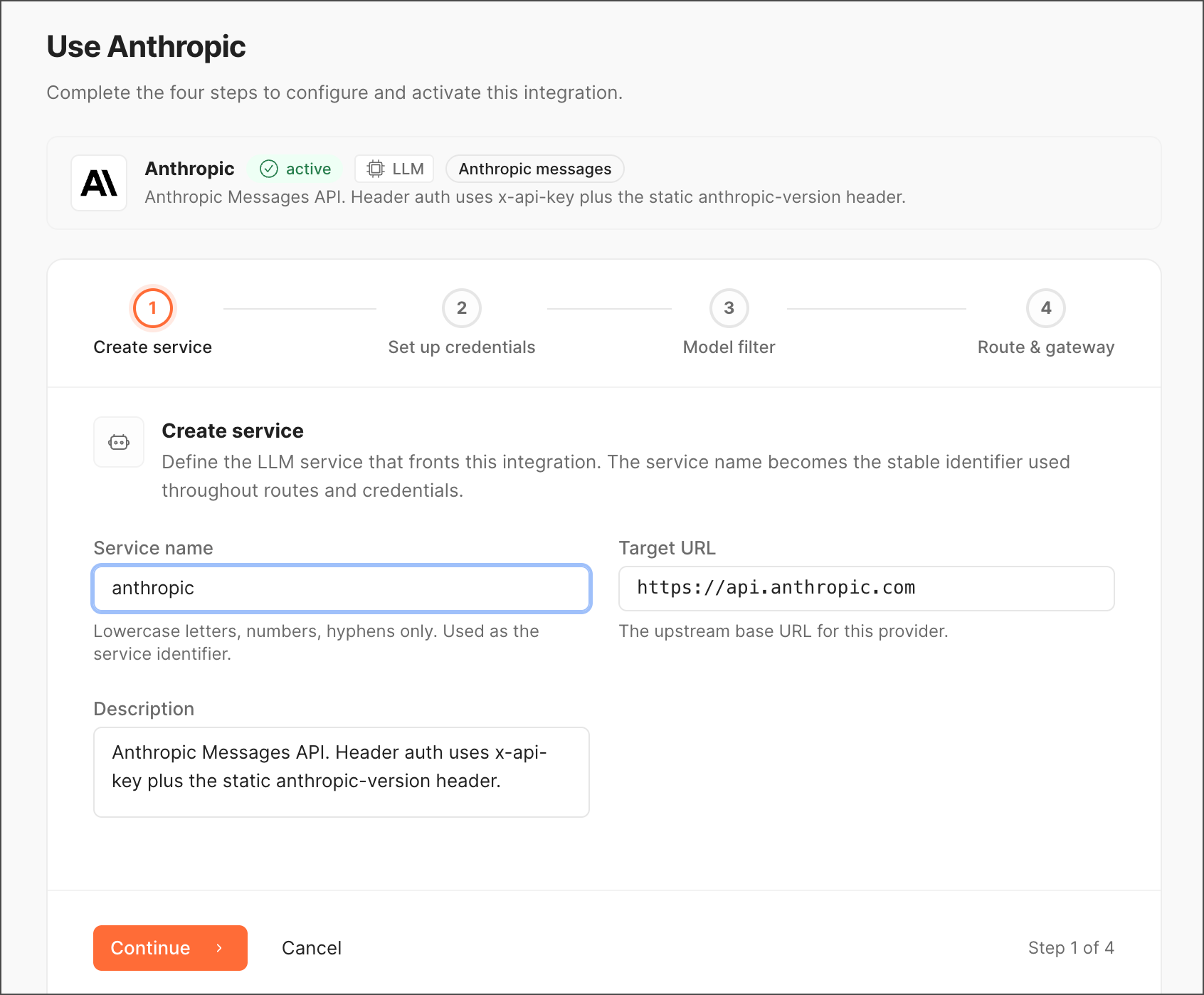
Click Use integration on any card to begin creating a gateway service from that template. This typically pre-fills endpoint and auth configuration based on the provider’s known schema, so you mainly need to supply credentials and any account-specific values (like an Azure resource name or Cloudflare account ID).
Tips
- Check the auth methods or capability tags before connecting — A provider offering multiple auth options (like Context7’s OAuth, API key, and Public modes) lets you pick the one matching your existing credential setup.
- OpenAI compatible LLM integrations are usually the fastest to adopt if your application code already targets the OpenAI SDK, since no client-side changes are needed beyond the base URL.
- Use Docs on any card to jump straight to provider-specific setup instructions before committing to Use integration.
- Once connected, manage credentials for an integration under Credentials, and monitor its traffic under Analytics or Audit logs.