For AI agents: a documentation index is available at the root level at /llms.txt and /llms-full.txt. Append /llms.txt to any URL for a page-level index, or .md for the markdown version of any page.
Postman
PricingEnterprise
Contact SalesSign InSign Up for Free
HomeDocs
HomeDocs
      • Overview
        • Overview
        • Run a performance test
        • View performance test metrics
        • Debug performance test errors
        • Debug performance test assertion failures
        • Inject data into virtual users
        • Troubleshoot performance tests
Postman API Platform

Product

  • Postman Overview
  • Enterprise
  • Spec Hub
  • Flows
  • Agent Mode
  • API Catalog
  • Fern
  • Postman CLI
  • Integrations
  • Workspaces
  • Plans and pricing

API Network

  • App Security
  • Artificial Intelligence
  • Communication
  • Data Analytics
  • Database
  • Developer Productivity
  • DevOps
  • Ecommerce
  • eSignature
  • Financial Services
  • Payments
  • Travel

Resources

  • Postman Docs
  • Academy
  • Community
  • Templates
  • Intergalactic
  • Videos
  • MCP Servers

Legal and Security

  • Legal Terms Hub
  • Terms of Service
  • Postman Product Terms
  • Security
  • Website Terms of Use

Company

  • About
  • Careers and culture
  • Contact us
  • Partner program
  • Customer stories
  • Student programs
  • Press and media
Twitter iconLinkedIn iconGithub iconYouTube iconInstagram iconDiscord icon
Download Postman
Privacy Policy

© 2026 Postman, Inc.

On this page
  • View failed test assertions
  • Debug failed test assertions
Tests and scriptsTest API performance

View failed test assertions for performance tests

||View as Markdown|
Was this page helpful?
Previous

View error details for performance tests

Next

Use a data file to simulate virtual users

Built with

After a performance test completes, you can view the requests with failed test assertions that ran during the test. View details about the top failed requests and error trends that occurred over the duration of the test. Use this information to identify why your API isn’t behaving as expected under load and possible causes.

View failed test assertions

You can view the top requests that failed and also view requests with test assertion failures over the duration of the performance test.

On the Summary tab, you can click Failure % to view the top requests with failed test assertions that ran during the performance test. You can click View Failure Trends to view request failure trends during the performance test.
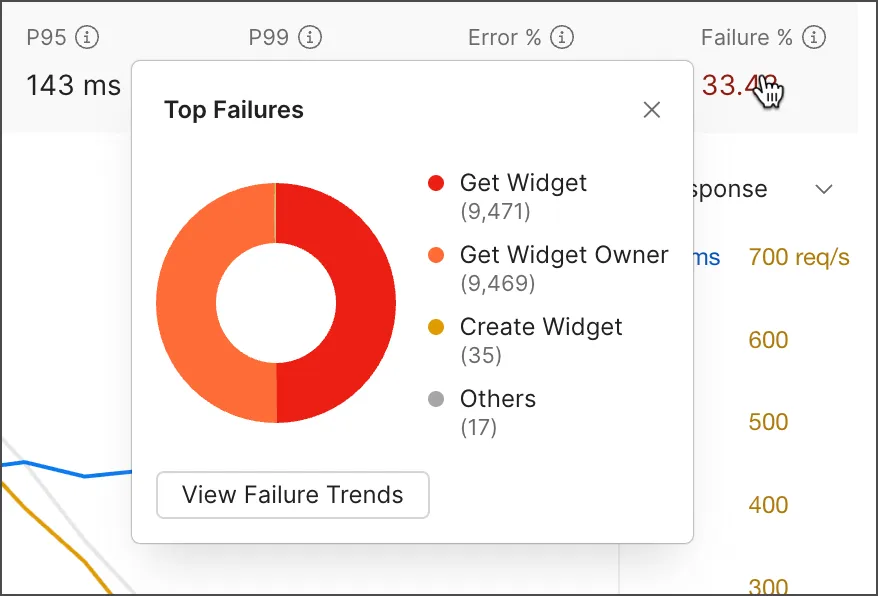
View top test assertion failures during performance test

You can also click the Tests tab to view request failure trends during the performance test. In the table, you can view the requests that ran during the run and each failed test assertion. Next to each test assertion, you can view the percentage of how often it failed compared to all of the requests that ran. Learn more about debugging failed test assertions.
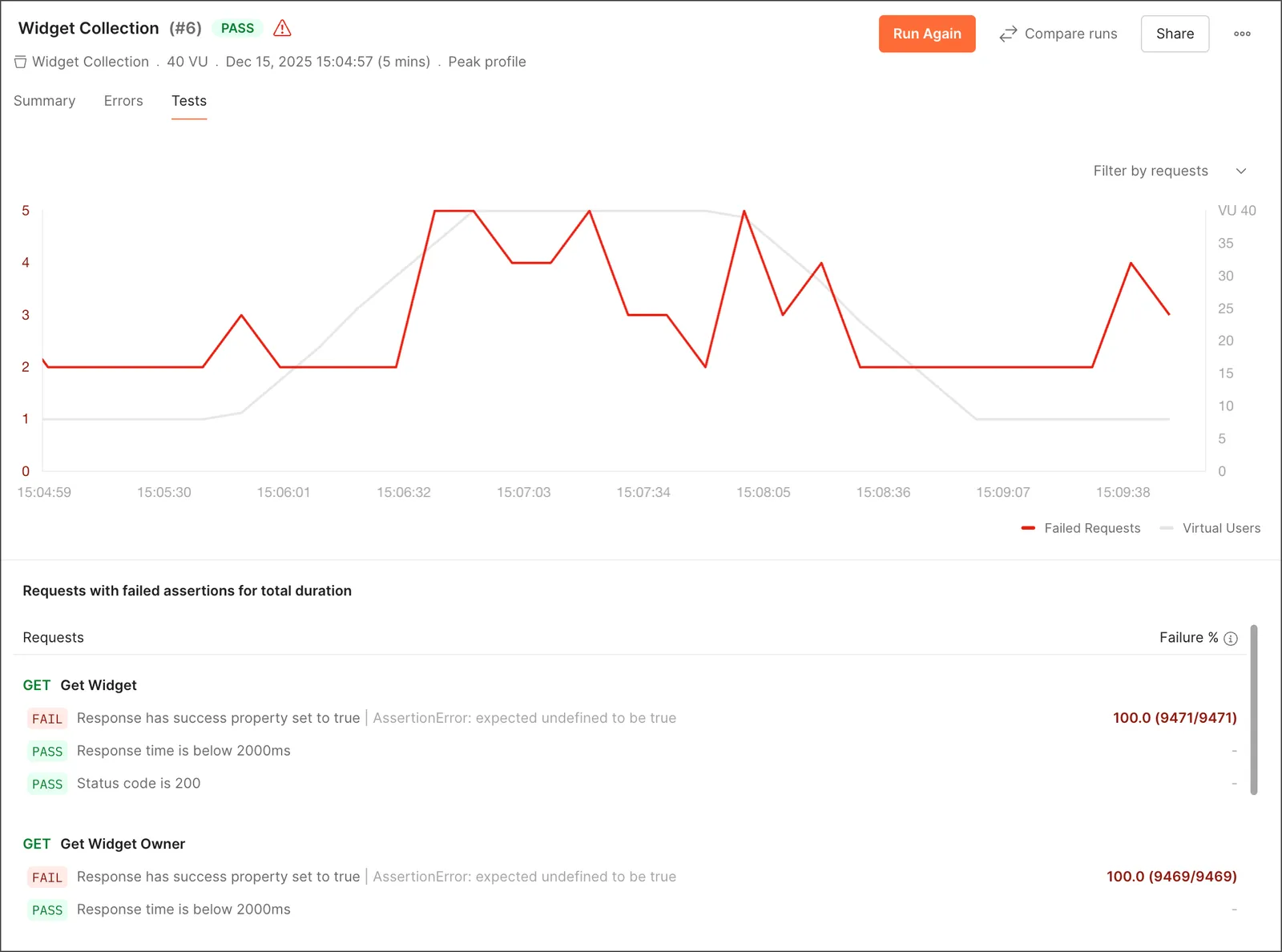
View test assertion failures during performance test

Debug failed test assertions

The Tests tab shows requests that ran and how often each test assertion failed during the performance test. This is useful for understanding how test assertion failures change in response to increased load on your API.

You can take the following actions to debug your requests:

  • Hover over a point on the graph to view the date and time the requests sent, number of failed requests, number of virtual users, and top failed requests.
  • Click a point on the graph to view the requests and test assertions that failed during the timestamp. Click Clear Filter to return to the default view.
  • Click the Filter by requests dropdown list to filter the results by a specific request. Click Reset to return to the default view.
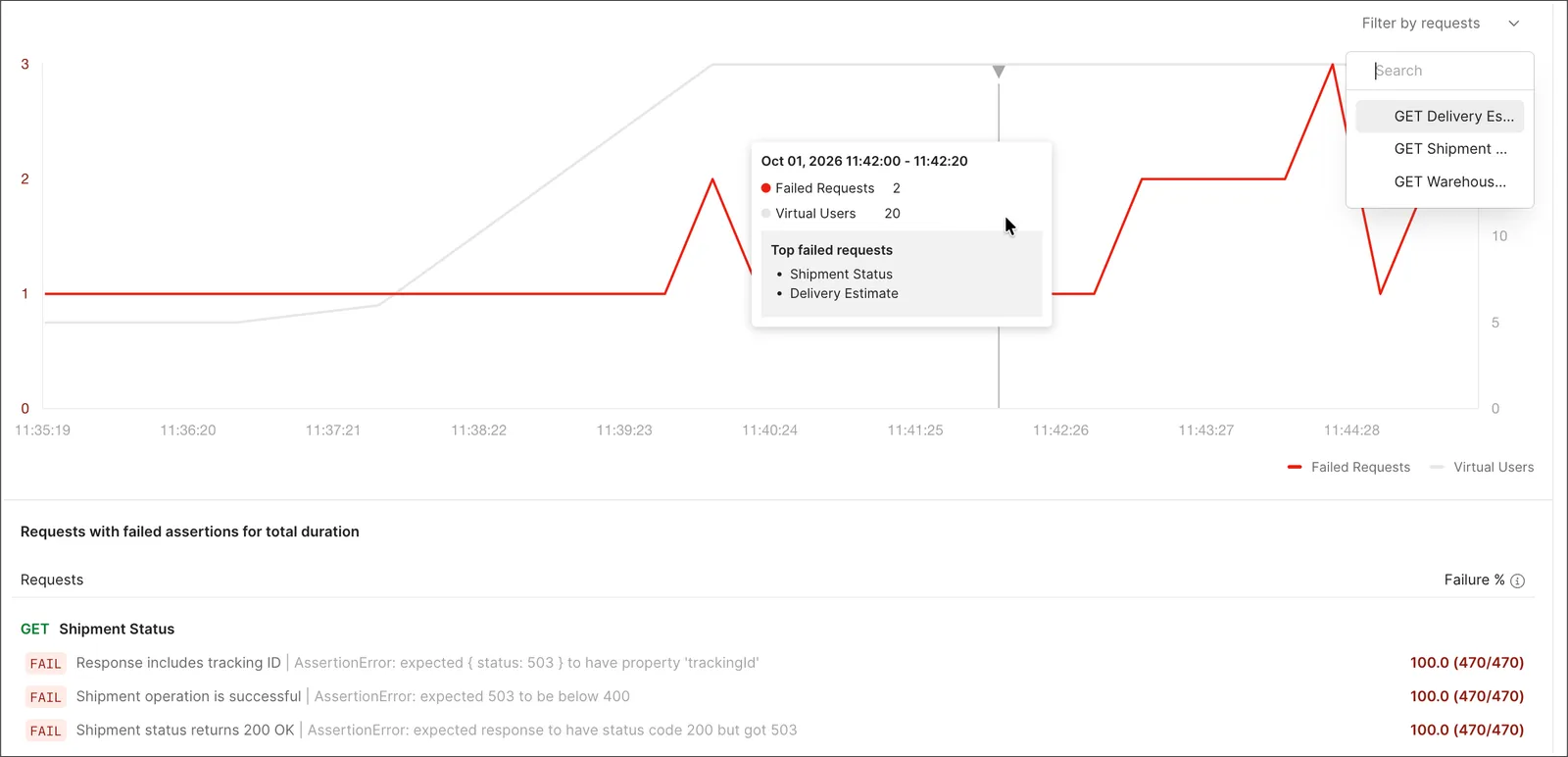
View test assertion failures details