Create collections of API requests in Postman
Create a Postman Collection to save and share your favorite requests, to group requests you use for testing an API, or to document your API. You can create a new collection from scratch, or jump-start your collection with a template.
Once created, you can customize your collection by adding a name and description. You can also specify authorization details and add scripts and variables.
Create a new collection
To create a collection, you must be signed in to your Postman account.
You can create a new collection in the following ways:
- Click Collections in the sidebar, then select + > Blank collection.
- Click New in the sidebar, then click Collection.
- In an empty workspace, click Create Collection.
- You can also create a collection from a template.
Once you’ve created a new collection, you can add API requests to it. You can also name and configure your collection.

Create a collection from a template
Not sure how to get started with your collection? Instead of creating a collection from scratch, you can use a template with predefined content. Postman has templates designed for integration testing, API documentation, conditional workflows, data visualization, and more.
To create a collection from a template, do the following:
- Click Collections in the sidebar, then select + > Collection template.
- Select a recommended template. You can also search for a template, or browse templates by role or use case.
- Review the information about the template, and when ready click Use template.
You can also apply a template to an existing, empty collection. In the collection’s overview, select a template or click More templates. You can’t apply a template to a collection that already contains items.
Configure a collection
To customize and configure your new collection, do any of the following:
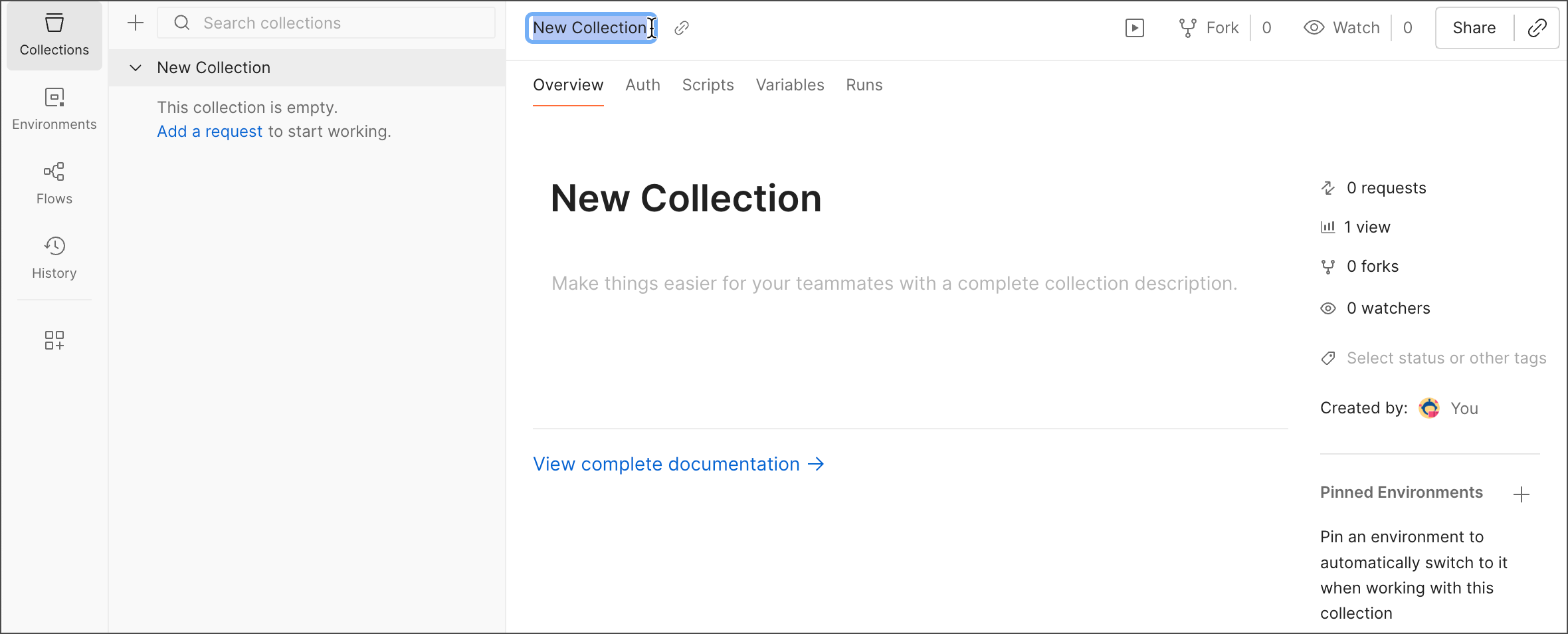
- Click the collection name in the workbench to rename your collection. You can also select a collection in the sidebar and press the Enter or Return key to rename it.
- You can add a description for your collection in the Overview tab. The description also appears in the collection’s documentation.
- Click Authorization to configure authorization details for all requests in the collection.
- Select Scripts > Pre-request to add a pre-request script for your collection. The script will run before each request in the collection is sent.
- Select Scripts > Post-response to add a post-response script for your collection. The script will run after each request in the collection is sent.
- Click Variables to define collection variables. Collection variables are reusable values you can use across all requests and documentation in a collection.
Double-click a collection in the sidebar to persist its tab as you navigate the Postman app.
Turn on autosave to automatically save your changes to requests. Learn more about autosave.