For AI agents: a documentation index is available at the root level at /llms.txt and /llms-full.txt. Append /llms.txt to any URL for a page-level index, or .md for the markdown version of any page.
Postman
PricingEnterprise
Contact SalesSign InSign Up for Free
HomeDocs
HomeDocs
      • Overview
        • Overview
          • Overview
            • Overview
            • Manage MQTT requests
            • Create an MQTT request
Postman API Platform

Product

  • Postman Overview
  • Enterprise
  • Spec Hub
  • Flows
  • Agent Mode
  • API Catalog
  • Fern
  • Postman CLI
  • Integrations
  • Workspaces
  • Plans and pricing

API Network

  • App Security
  • Artificial Intelligence
  • Communication
  • Data Analytics
  • Database
  • Developer Productivity
  • DevOps
  • Ecommerce
  • eSignature
  • Financial Services
  • Payments
  • Travel

Resources

  • Postman Docs
  • Academy
  • Community
  • Templates
  • Intergalactic
  • Videos
  • MCP Servers

Legal and Security

  • Legal Terms Hub
  • Terms of Service
  • Postman Product Terms
  • Security
  • Website Terms of Use

Company

  • About
  • Careers and culture
  • Contact us
  • Partner program
  • Customer stories
  • Student programs
  • Press and media
Twitter iconLinkedIn iconGithub iconYouTube iconInstagram iconDiscord icon
Download Postman
Privacy Policy

© 2026 Postman, Inc.

On this page
  • Work with MQTT APIs using Postman
  • Next steps
Use PostmanSend requestsOther protocolsMQTT

MQTT overview

||View as Markdown|
Was this page helpful?
Previous

Read and write gRPC data using the Postman JSON interface

Next

Using the MQTT request interface

Built with

MQTT (Message Queuing Telemetry Transport) is a messaging protocol for the Internet of Things (IoT). Its usage spans from small devices for home automation and wearables, to automating large-scale industrial machineries. It’s a lightweight technology where clients connected to a single broker can publish messages to different topics and subscribe to topics to receive messages from other connected clients. The messages are transferred with low-bandwidth usage, low-power consumption, and efficient distribution of information to one or many receivers, all adding to the popularity of MQTT.

Work with MQTT APIs using Postman

Postman provides you with a client interface to debug your MQTT-based APIs. If you haven’t already, download and install the Postman desktop app to get started.

You can do any of the following when you create a new MQTT request:

  • Connect to a broker.
  • Subscribe to topics.
  • Publish messages.
  • View messages received from the broker.

After saving your MQTT request into a collection, you can do the following:

  • Reuse it later.

  • Document it.

  • Share it with your teammates.

  • Publish it to the community on the Postman API Network.
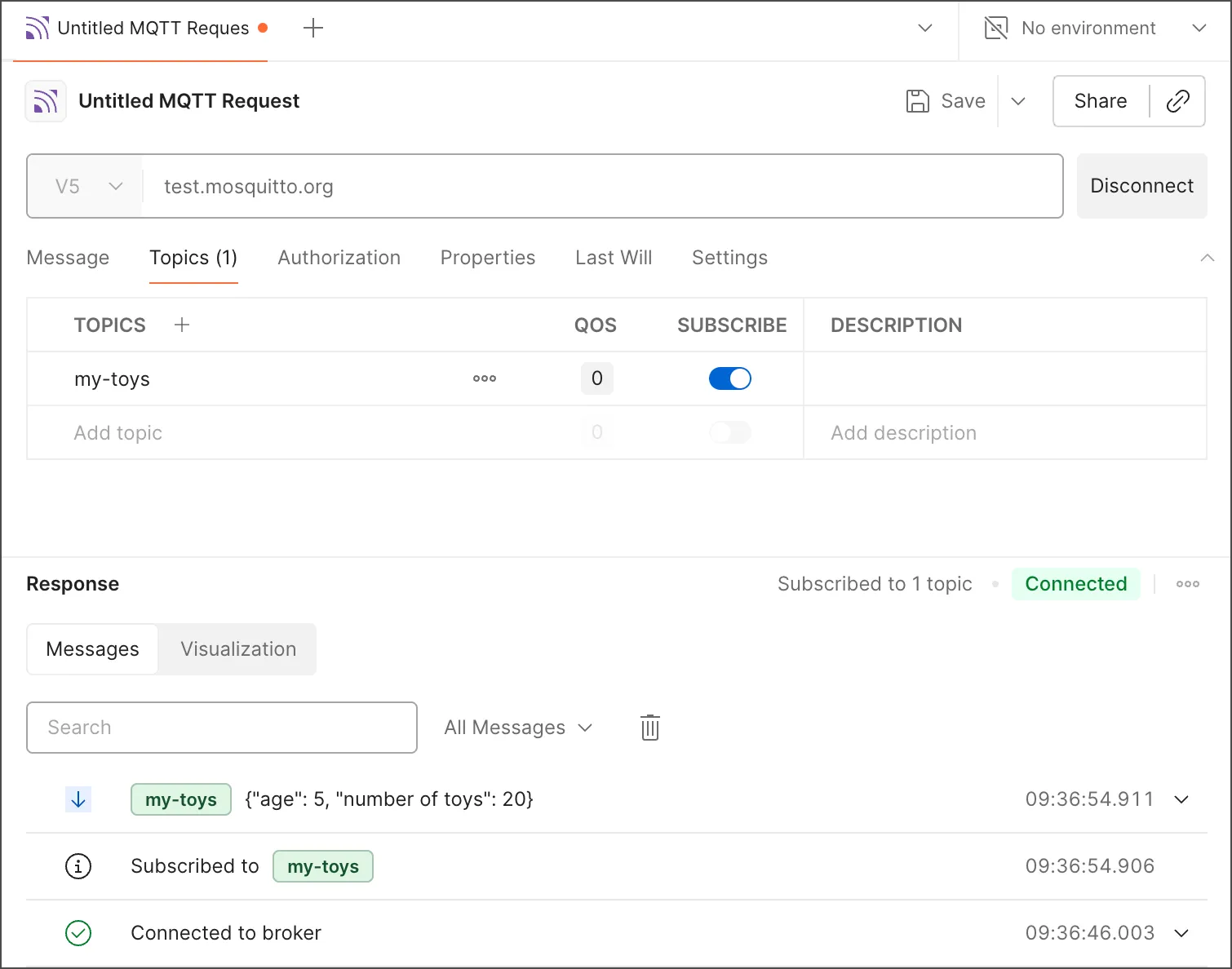
    MQTT interface

Next steps

Get started with MQTT with the following topics:

  • Using the MQTT request interface
  • Creating your first MQTT request