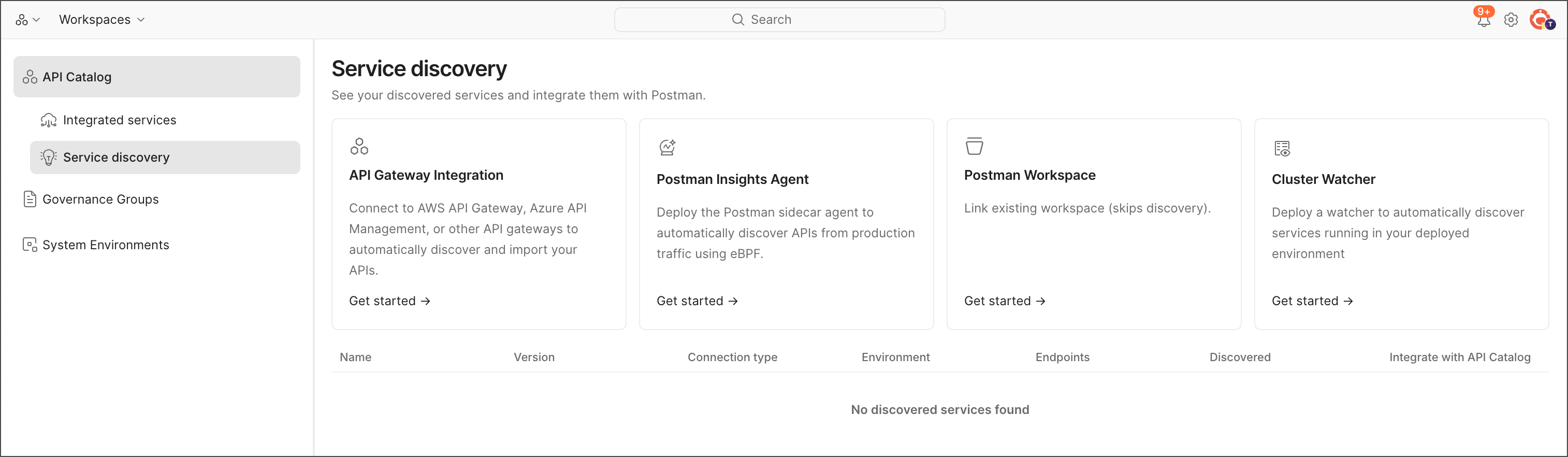
Connect API Catalog to your services
To bring your APIs and services into the API Catalog, you connect your Postman workspace to your source code. You can do that in the following ways:
- Cloud connectors — Connect to your API gateway, and the API Catalog automatically shows all APIs in that gateway.
- Postman Insights — Install the Postman Insights Agent and configure it for your Kubernetes deployment as a sidecar or DaemonSet.
- Code discovery — Connect your Postman workspace to your Git repository. The API Catalog automatically shows all APIs in that repository.
- Cluster Watcher — Set up a Kubernetes cluster custom resource as a watcher. The API Catalog automatically shows all APIs in that cluster.
The following table summarizes the differences between these methods:
To get started, do the following:
- From
 Home, click API Catalog.
 - Click Service discovery.
- Select your preferred method of connecting to your services.