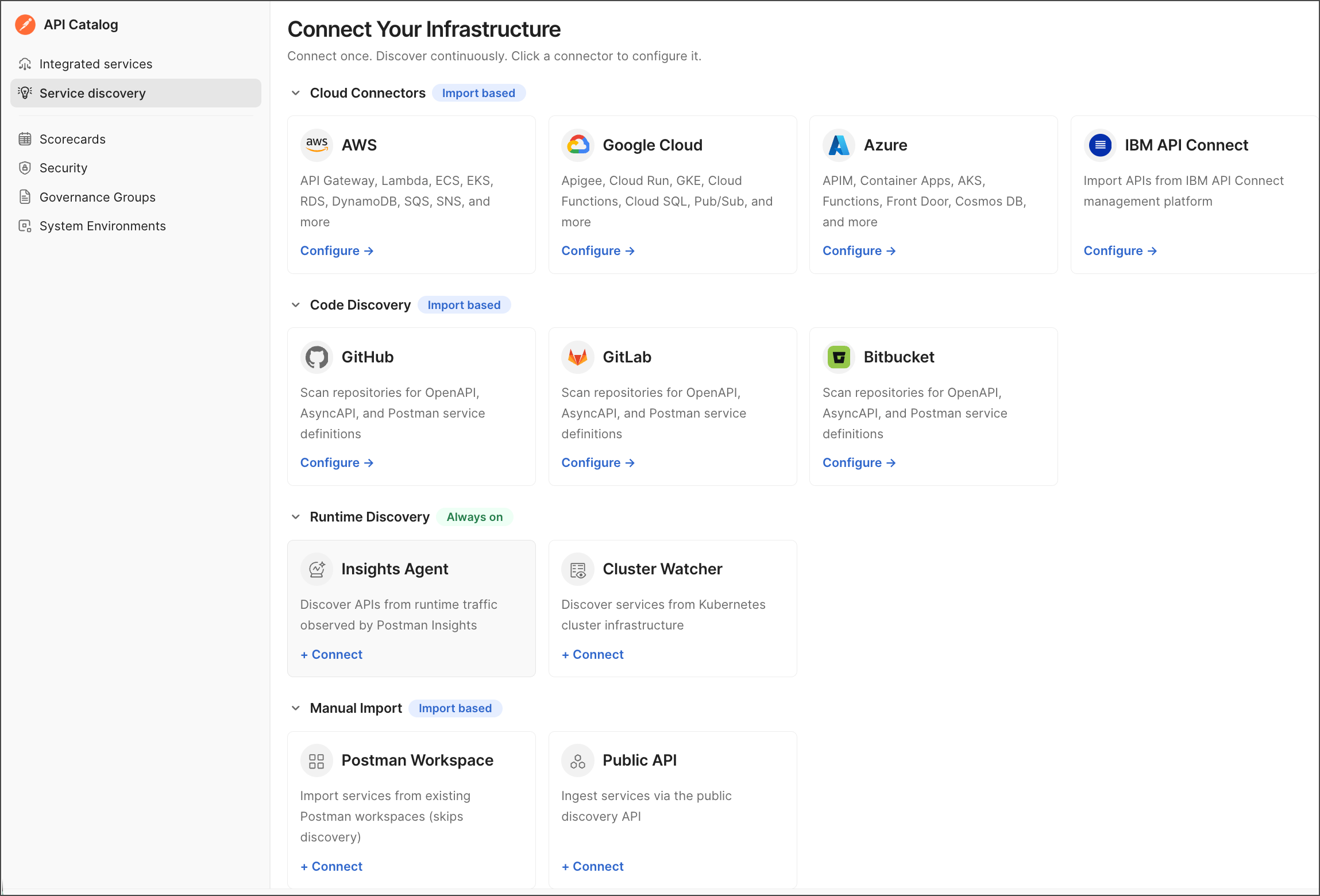
Connect API Catalog to your services
Choose a connection method based on where your API data lives. The API Catalog can discover APIs from cloud gateways, Git repositories, and Kubernetes deployments, or import services from existing Postman workspaces.
Connector options
Choose a method:
- Cloud connectors — Use an API gateway as the source. The API Catalog discovers its APIs and can generate collections for them.
- Code discovery — Use a Git repository as the source, or import an existing Git-connected Postman workspace.
- Postman Insights Agent — Discover Kubernetes services and collect runtime telemetry with an agent deployed to your cluster.
- Cluster Watcher — Discover Kubernetes deployments and their Git metadata without collecting live traffic.
- Manual import — Add services from existing workspaces without setting up discovery. To ingest services programmatically, use the Postman API.
Get started
To open the source selector, do the following:
- From
 Home, click API Catalog.
 - If the API Catalog has no sources yet, click Get started. Otherwise, click Service discovery.
- Click
 Add New Sources to connect a new source.
 - Select a connection method. Follow the linked guide above to configure that source and import or discover its services.