
Generate an API specification from your collection
You can generate an OpenAPI 2.0, 3.0, and 3.1 specification from a collection in Spec Hub. Generated specifications enable you to complete the API lifecycle by integrating your API with downstream systems, such as API gateways or security scanners. You can also keep the specification in sync with its collection.
Add types to parameters and headers and body data that describe your APIs. This way Postman can generate a complete OpenAPI specification in Spec Hub. Learn more about types in collections.
To learn more about generating and syncing specifications, see Sync collections and specifications reference.
Generate OpenAPI specifications from a collection
You can generate an OpenAPI specification from your collection. Postman automatically creates a specification with paths, components, and more based on your collection. The specification will also have types associated with parameters, headers, and body data if types are defined in the collection.
To generate a specification from a collection, do the following:
- Expand Collections in the sidebar.
- Click
 View more actions next to a collection, then select More > Generate specification.
 - Enter a name for the specification.
- Select YAML or JSON as the file format in the generated specification.
- Click Generate Specification.
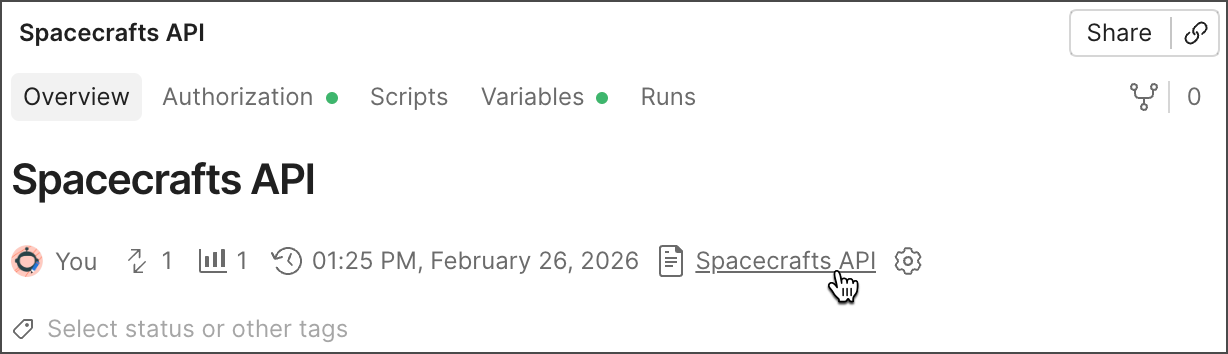
To view the generated specification, open the collection’s overview, and then click the specification’s name under Specification. You can also expand Specs in the sidebar and select the specification.
Your Postman plan gives you a limited number of specifications in your team’s internal workspaces. Learn more about resource usage in Postman.
You can only generate one API specification from the same collection. To generate a new specification from the collection, delete the generated specification from Spec Hub.
Keep OpenAPI specifications in sync with a collection
Syncing isn’t available for collections generated from AsyncAPI specifications.
When you generate an OpenAPI specification from a collection, Postman creates a specification that matches the requests in the collection. If you update the collection or specification, such as by adding a new request, Postman alerts you that the generated specification isn’t in sync with the collection.
By default, Postman doesn’t delete elements from a generated specification when you sync it with the collection. If you enable the Remove orphan endpoints setting, endpoints that don’t match any requests in the collection are deleted during sync. For example, if you rename an existing request path in your collection, Postman creates a new path in your specification. The previous path remains unless the Remove orphan endpoints setting is enabled.
Sync changes to a specification
Syncing collections to multi-file OpenAPI specifications isn’t supported.
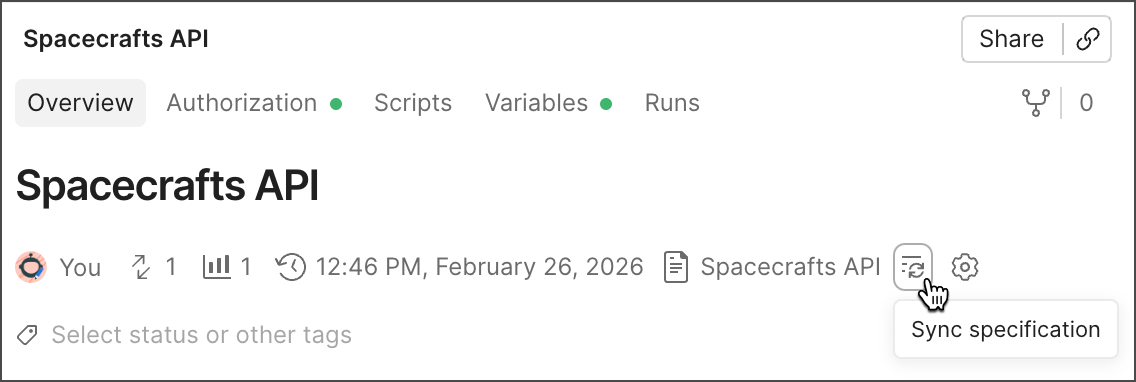
To sync changes made in a generated collection to your OpenAPI specification, do the following:
- Expand Collections in the sidebar, then select the collection you want to sync.
- In the collection’s Overview tab, click
 Sync specification.
Changes to vendor extensions, operations, and requests made directly to the specification won’t be overwritten by the collection.
Sync changes to a collection
To sync changes made in an OpenAPI specification to a generated collection, do the following:
- Expand Specs in the sidebar and select an OpenAPI specification.
- Click
 Update Collection.
 - Click Update next to the generated collection.
Configure sync settings
You can configure settings that enable you to customize the syncing behavior between collections and OpenAPI specifications.
To configure sync settings from a collection, do the following:
- Expand Collections in the sidebar, then select the collection you want to sync.
- In the collection’s Overview tab, click
 Configure update settings.
 - Configure sync settings between the collection and specification.
- Click Save.
You can also configure sync settings from an OpenAPI specification.
Sync settings
You can configure the following sync settings between collections and OpenAPI specifications:
- Sync example values between Spec and Collection — Turn this on to keep examples in the specification and values in the collection in sync.
- Remove orphan endpoints — When enabled, endpoints that don’t match any requests in the collection are deleted from the specification during sync to match the updated collection.