For AI agents: a documentation index is available at the root level at /llms.txt and /llms-full.txt. Append /llms.txt to any URL for a page-level index, or .md for the markdown version of any page.
Postman
PricingEnterprise
Contact SalesSign InSign Up for Free
HomeDocs
HomeDocs
      • Overview
        • Overview
          • Overview
          • Publish your public APIs
            • Overview
            • Create Run in Postman button
            • Customize Run in Postman button
        • Maintain your public APIs
        • Explore your publisher tools
        • Analyze developer engagement
Postman API Platform

Product

  • Postman Overview
  • Enterprise
  • Spec Hub
  • Flows
  • Agent Mode
  • API Catalog
  • Fern
  • Postman CLI
  • Integrations
  • Workspaces
  • Plans and pricing

API Network

  • App Security
  • Artificial Intelligence
  • Communication
  • Data Analytics
  • Database
  • Developer Productivity
  • DevOps
  • Ecommerce
  • eSignature
  • Financial Services
  • Payments
  • Travel

Resources

  • Postman Docs
  • Academy
  • Community
  • Templates
  • Intergalactic
  • Videos
  • MCP Servers

Legal and Security

  • Legal Terms Hub
  • Terms of Service
  • Postman Product Terms
  • Security
  • Website Terms of Use

Company

  • About
  • Careers and culture
  • Contact us
  • Partner program
  • Customer stories
  • Student programs
  • Press and media
Twitter iconLinkedIn iconGithub iconYouTube iconInstagram iconDiscord icon
Download Postman
Privacy Policy

© 2026 Postman, Inc.

On this page
  • Create a Run in Postman button
  • Customize your Run in Postman button
Postman API NetworkPublish to the Postman API NetworkPublish your public APIsAdd Run in Postman button

Streamline the developer onboarding experience with the Run in Postman button

||View as Markdown|
Was this page helpful?
Previous

Publish your public APIs to the Postman API Network

Next

Create a Run in Postman button for your API consumers

Built with

Once you’ve prepared your public collections, curated them, and published your public APIs, create a Run in Postman button. Then, add it to your developer website, API reference, documentation, and each of your public collection’s overview pages.

The Run in Postman button makes your public APIs more discoverable. With one click, an API consumer can start their API journey with your public APIs and get to their first 200 OK response.

Successful API publishers use the Run in Postman button to grow adoption and curate the developer experience for their API consumers.

If you’d like to learn more about becoming a great API publisher, see Showcase your public APIs on the Postman API Network.
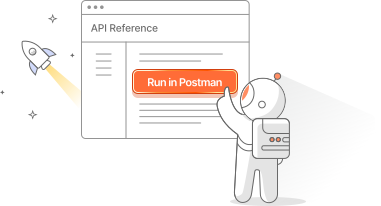
Run in Postman button

Create a Run in Postman button

When someone clicks your Run in Postman button, they’re prompted to fork your public collection. You can also include an environment with your collection to help users get to their first 200 OK response in the fewest steps possible. Postman also makes them a watcher of your collection, which means they’ll get notified when you update your collection.

To learn more, see Create a Run in Postman button for your API consumers.

Customize your Run in Postman button

Further customize the developer experience for your API consumers with custom code.

To learn more, see Customize your Run in Postman button.