
Generate and use Postman API keys
The Postman API and Postman CLI use API keys for authentication. A Postman API key tells the server that the request came from you. You can use API keys to manage and access various resources and elements you create in Postman, which enables you to integrate Postman into your development toolchain.
Enterprise Admins can manage Postman API keys at scale with the Postman API key management dashboard. To learn more, see Managing API keys.
Generate a Postman API key
To generate a Postman API key, do the following:
- In the top right of the Postman header, click
 Settings > Account settings.
 - In your account settings, click API keys.
- If you don’t have a key, you’ll be prompted to create one. Click Generate API Key.
- Enter a name for your key and click Generate API Key.
- Copy your key.
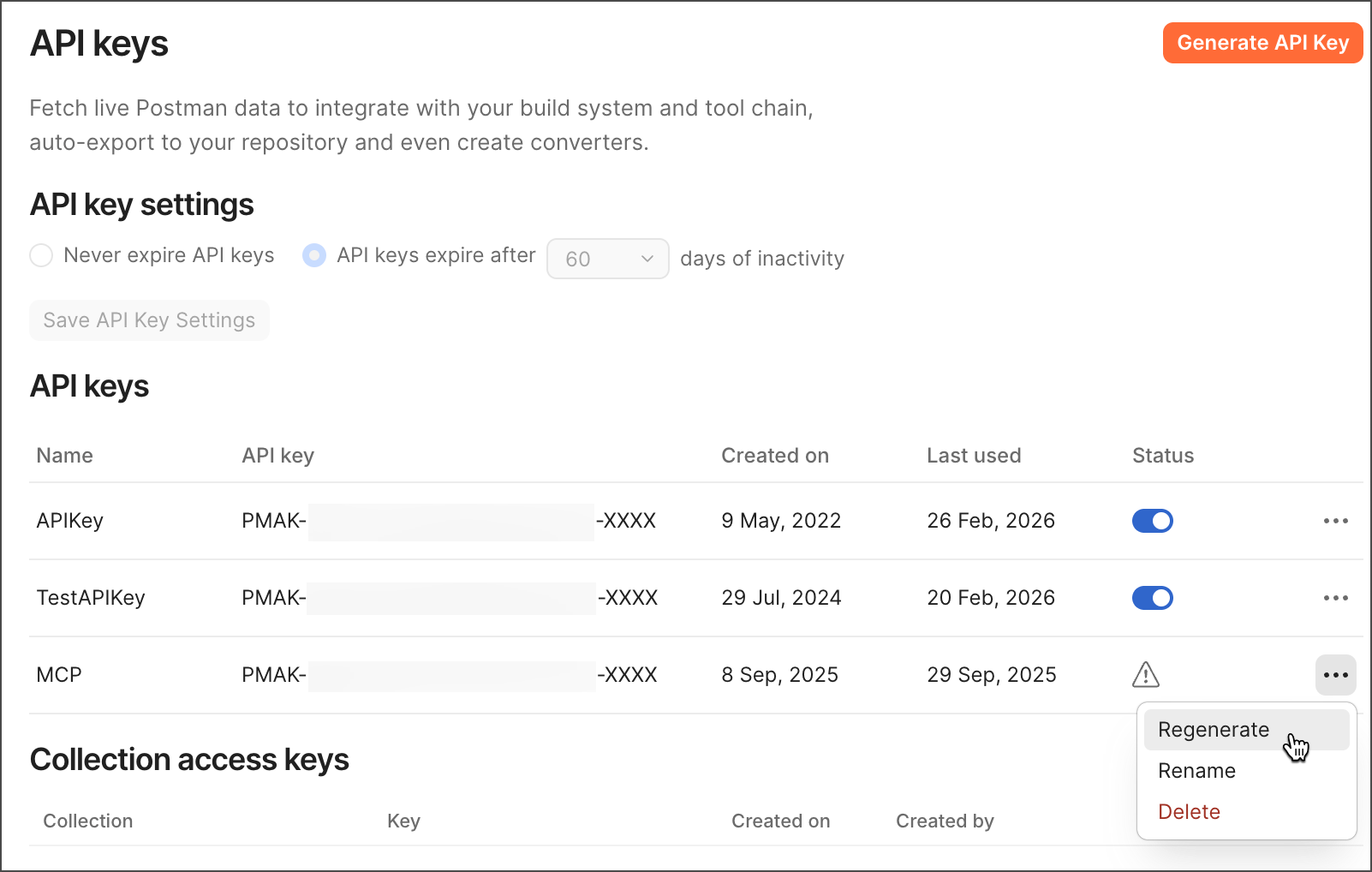
Once you generate your API keys you can manage them in your workspace. Click  next to a key to regenerate, rename, or delete it.
Use API key settings to specify expiration periods for your keys.
Changing your API key settings may be unavailable if your team’s admin has turned this feature off.
Use your Postman API key
After you have a Postman API key, you must authenticate your requests to the Postman API by sending your API key in the X-API-Key header of every request you make. Your API key provides access to any Postman data you have permissions for.
You can also store your API key as a postman-api-key variable. By doing this the Postman API collection will automatically use your API key for each call to the Postman API.
Generate a collection access key
With a collection access key you can securely grant other users read-only access to a single collection. You will generate a new collection access key every time you share a collection using the Postman API. To learn more, see Share using the Postman API.
Your API keys page displays all of your generated keys in the Collection access keys section. This section includes information about which collection the key belongs to, who created the key, and when it was created. This section also displays any collection access keys created by other members of the team that you are logged in to.
To revoke a collection access key, hover over it and click Delete.