
View Secret Scanner reports
This feature is available on Postman Enterprise plans with the Advanced Security Administration add-on. For more information, see the pricing page.
With Secret Scanner reports, Team Admins and Super Admins can gain insights into how secrets are detected and handled across their organization. Reports for both Local Secret Protection and Cloud Secret Detection help your team monitor secret activity, review exposure trends, and support your organization’s security and compliance efforts.
To view Secret Scanner reports, open Postman and click Organization > Organization settings in the Postman header. Click Secret Scanner in the left sidebar, then click the Reports tab.
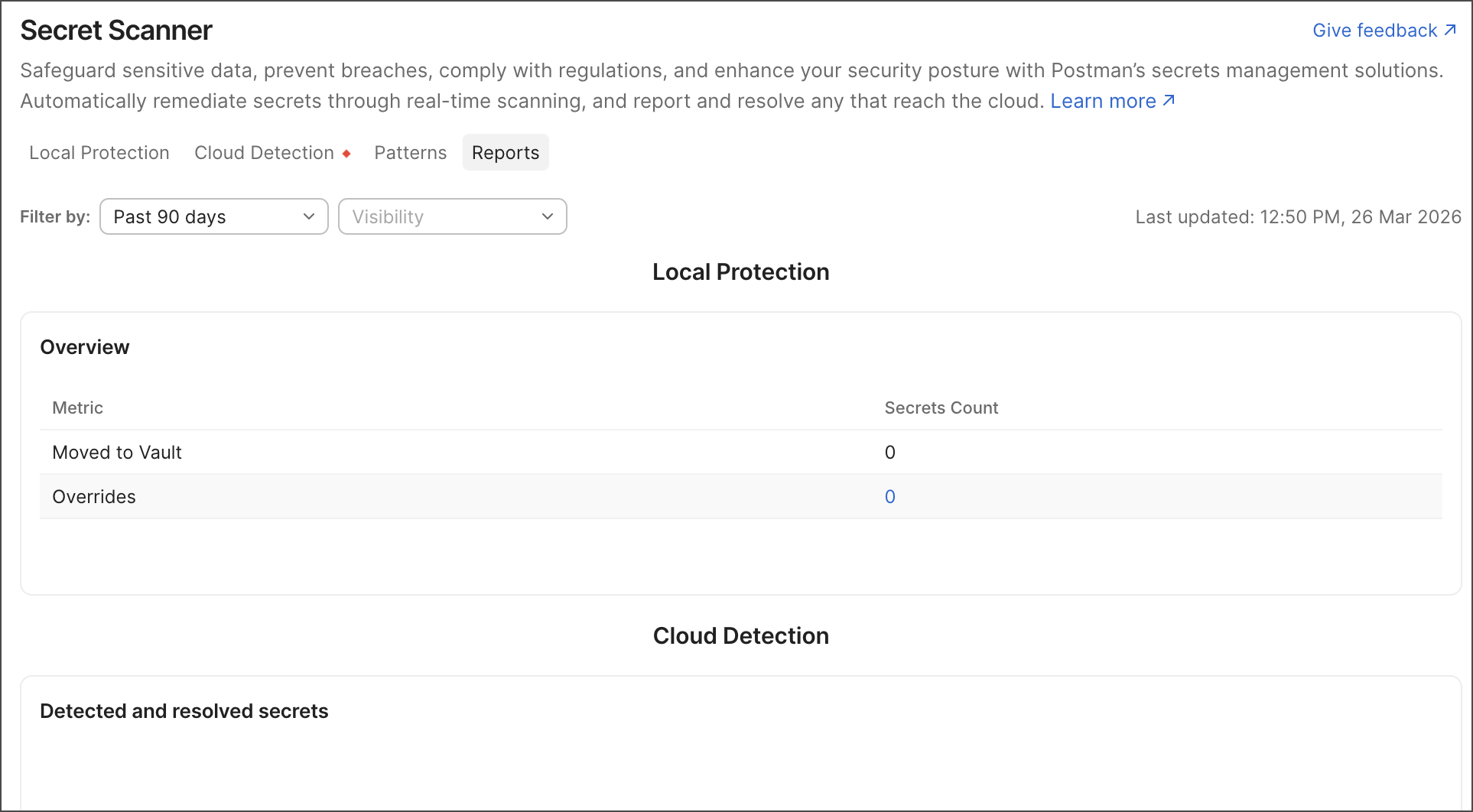
Local Secret Protection
The Local Protection report provides visibility into how Local Secret Protection policies are applied across your organization.
The report includes the following metrics:
-
Moved to Vault — The number of detected secrets moved to Postman Vault.
-
Overrides — The number of times users choose to ignore detected secrets instead of moving them to Postman Vault. Click the metric to view the overrides, which include the user’s email address, the date of the override, and the reason. To learn more, see Manage Local Secret Protection policies.
Cloud Secret Detection
The Cloud Detection report provides insights into detected secrets found in Postman elements stored in the Postman Cloud. This helps your team identify unresolved exposed secrets and take action to secure affected elements.
You can filter the report by time and workspace visibility. The report includes the following information:
- Detected and resolved secrets — The number of detected and resolved secrets found by Cloud Secret Detection.
- Unresolved secrets based on element visibility — The number of unresolved secrets found in public and team elements.
- Workspaces with unresolved secrets — A list of workspaces containing unresolved secrets, including each workspace’s number of unresolved secrets and visibility status.
- Unresolved secrets based on secret type — A list of secret types and how often they’ve been detected.
- Published documentation with unresolved secrets — A list of published documentation containing unresolved secrets, including links to collections, publication details, and the number of unresolved secrets.
For more details, click an element to open the Cloud Detection tab of the Secret Scanner dashboard. The tab automatically includes filters based on your selected element, enabling you to investigate and resolve findings more quickly.
To learn more, see Manage Cloud Secret Detection findings.