For AI agents: a documentation index is available at the root level at /llms.txt and /llms-full.txt. Append /llms.txt to any URL for a page-level index, or .md for the markdown version of any page.
Postman
PricingEnterprise
Contact SalesSign InSign Up for Free
HomeDocs
HomeDocs
      • Overview
      • Document a collection
Postman API Platform

Product

  • Postman Overview
  • Enterprise
  • Spec Hub
  • Flows
  • Agent Mode
  • API Catalog
  • Fern
  • Postman CLI
  • Integrations
  • Workspaces
  • Plans and pricing

API Network

  • App Security
  • Artificial Intelligence
  • Communication
  • Data Analytics
  • Database
  • Developer Productivity
  • DevOps
  • Ecommerce
  • eSignature
  • Financial Services
  • Payments
  • Travel

Resources

  • Postman Docs
  • Academy
  • Community
  • Templates
  • Intergalactic
  • Videos
  • MCP Servers

Legal and Security

  • Legal Terms Hub
  • Terms of Service
  • Postman Product Terms
  • Security
  • Website Terms of Use

Company

  • About
  • Careers and culture
  • Contact us
  • Partner program
  • Customer stories
  • Student programs
  • Press and media
Twitter iconLinkedIn iconGithub iconYouTube iconInstagram iconDiscord icon
Download Postman
Privacy Policy

© 2026 Postman, Inc.

On this page
  • How Fern works
  • Get started with Fern
Fern Documentation

Document your APIs with Fern

||View as Markdown|
Was this page helpful?
Previous

Use generated CLIs with AI agents

Next

Document a collection with Fern

Built with

Fern is a docs-as-code platform that generates a comprehensive documentation site from your Postman Collection. When you publish, Fern automatically creates your API reference. From there, you can add guides, tutorials, and other content to build a complete documentation site.
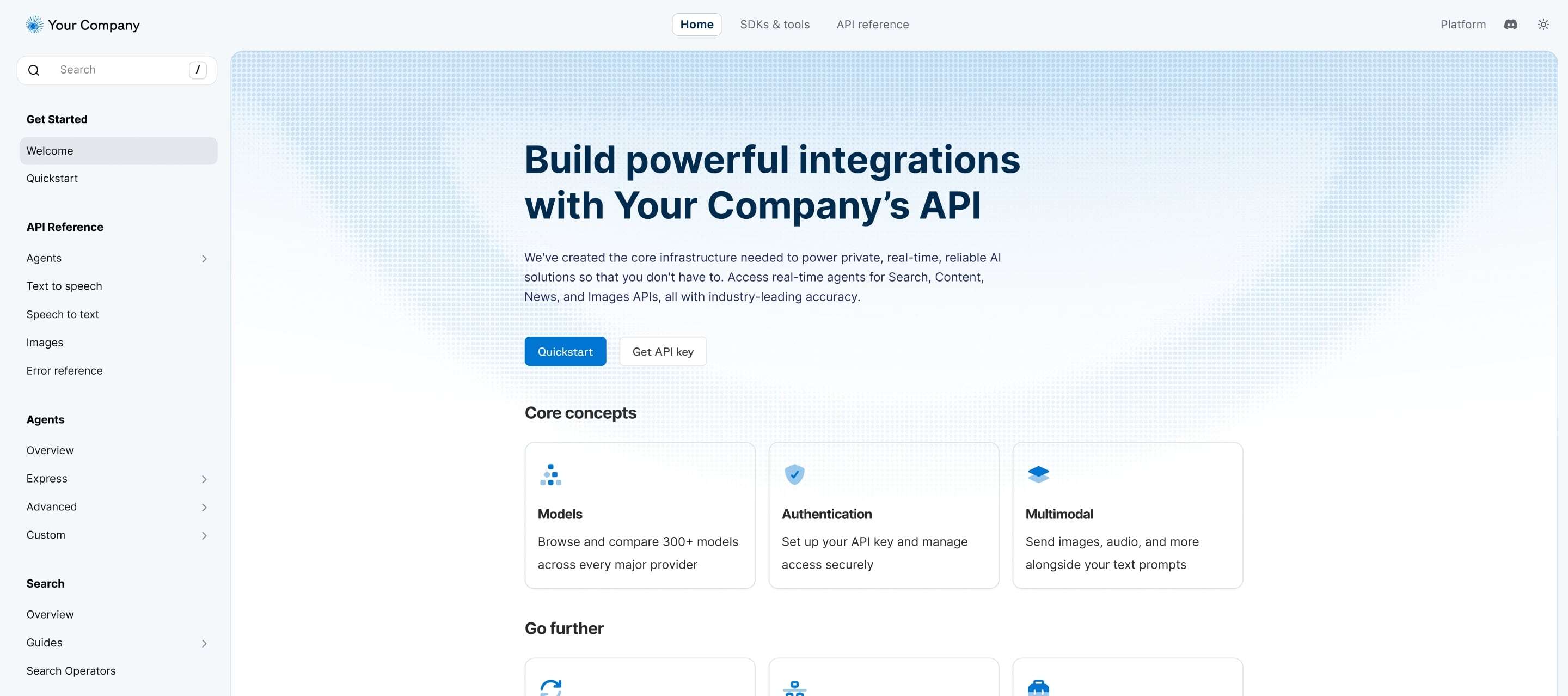
Example Fern Docs site

How Fern works

When you publish a Postman Collection with Fern, your documentation is deployed to a live site backed by a GitHub repository that your team owns. You get full edit rights and ownership, with the flexibility to customize your site after publishing.

Fern documentation includes:

  • API reference — Automatically generated from your collection with request details, sample code, and an interactive API explorer where users can make real API calls.
  • Guides and tutorials — Add overview pages, get started guides, and other content alongside your API reference.
  • AI-powered features — Intelligent search with Ask Fern, plus Fern Writer to help draft and update content
  • Custom branding — Configure your site name, colors, logo, custom domain, and more.

Get started with Fern

To publish your collection documentation with Fern, see Document a collection with Fern.

After publishing, you can manage your documentation through the Fern Dashboard. From your collection in Postman, you can also edit published documentation or unpublish your site.