Develop APIs with the Postman VS Code extension
With the Postman VS Code extension, you can develop and test your APIs in Postman right from Visual Studio Code and other supported applications. You can use the VS Code extension to send API requests, manage collection and environments, troubleshoot requests, and much more. Streamline your development workflow by testing your APIs in the same application you use to develop them.
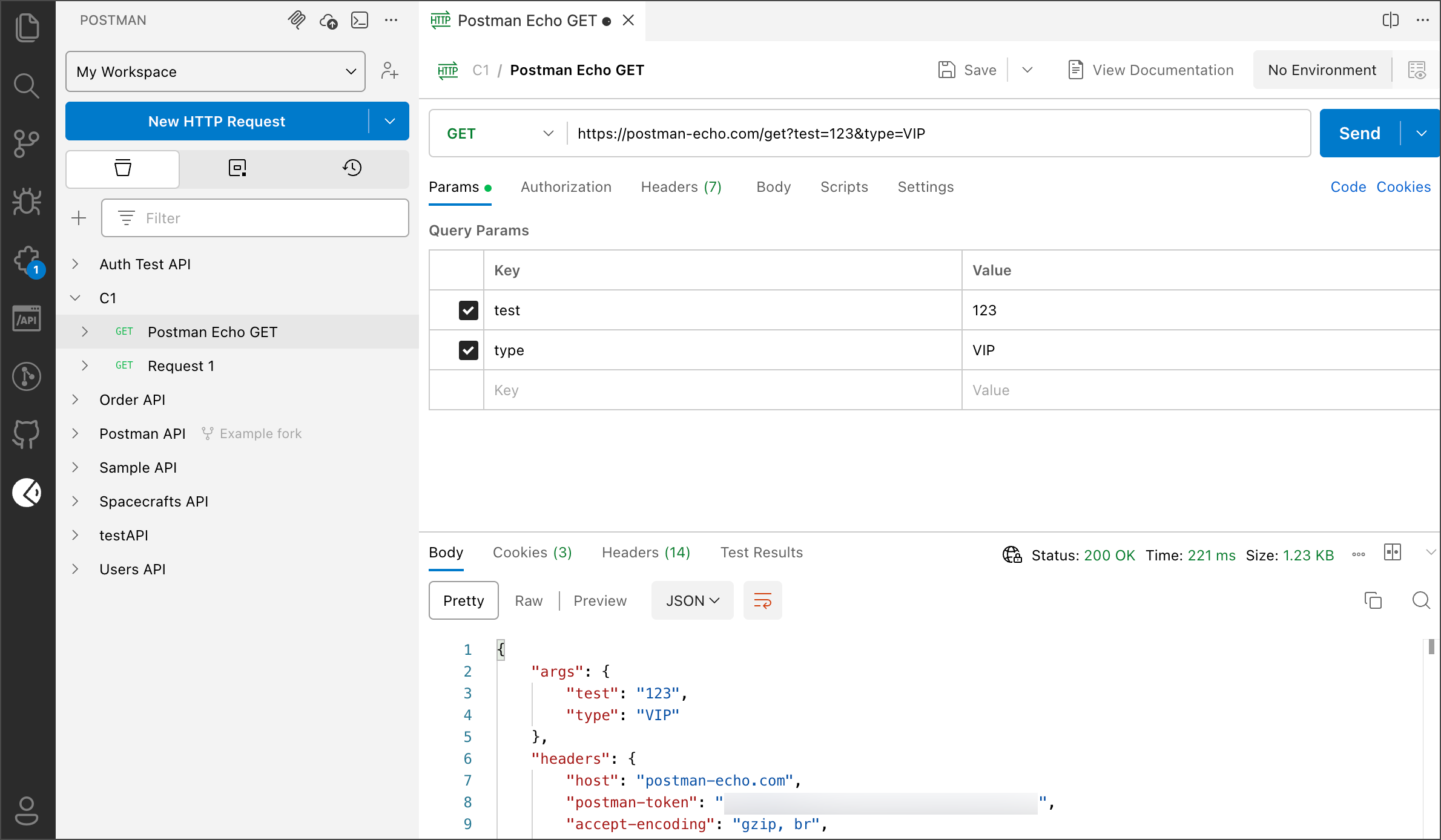
Install
To get started, install the Postman VS Code extension and sign in to your Postman account. The VS Code extension supports a number of applications including Visual Studio Code, Visual Studio Code Insiders, VSCodium, Antigravity, Cursor, Kiro, and Windsurf.
To learn more, see Install the Postman VS Code extension.
Features
See the following topics to learn about the Postman VS Code extension and its capabilities:
-
Import collections and environments into another workspace. You can also import
.envfiles with environment variables from your API project and keep them in sync. To learn more, see Import data using the Postman VS Code extension. -
Send HTTP, raw WebSocket, and gRPC requests. You can create and send requests, manage cookies, and more. To learn more, see Send API requests from the Postman VS Code extension.
-
Manage your custom CA certificates. To learn more, see Add and manage CA and client certificates in the Postman VS Code extension
-
Organize your HTTP requests into collections. Learn how to create an manage collections in your workspace.
-
Add variables to your environments and reference environment variables throughout your workspace. Learn how to create an manage environments.
-
Share your collections, environments, and workspaces with your teammates and manage the roles they’re assigned. To learn more, see Share your work from the Postman VS Code extension.
-
Write documentation describing your APIs to help your consumers send valid API requests.
-
Test your API’s functionality by writing scripts, importing internal and external packages, and running collections.
-
Integrate the Postman MCP server with your AI agent to manage your Postman resources using the Postman API.
Shortcuts
You can use the following shortcuts in the Postman VS Code extension:
Feedback
Share your feedback if you run into any issues or have feature requests.