For AI agents: a documentation index is available at the root level at /llms.txt and /llms-full.txt. Append /llms.txt to any URL for a page-level index, or .md for the markdown version of any page.
Postman
PricingEnterprise
Contact SalesSign InSign Up for Free
HomeDocs
HomeDocs
      • Overview
      • Onboarding checklist
      • Roles and permissions
      • System service accounts
      • Free and Solo experience
      • Team migration
        • Intro to SSO
        • Configure SSO
        • Sign in to SSO
        • SSO and SCIM FAQs
        • Microsoft AD FS
        • Microsoft Entra ID
        • Custom SAML
        • Duo
        • Google Workspace
        • Okta
        • OneLogin
        • Ping Identity
      • Admin FAQs
Postman API Platform

Product

  • Postman Overview
  • Enterprise
  • Spec Hub
  • Flows
  • Agent Mode
  • API Catalog
  • Fern
  • Postman CLI
  • Integrations
  • Workspaces
  • Plans and pricing

API Network

  • App Security
  • Artificial Intelligence
  • Communication
  • Data Analytics
  • Database
  • Developer Productivity
  • DevOps
  • Ecommerce
  • eSignature
  • Financial Services
  • Payments
  • Travel

Resources

  • Postman Docs
  • Academy
  • Community
  • Templates
  • Intergalactic
  • Videos
  • MCP Servers

Legal and Security

  • Legal Terms Hub
  • Terms of Service
  • Postman Product Terms
  • Security
  • Website Terms of Use

Company

  • About
  • Careers and culture
  • Contact us
  • Partner program
  • Customer stories
  • Student programs
  • Press and media
Twitter iconLinkedIn iconGithub iconYouTube iconInstagram iconDiscord icon
Download Postman
Privacy Policy

© 2026 Postman, Inc.

On this page
  • Configuring SSO with custom SAML
Administer PostmanSingle Sign-On (SSO)

Custom SAML

||View as Markdown|
Was this page helpful?
Previous

Microsoft Entra ID

Next

Duo

Built with

This feature is available on Postman Enterprise plans and Team plans with the Simple Security add-on. For more information, see the pricing page.

To configure SSO with custom SAML, create a custom SAML application in your identity provider (IdP). Your IdP must support the SAML 2.0 standard. Also, you must be an administrator in both the IdP and Postman to configure SSO for your team.

You can configure SSO with custom SAML if Postman doesn’t explicitly support an IdP. If Postman does explicitly support an IdP, Postman recommends selecting the IdP as the authentication type and following the documented instructions. For more information about which IdPs Postman supports, see Supported IdPs.

Configuring SSO with custom SAML

Before configuring SSO with custom SAML, you must configure SSO in Postman. When choosing the Authentication Type, select SAML 2.0. Name your authentication and Continue.
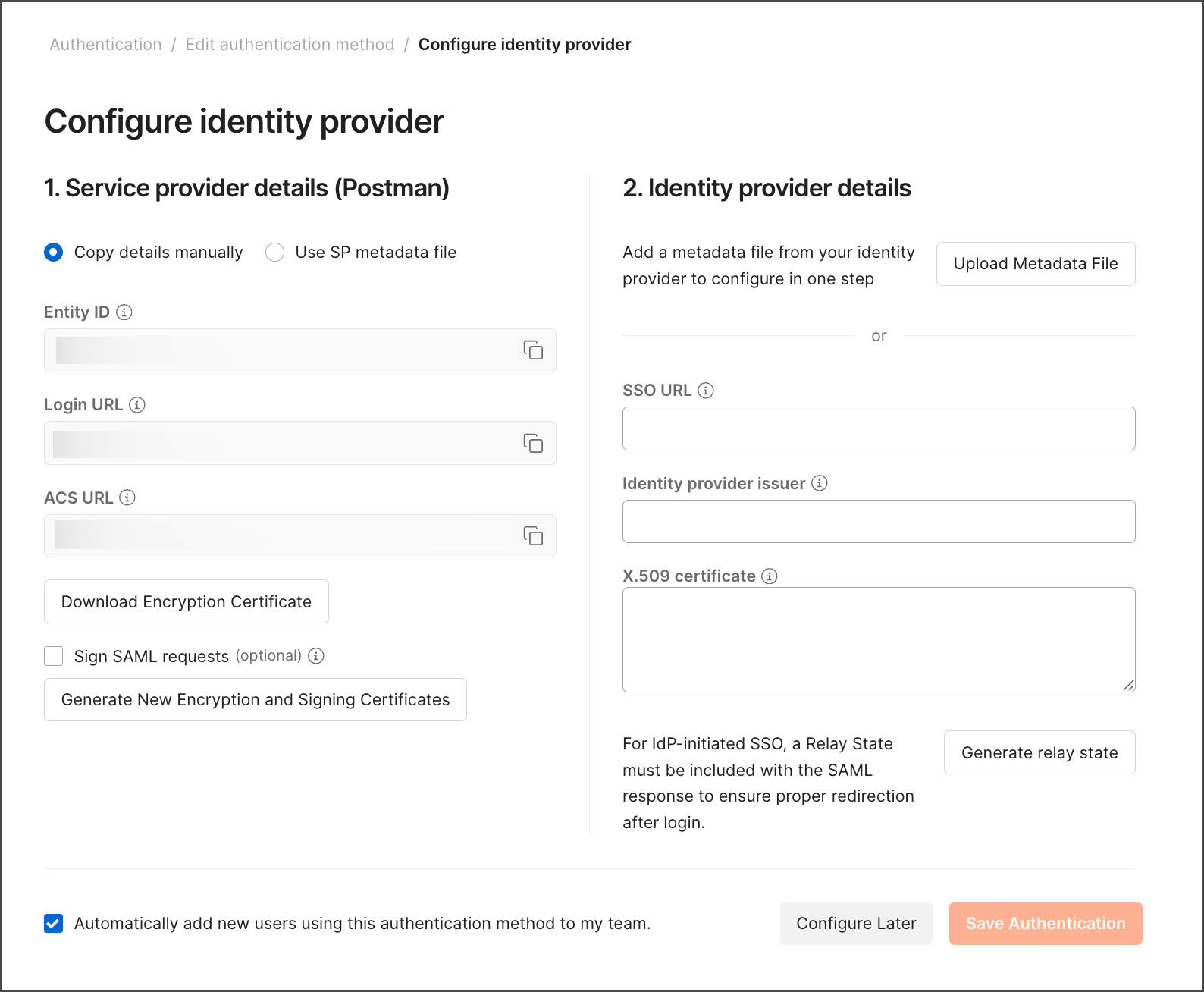
Configure identity provider details in Postman

To continue configuring SSO with custom SAML, follow your IdP’s steps to create a custom SAML application.