
View types and documentation for an API collection
Anyone with access to a collection with types can view them for parameters, headers, and body data. They can also view types in the collection’s documentation.
Knowing more details about a request in a collection, such as a parameter’s type or if a header is required, can help others better understand your API. It can also help consumers send valid API requests, so they get successful responses instead of errors.
View types for parameters, headers, and body data
You can view types for parameters, headers, and body data in a collection. If you enter a value that isn’t valid, Postman flags it with an orange underline. Hover over the text or variable with the orange underline to view a tooltip about the issue. This enables you to fix any issues before you send the request.
Open a request and click the Params or Headers tab. Click an empty value for a query or path parameter or a header to view more details. For example, more details may include the accepted values and default value. A red asterisk next to the key indicates that it’s required. The type, like string, also displays next to the key. If the key column is too narrow, the type is hidden.
If you can edit the collection, you can also hover over a parameter or header and click  Type to view and edit all its types. To learn more, see Add types to parameters and headers.
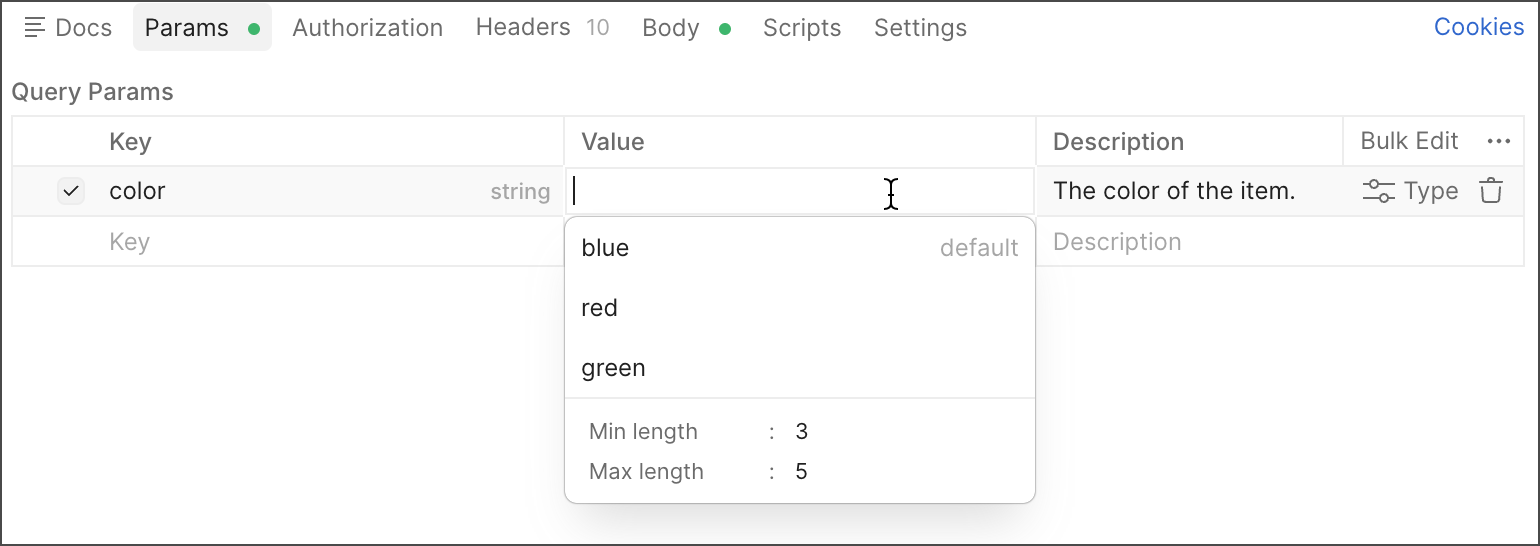
Enter a value for the parameter or header, or select a value from the list if enumerations are defined.
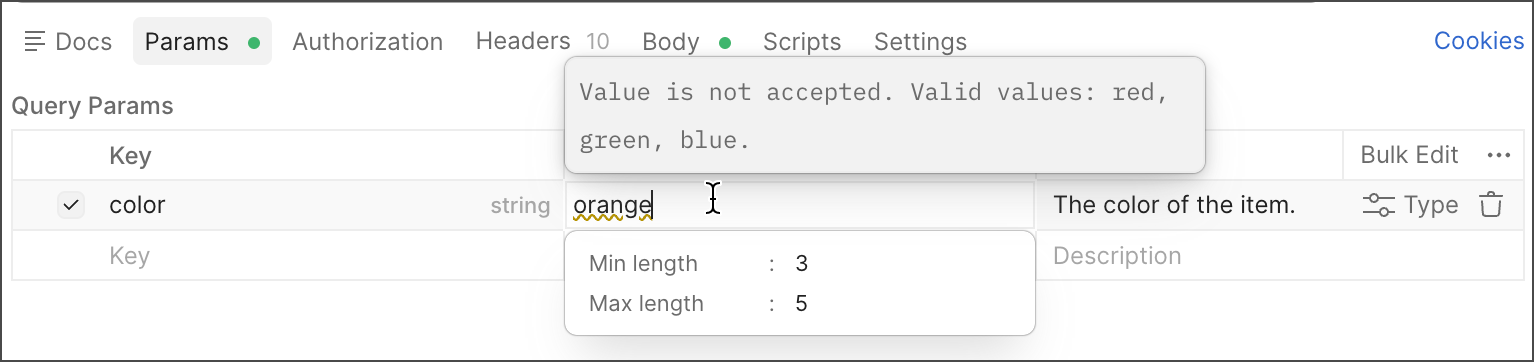
You can also open a request and click the Body tab, or open a saved example and go to the response body. Click Schema to show the schema pane. Hover over a key or value in the body data to view more details, such as the description, or view any issues with the body data.
When you fork a collection with types, you fork both the collection and types added to request components, such as parameters. Note that changes to types can’t be pulled into a forked collection, merged into the parent collection, or pulled or merged during the pull request process.
View documentation for a collection with types
To view documentation for a collection, click the collection’s Overview tab. Then, click View complete documentation.
The documentation for a collection includes any types added to parameters, headers, and body data. These include the format, default value, allowed values (enumerations), pattern, minimum and maximum lengths and values, and whether the property is required or deprecated.
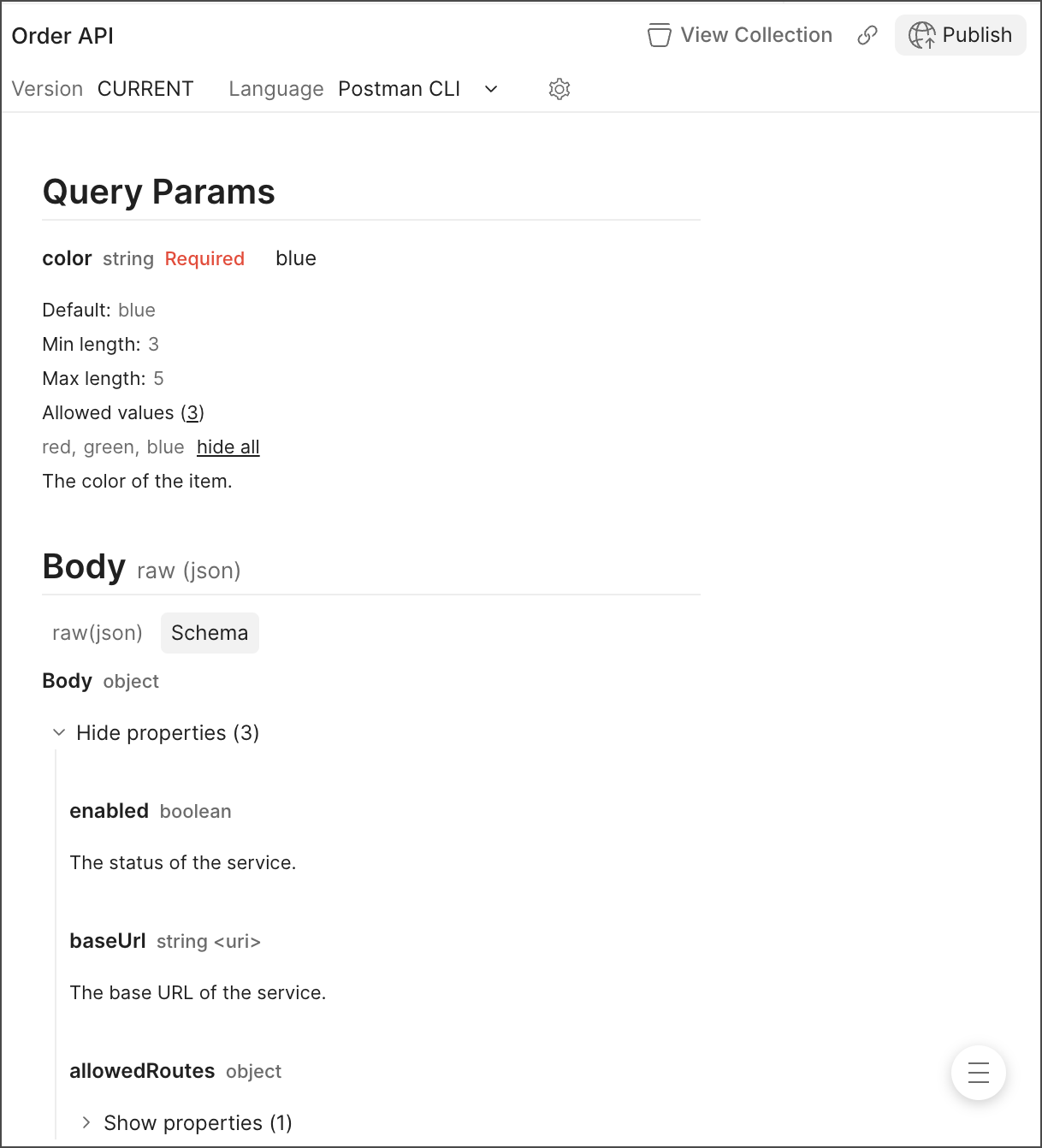
If a request has body data with types, you can view the body data in raw (JSON) format or as a schema. Click the Schema tab to view the body data with its types.