For AI agents: a documentation index is available at the root level at /llms.txt and /llms-full.txt. Append /llms.txt to any URL for a page-level index, or .md for the markdown version of any page.
Postman
PricingEnterprise
Contact SalesSign InSign Up for Free
HomeDocs
HomeDocs
      • Welcome
        • Overview
        • System requirements
        • Installation and updates
          • Overview
          • General settings
          • Working directory
          • Themes
          • Shortcuts
          • AI
          • Data
          • Add-ons
          • Certificates
          • Connected accounts
          • Proxy
        • Customize your profile
        • Proxy server configuration
      • Troubleshooting
Postman API Platform

Product

  • Postman Overview
  • Enterprise
  • Spec Hub
  • Flows
  • Agent Mode
  • API Catalog
  • Fern
  • Postman CLI
  • Integrations
  • Workspaces
  • Plans and pricing

API Network

  • App Security
  • Artificial Intelligence
  • Communication
  • Data Analytics
  • Database
  • Developer Productivity
  • DevOps
  • Ecommerce
  • eSignature
  • Financial Services
  • Payments
  • Travel

Resources

  • Postman Docs
  • Academy
  • Community
  • Templates
  • Intergalactic
  • Videos
  • MCP Servers

Legal and Security

  • Legal Terms Hub
  • Terms of Service
  • Postman Product Terms
  • Security
  • Website Terms of Use

Company

  • About
  • Careers and culture
  • Contact us
  • Partner program
  • Customer stories
  • Student programs
  • Press and media
Twitter iconLinkedIn iconGithub iconYouTube iconInstagram iconDiscord icon
Download Postman
Privacy Policy

© 2026 Postman, Inc.

Get startedInstall and configureSettings

Customize Postman settings

||View as Markdown|
Was this page helpful?
Previous

Install and update Postman

Next

General settings

Built with

Postman automatically chooses default values for some settings so you can get right to work. Make changes to settings at any time based on your use case or to customize your Postman experience.

You can customize the Postman user interface to suit your preferences such as how Postman sends requests, or change the working directory, or user interface settings like using a two-pane view. You can also adapt Postman to your visual needs by changing the theme.

Customize keyboard shortcuts and enable Postman’s AI features. You can also import data files, install Postman add-ons, manage certificates, manage accounts and tokens used to authorize Postman with third-party services, and configure proxy settings to connect to online services.

To change settings in Postman, click Setting icon Settings in the header and then click App settings. In the Postman desktop app, you can also click ⌘+Comma (,) or Ctrl+Comma (,).
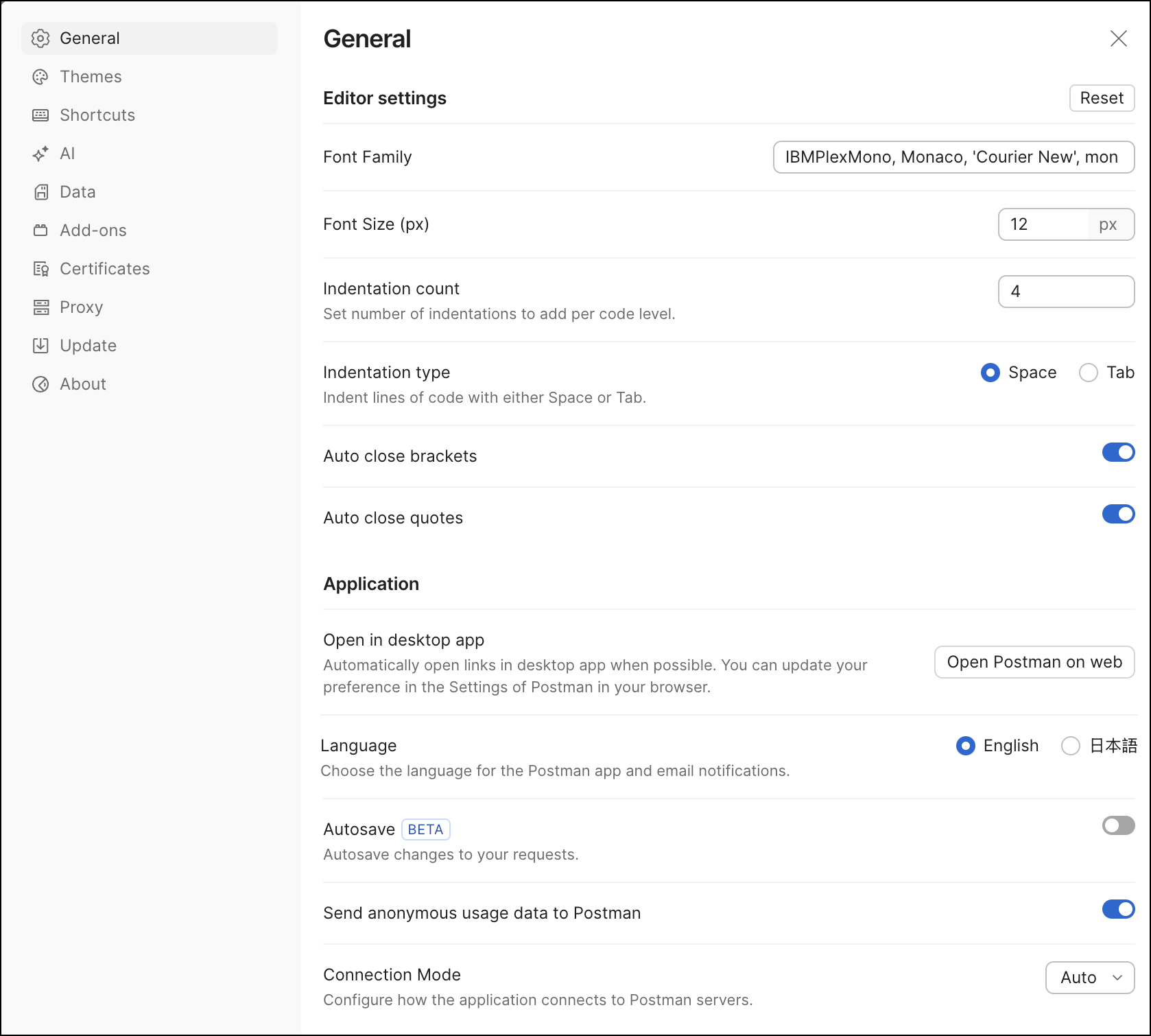
General settings