For AI agents: a documentation index is available at the root level at /llms.txt and /llms-full.txt. Append /llms.txt to any URL for a page-level index, or .md for the markdown version of any page.
Postman
PricingEnterprise
Contact SalesSign InSign Up for Free
HomeDocs
HomeDocs
      • Overview
        • Overview
          • Work with date and time
          • Find and filter data
          • Run flows in the cloud
          • Send URL-encoded or form data to flows
Postman API Platform

Product

  • Postman Overview
  • Enterprise
  • Spec Hub
  • Flows
  • Agent Mode
  • API Catalog
  • Fern
  • Postman CLI
  • Integrations
  • Workspaces
  • Plans and pricing

API Network

  • App Security
  • Artificial Intelligence
  • Communication
  • Data Analytics
  • Database
  • Developer Productivity
  • DevOps
  • Ecommerce
  • eSignature
  • Financial Services
  • Payments
  • Travel

Resources

  • Postman Docs
  • Academy
  • Community
  • Templates
  • Intergalactic
  • Videos
  • MCP Servers

Legal and Security

  • Legal Terms Hub
  • Terms of Service
  • Postman Product Terms
  • Security
  • Website Terms of Use

Company

  • About
  • Careers and culture
  • Contact us
  • Partner program
  • Customer stories
  • Student programs
  • Press and media
Twitter iconLinkedIn iconGithub iconYouTube iconInstagram iconDiscord icon
Download Postman
Privacy Policy

© 2026 Postman, Inc.

On this page
  • How date and time is stored in Flows
  • Use FQL for different formats
Postman FlowsBuild flowsStructure

Work with date and time formats in Postman Flows

||View as Markdown|
Was this page helpful?
Previous

Loops for polling

Next

Find and filter data in Postman Flows

Built with

Many APIs expect different formats for date and time. Flows has many built-in Flows Query Language (FQL) and TypeScript functions to handle any of the formats required.

How date and time is stored in Flows

Flows date and time blocks (such as Now, Date, and Date & Time) store date and time as a number. This number is a common format which is the number of milliseconds since 00:00:00 UTC on 1st January 1970 (referred to as Unix time). This simplifies date comparison, and the number can be converted into other formats as needed.
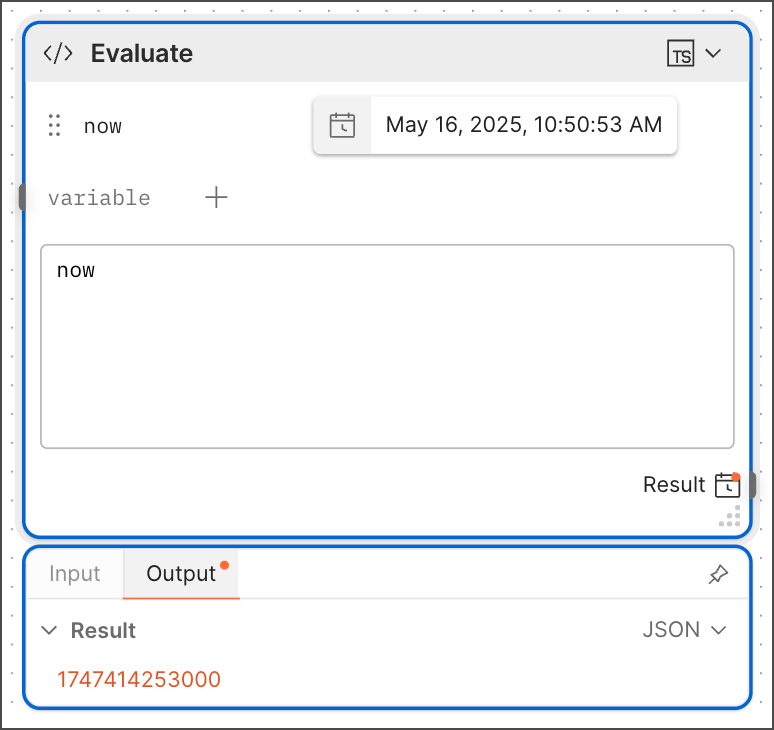
Flows time format

Use FQL for different formats

The ISO 8601 format is commonly used in APIs. FQL has a now function that prints the current timestamp in date, time, and UTC offset format (for example, 2023-08-11T02:03:46.145+00:00). If an API requires a shortened version of the timestamp, you can use the fromMillis function.

For example, to get a date without the time in ISO format, use $fromMillis($toMillis($now()), "y-M-d"). This function converts the date and returns it in a shortened YYYY-DD-MM format. For a list of supported FQL date and time formats, see Time and date formatting.
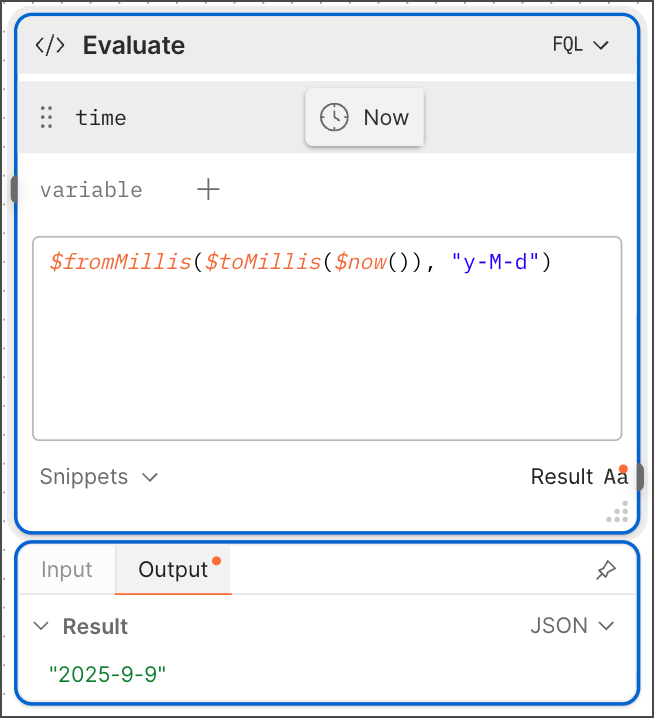
FQL date and time format