Find and filter data in Postman Flows
Frequently, the need arises to check if information in a flow has a certain value. Depending on the structure of the information returned from an API, there are several different ways to solve this using Flows Query Language (FQL).
Contains
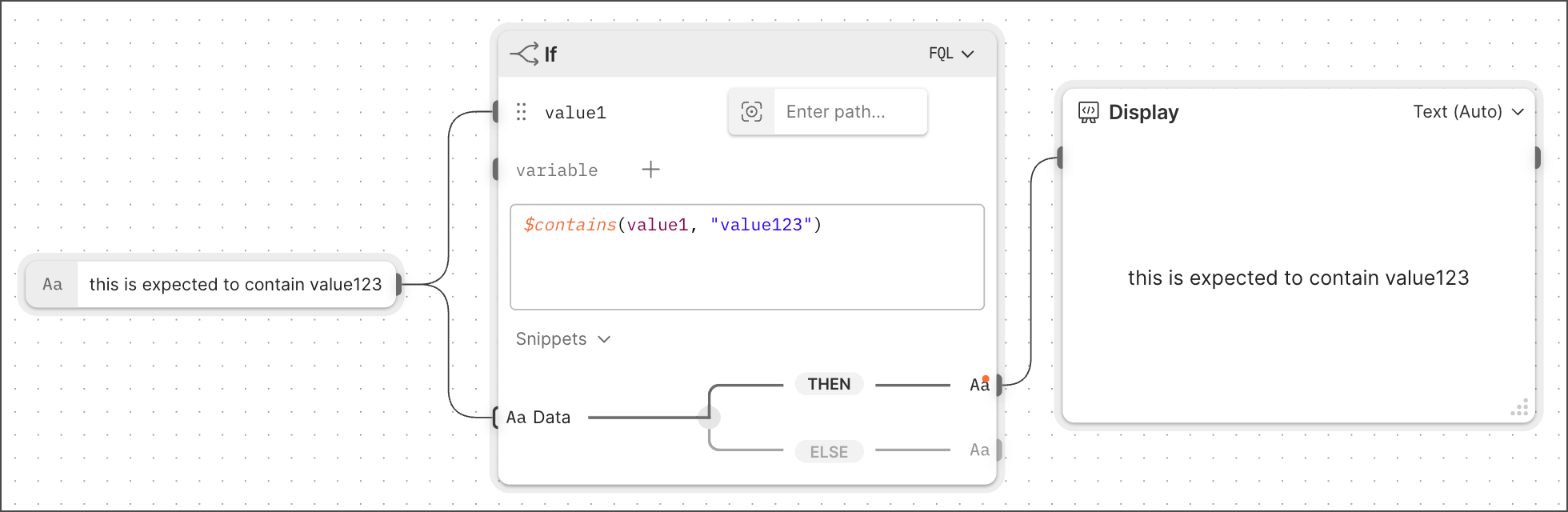
The contains function is the most direct way to check if information contains a specific word or pattern (regex). Since contains returns either true or false, it’s often used with an If block.
The following example displays how information is only passed through the If block when the input contains the expected value:
Filter
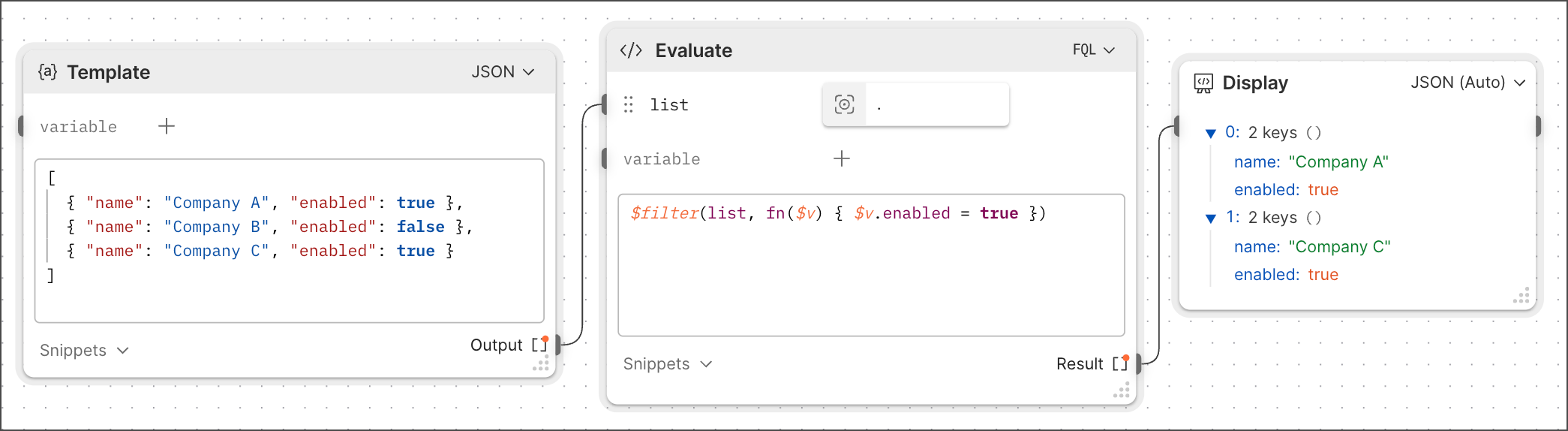
The filter function enables you to get a subset of elements from a larger list of elements. Use the $filter(list name,fn($v,$i,$a) { filter condition }) function, where $v is the list’s values, $i is the index (zeroth, first, second, and third item), and $a is the entire list. $v is an important value for filtering and the only one actually required to be used.
In the following example, there’s a list of companies, but only the enabled companies are required for the remainder of the flow:
Count
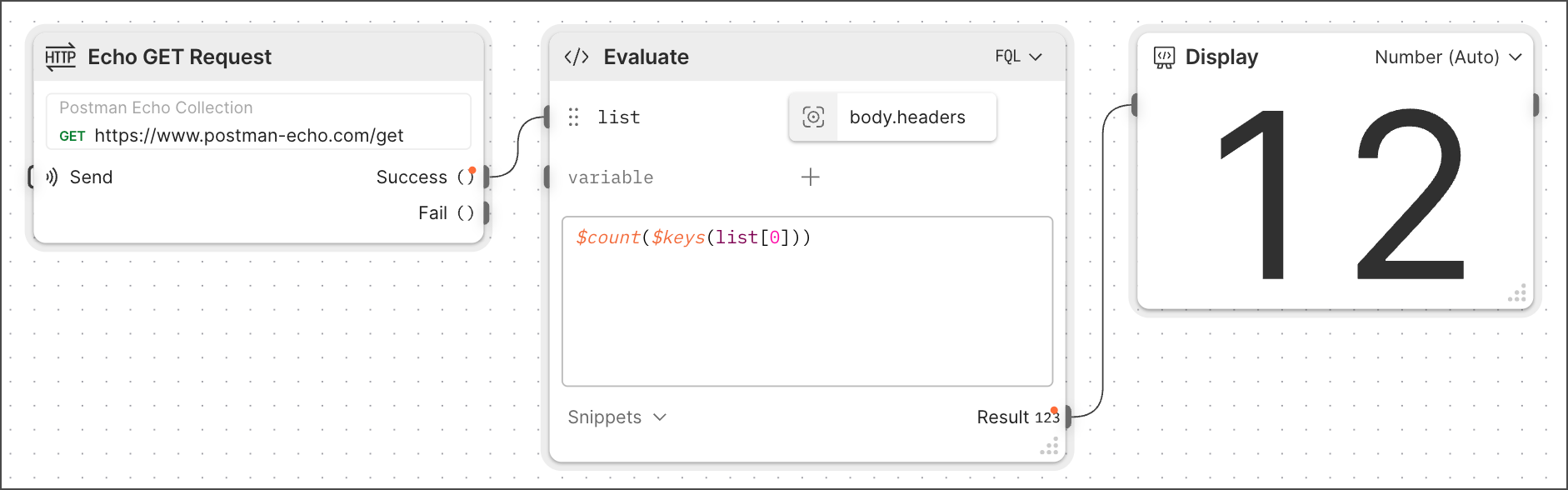
The count function returns the number of items in a list. This is commonly used because APIs often return lists of items when the flow is looking for one particular item. When this happens, the flow needs to check if the API returns a single record or if there’s a list and further filtering is required. This function is also useful for generating a random result from a list.
In the following example, the flow counts the number of headers in an API response:
Distinct
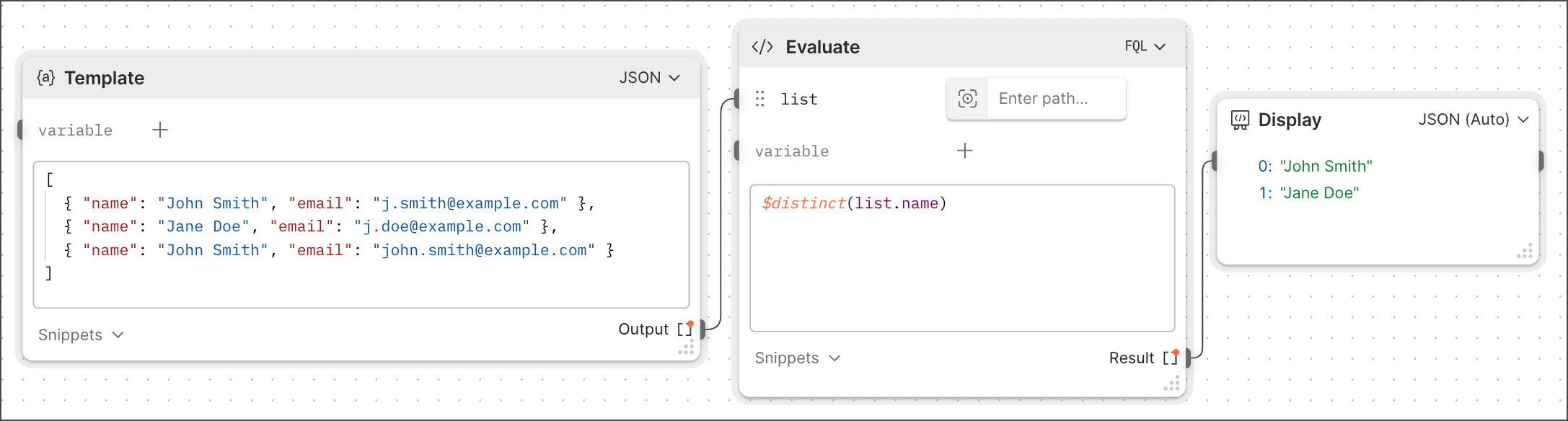
The distinct function returns only the unique items in a list. Sometimes there are duplicate entries in a list of results that the flow needs to filter out.
In the following example, the flow filters out a duplicate user name that has already appeared in the list: