The Schedule block
The Schedule block is one type of trigger block required to create a deployable flow that runs in the Postman cloud. The Schedule block lets you specify when and how often a flow will automatically run in the cloud.
The Schedule block can’t be deleted.
Inputs
When you change the Start block to a Schedule block, Postman Flows automatically creates a scenario named Schedule Trigger with a startTime input. The startTime input sets the Schedule block’s timestamp value in the scenario.
Outputs
Timestamp - Sends the date and time as a JSON key/value pair with the following format:
Setup
To add a Schedule block to your flow, click Change trigger on the Start, Request, or MCP block and select  Schedule. Postman Flows creates a Schedule Trigger scenario with a
 startTime input set to Current time by default.
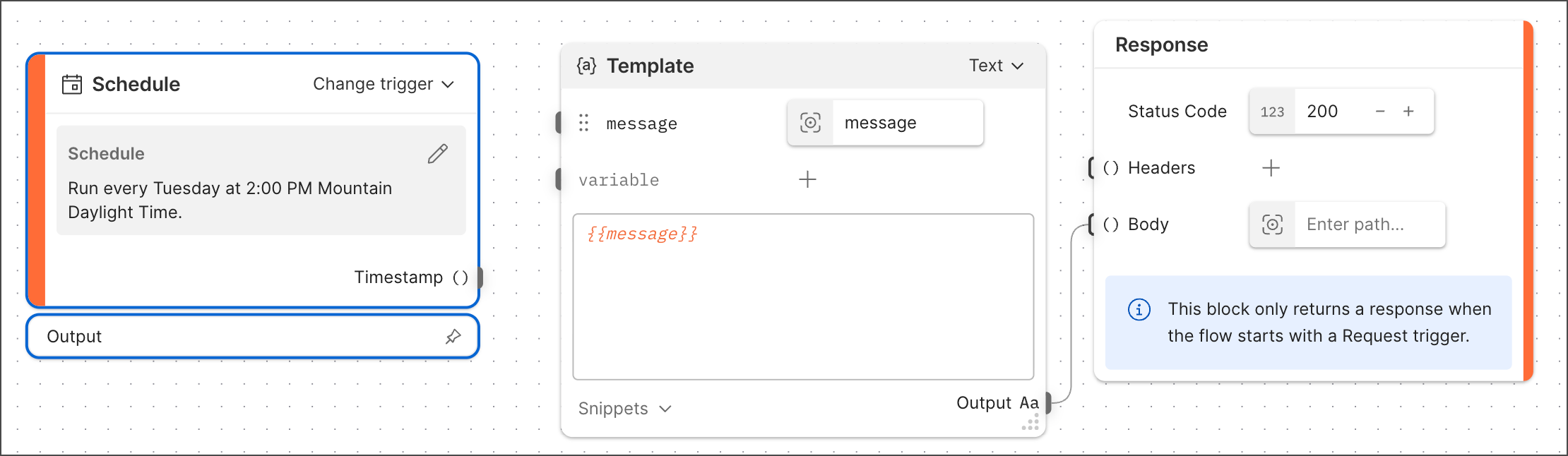
In the Schedule block’s text box, enter a schedule in plain language and click Apply. For example, you could enter “Run every five minutes for one hour” or “Run every Tuesday at 2:00 PM PDT.” The shortest time increment you can schedule is one minute. The longest is one year. To edit the schedule, click  Edit Schedule.
The Schedule block doesn’t need to be connected to any other blocks to run the flow at the specified times. You can optionally connect the Timestamp output to any blocks you want to receive the time and date when the flow was triggered.
After you define the schedule, you can deploy the flow to begin the scheduled runs. To learn how, see Deploy flows in the Postman cloud.
Example
The following example shows a flow with a Schedule block set to run the flow every Tuesday at 2:00 PM Mountain Daylight Time: