For AI agents: a documentation index is available at the root level at /llms.txt and /llms-full.txt. Append /llms.txt to any URL for a page-level index, or .md for the markdown version of any page.
Postman
PricingEnterprise
Contact SalesSign InSign Up for Free
HomeDocs
HomeDocs
      • Welcome
        • Overview
        • Data import methods
        • SoapUI import
        • Hoppscotch import
        • Insomnia import
        • Thunder Client import
        • Git import
        • New Relic import
        • cURL command import
        • Swagger API import
        • Data export
      • Troubleshooting
Postman API Platform

Product

  • Postman Overview
  • Enterprise
  • Spec Hub
  • Flows
  • Agent Mode
  • API Catalog
  • Fern
  • Postman CLI
  • Integrations
  • Workspaces
  • Plans and pricing

API Network

  • App Security
  • Artificial Intelligence
  • Communication
  • Data Analytics
  • Database
  • Developer Productivity
  • DevOps
  • Ecommerce
  • eSignature
  • Financial Services
  • Payments
  • Travel

Resources

  • Postman Docs
  • Academy
  • Community
  • Templates
  • Intergalactic
  • Videos
  • MCP Servers

Legal and Security

  • Legal Terms Hub
  • Terms of Service
  • Postman Product Terms
  • Security
  • Website Terms of Use

Company

  • About
  • Careers and culture
  • Contact us
  • Partner program
  • Customer stories
  • Student programs
  • Press and media
Twitter iconLinkedIn iconGithub iconYouTube iconInstagram iconDiscord icon
Download Postman
Privacy Policy

© 2026 Postman, Inc.

On this page
  • Import a cURL command into Postman
  • Convert a Postman request to a cURL command
Get startedImport and export data

Import cURL commands

||View as Markdown|
Was this page helpful?
Previous

Import data from New Relic

Next

Import Swagger APIs

Built with

cURL is a popular command-line tool for making HTTP requests. When testing a web application or API, cURL enables you to interact directly from the command line, using a well-established syntax that’s common in the API developer community. If you have several cURL commands in different places, you can import them into Postman.

Import a cURL command into Postman

  1. Click the Options icon icon on the sidebar and choose Import.

  2. Enter your cURL command into the text box at the top.
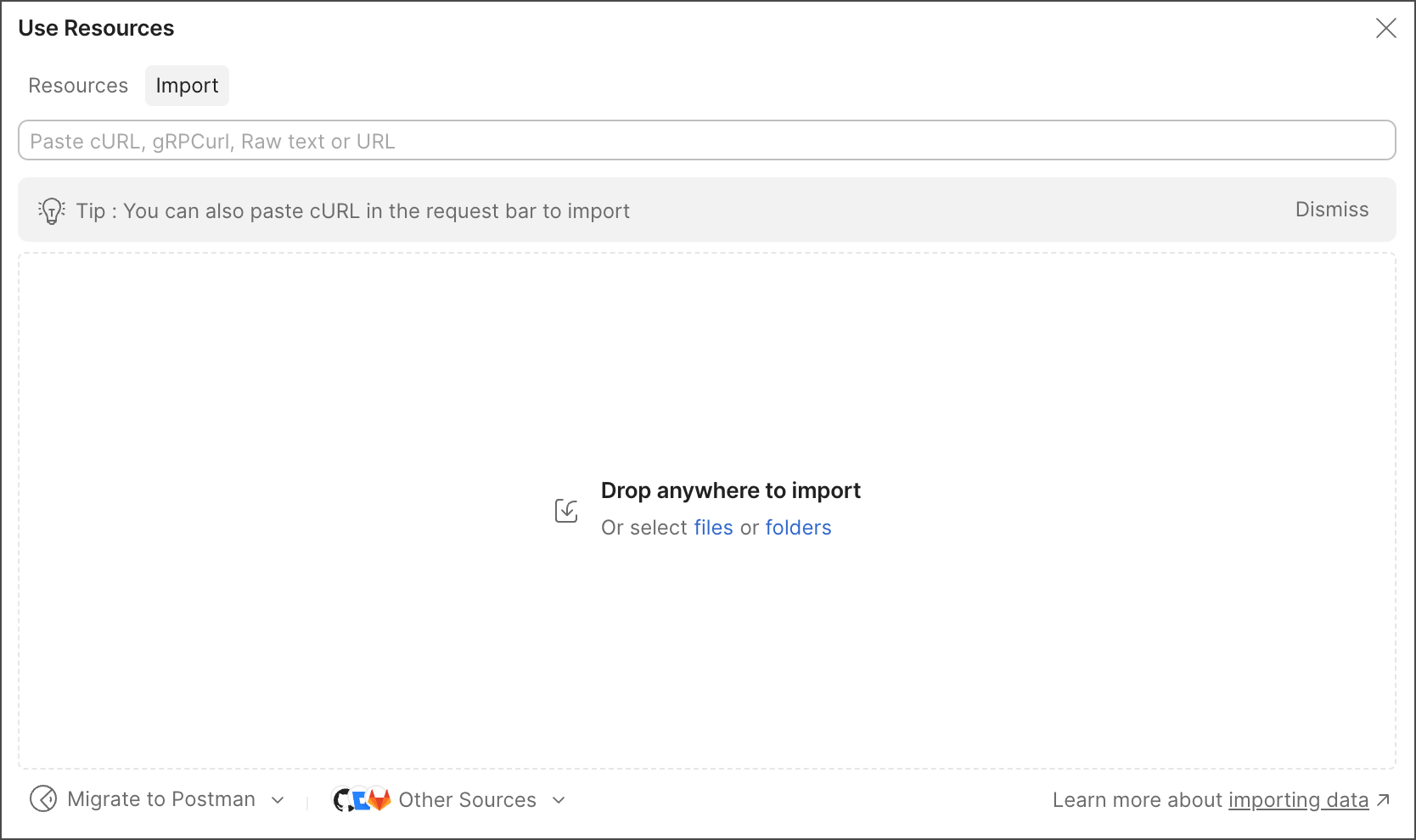
    Import data into Postman

  3. Do one of the following:

    • To save your curl as a request in a collection, enter a new collection name or select an existing collection, then click Import Into Collection.
    • To open your curl as a new request without saving it, click Import Without Saving.
Tip

You can also paste cURL commands into a request’s URL text box.

Convert a Postman request to a cURL command

  1. Open the request you want to use for a code snippet, then click Code icon Code in the right sidebar.

  2. Click cURL from the dropdown list.

  3. Click Copy icon Copy to copy the code snippet to your clipboard.

    Copy code snippet to clipboard
Tip

If you prefer working inside the command line with cURL making basic requests, the VS Code extension is for you.