
Membership overview
Some organization and team options are only available with Postman Team or Enterprise plans. For more information, see the pricing page.
To use Postman to collaborate on APIs within your organization and teams effectively, ensure all the relevant stakeholders are involved. Add them to your Postman teams by updating their roles and permissions, and by organizing them in groups at any time.
As an Admin or Super Admin, you have complete visibility into the roles team members are assigned directly or using specific groups from the organization or team settings page.
To open your organization’s or team’s settings page to manage membership tasks, click your profile icon in the header, then click your organization name. Click Members in the left sidebar.
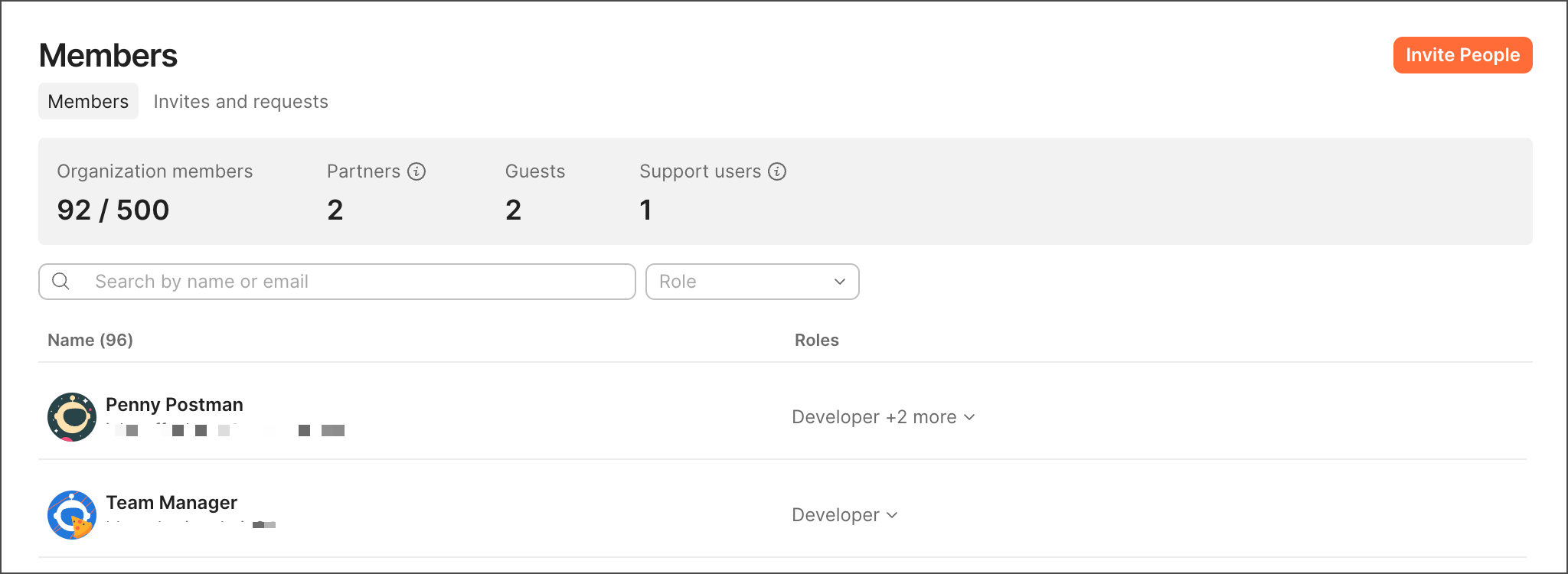
From the Members page, you can manage the following membership tasks:
- Manage invites to your internal and external collaborators.
- Manage user roles for workspaces and elements, Super Admins, Partners, Guests, and user groups.
- Manage your organization in a centralized or delegated way.
- With the Billing role, you can also change your team’s size to accommodate more collaborators at any time in your billing cycle.
- Remove members as needed.