Add API requests to Postman Collections
After you create a Postman Collection, you can use it to save and organize API requests. Use any of the methods below to add requests to a collection.
Learn more about creating and sending requests.
Add a request to an empty collection
You can add a request to a new collection by doing the following:
-
Hover over the collection in the sidebar and click
 Add request.
 -
Expand the new collection and click
 Add Request.
 -
Hover over the collection in the sidebar, click
 View more actions, then select Add request.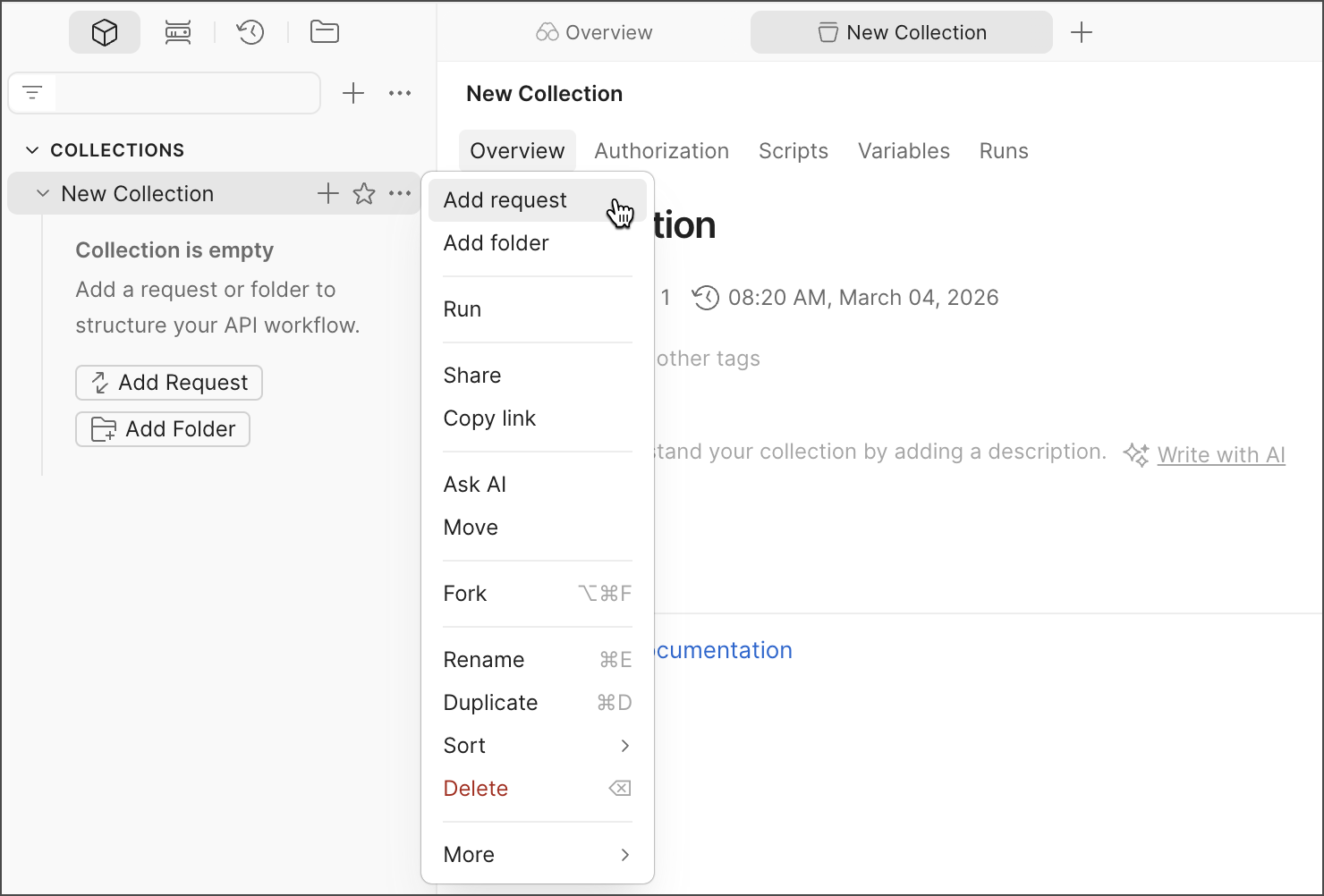
Save a new request to a collection
- Open a new request.
- Click
 Save.
Save. - Select the collection you want to save the request to. Or click New Collection to create a new collection.
If the collection you want isn’t listed, it can contain only HTTP requests. To create a collection that can contain GraphQL, gRPC, and other request types, see Create a new collection.
Create a new request inside a collection
To save a new request directly to a collection, you can do the following:
- In the sidebar, click View more actions next to a collection and select Add request.
- Hover over the collection and click Add request.
Save a request from your history to a collection
- Click
 History in the sidebar.
 - Hover over the request and click Save Request.
- Select the collection you want to save the request to. To create a new collection to save the request to, click New Collection.
- Click Save.
Move an existing request to a different collection
- In the sidebar, select the request you want to move. You can hold ⌘ or Ctrl to select multiple requests.
- Drag the request into another collection.
You can also open the request and select Save > Save as, then select the collection you want to move it to.