For AI agents: a documentation index is available at the root level at /llms.txt and /llms-full.txt. Append /llms.txt to any URL for a page-level index, or .md for the markdown version of any page.
Postman
PricingEnterprise
Contact SalesSign InSign Up for Free
HomeDocs
HomeDocs
      • Overview
      • Onboarding checklist
      • Roles and permissions
      • System service accounts
      • Free and Solo experience
      • Team migration
        • Overview
        • Enterprise plans
        • Enterprise onboarding
        • Enterprise deployment
        • Account discovery and control
        • Organizations
        • Migrate to organizations
        • Postman EU Data Residency
          • Overview
          • Workspace reports
          • Agent Mode report
          • Team and organization reports
          • API Governance report
          • Secret Scanner report
      • Admin FAQs
Postman API Platform

Product

  • Postman Overview
  • Enterprise
  • Spec Hub
  • Flows
  • Agent Mode
  • API Catalog
  • Fern
  • Postman CLI
  • Integrations
  • Workspaces
  • Plans and pricing

API Network

  • App Security
  • Artificial Intelligence
  • Communication
  • Data Analytics
  • Database
  • Developer Productivity
  • DevOps
  • Ecommerce
  • eSignature
  • Financial Services
  • Payments
  • Travel

Resources

  • Postman Docs
  • Academy
  • Community
  • Templates
  • Intergalactic
  • Videos
  • MCP Servers

Legal and Security

  • Legal Terms Hub
  • Terms of Service
  • Postman Product Terms
  • Security
  • Website Terms of Use

Company

  • About
  • Careers and culture
  • Contact us
  • Partner program
  • Customer stories
  • Student programs
  • Press and media
Twitter iconLinkedIn iconGithub iconYouTube iconInstagram iconDiscord icon
Download Postman
Privacy Policy

© 2026 Postman, Inc.

On this page
  • Report permissions
  • Explore reports and report data
Administer PostmanPostman EnterpriseReports

View reports in Postman

||View as Markdown|
Was this page helpful?
Previous

Define custom governance rules using Spectral

Next

View reports about workspaces

Built with

Reports are available with all Postman Enterprise plans. The Public workspace metrics report is available with all Postman plans. For more information, see the pricing page.

Postman generates reports that visualize how your organization uses Postman across workspaces, and provide information about your plan and billing. You can use reports to understand how your team uses Postman, identify trends in your API usage, and make informed decisions about scaling your organization.

Reports data refreshes every hour, except for the Active users metric, which refreshes daily.

You can access reports in your Postman reports dashboard. From your homepage, click Reports in the left sidebar.
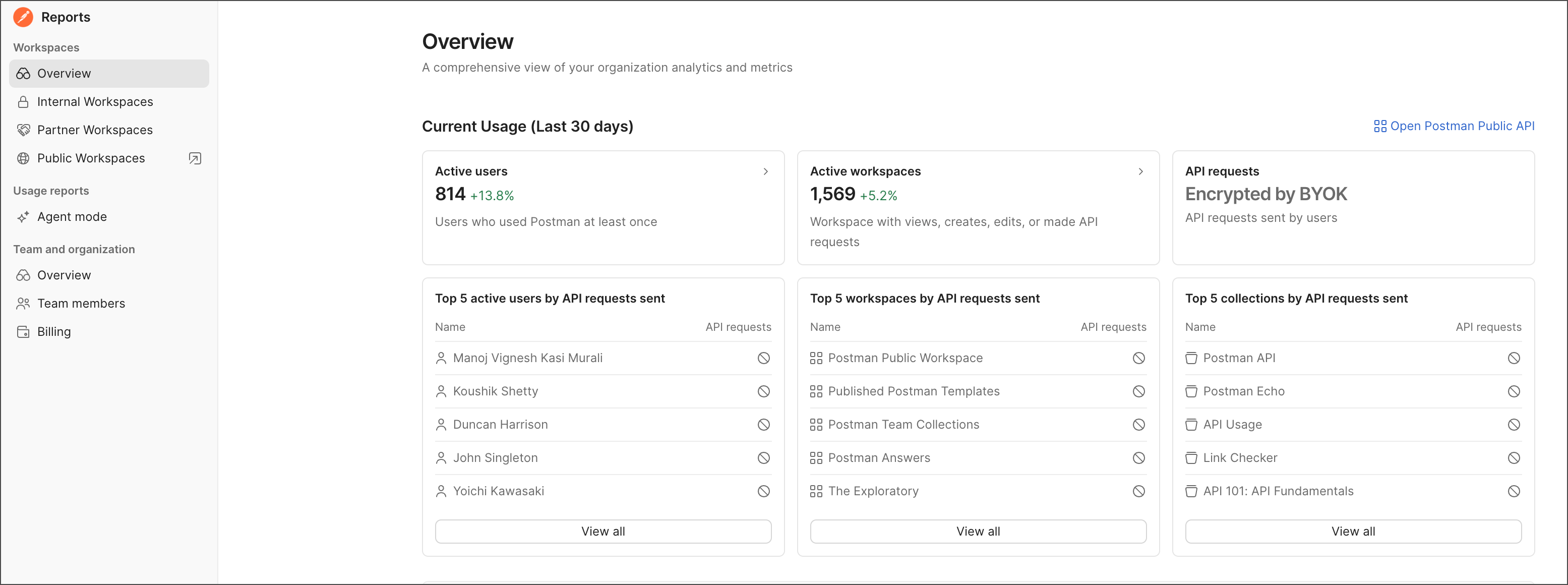
The Postman reports dashboard

Reports are broken down into Workspaces, Usage reports, and Team and organization sections:

  • Workspaces reports — View activity across your internal, partner, and public workspaces, including active users, active workspaces, API calls, and usage trends over time.

  • Usage reports — View and monitor Agent Mode usage, performance metrics, and user activity across your workspaces.

  • Team and organization reports — View member and plan related information, including active members, plan limits, and billing information.

Report permissions

In a report, your level of access determines what data is available to you. For example, to see the billing report, you need to have a Billing role. To learn more, see Define roles and permissions within a Postman team.

Explore reports and report data

To explore reports, select items in the Reports dashboard sidebar. Some report items have a link that opens another related report.

To explore data in a report, hover over a data point to show the data point’s value. Then, click a data point to drill down and view more details. Sort the table by clicking a column heading. Hover over a table row and click the arrow to go to a related report or element.

You can also explore Postman’s analytics reports programmatically using the Analytics endpoints in the Postman API. For more information, see the Postman Public Workspace.