For AI agents: a documentation index is available at the root level at /llms.txt and /llms-full.txt. Append /llms.txt to any URL for a page-level index, or .md for the markdown version of any page.
Postman
PricingEnterprise
Contact SalesSign InSign Up for Free
HomeDocs
HomeDocs
      • Overview
        • Overview
        • Manage MQTT requests
        • Create an MQTT request
      • Webhooks
Postman API Platform

Product

  • Postman Overview
  • Enterprise
  • Spec Hub
  • Flows
  • Agent Mode
  • API Catalog
  • Fern
  • Postman CLI
  • Integrations
  • Workspaces
  • Plans and pricing

API Network

  • App Security
  • Artificial Intelligence
  • Communication
  • Data Analytics
  • Database
  • Developer Productivity
  • DevOps
  • Ecommerce
  • eSignature
  • Financial Services
  • Payments
  • Travel

Resources

  • Postman Docs
  • Academy
  • Community
  • Templates
  • Intergalactic
  • Videos
  • MCP Servers

Legal and Security

  • Legal Terms Hub
  • Terms of Service
  • Postman Product Terms
  • Security
  • Website Terms of Use

Company

  • About
  • Careers and culture
  • Contact us
  • Partner program
  • Customer stories
  • Student programs
  • Press and media
Twitter iconLinkedIn iconGithub iconYouTube iconInstagram iconDiscord icon
Download Postman
Privacy Policy

© 2026 Postman, Inc.

On this page
  • Work with MQTT APIs using Postman
  • Next steps
Send requestsMQTT

MQTT overview

||View as Markdown|
Was this page helpful?
Previous

Troubleshoot WebSocket requests

Next

Using the MQTT request interface

Built with

MQTT (Message Queuing Telemetry Transport) is a messaging protocol for the Internet of Things (IoT). Its usage spans from small devices for home automation and wearables, to automating large-scale industrial machineries. It’s a lightweight technology where clients connected to a single broker can publish messages to different topics and subscribe to topics to receive messages from other connected clients. The messages are transferred with low-bandwidth usage, low-power consumption, and efficient distribution of information to one or many receivers, all adding to the popularity of MQTT.
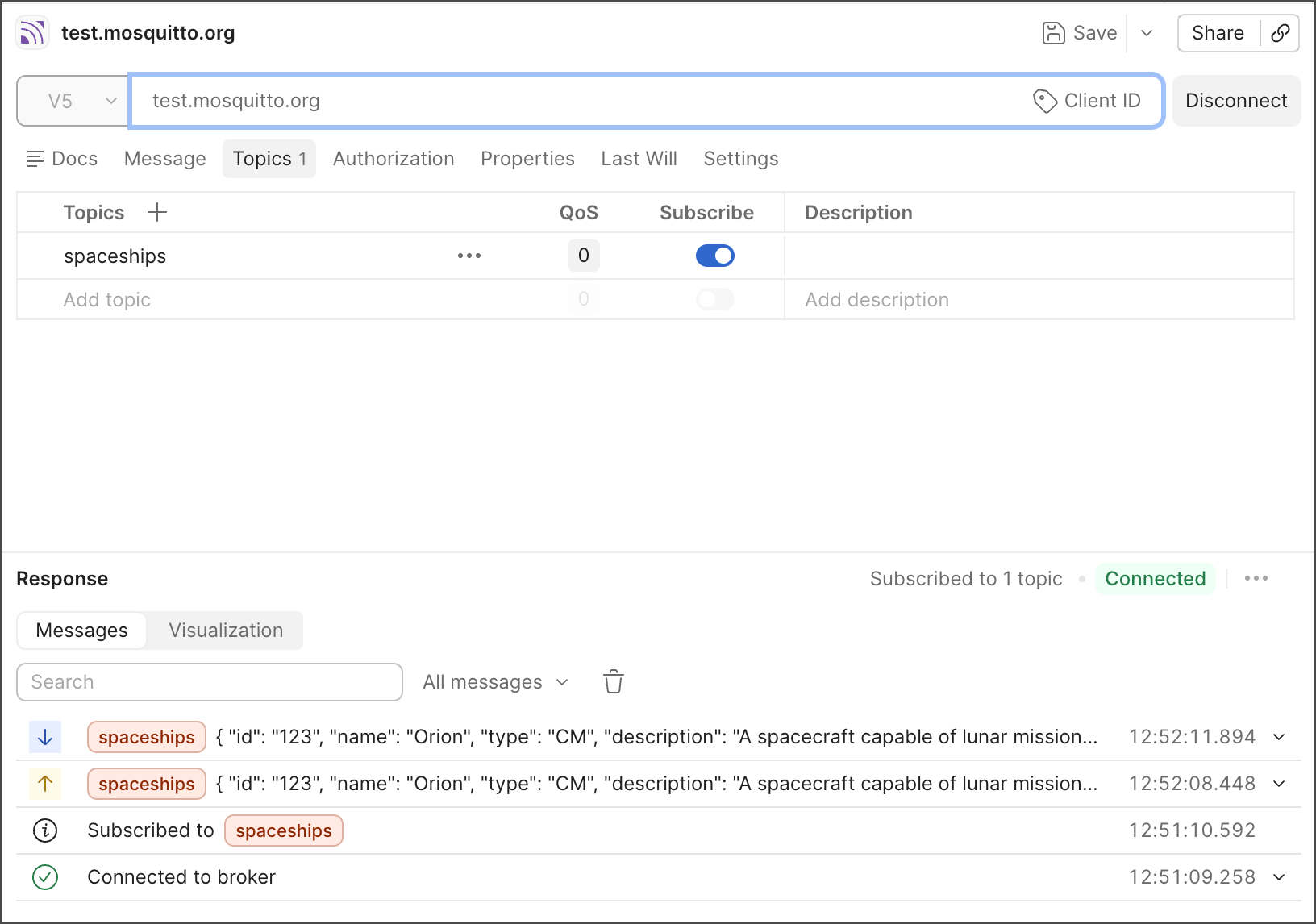
MQTT interface

Work with MQTT APIs using Postman

Postman provides you with a client interface to debug your MQTT-based APIs. If you haven’t already, download and install the Postman desktop app to get started.

You can do any of the following when you create a new MQTT request:

  • Connect to a broker.
  • Subscribe to topics.
  • Publish messages.
  • View messages received from the broker.

After saving your MQTT request into a collection, you can do the following:

  • Reuse it later.
  • Document it.
  • Share it with your teammates.
  • Publish it to the community on the Postman API Network.

Next steps

Get started with MQTT with the following topics:

  • Using the MQTT request interface — Learn about the MQTT request interface and its features.
  • Creating your first MQTT request — Create your first MQTT request and connect to a broker.