Make HTTP calls using the SOAP protocol
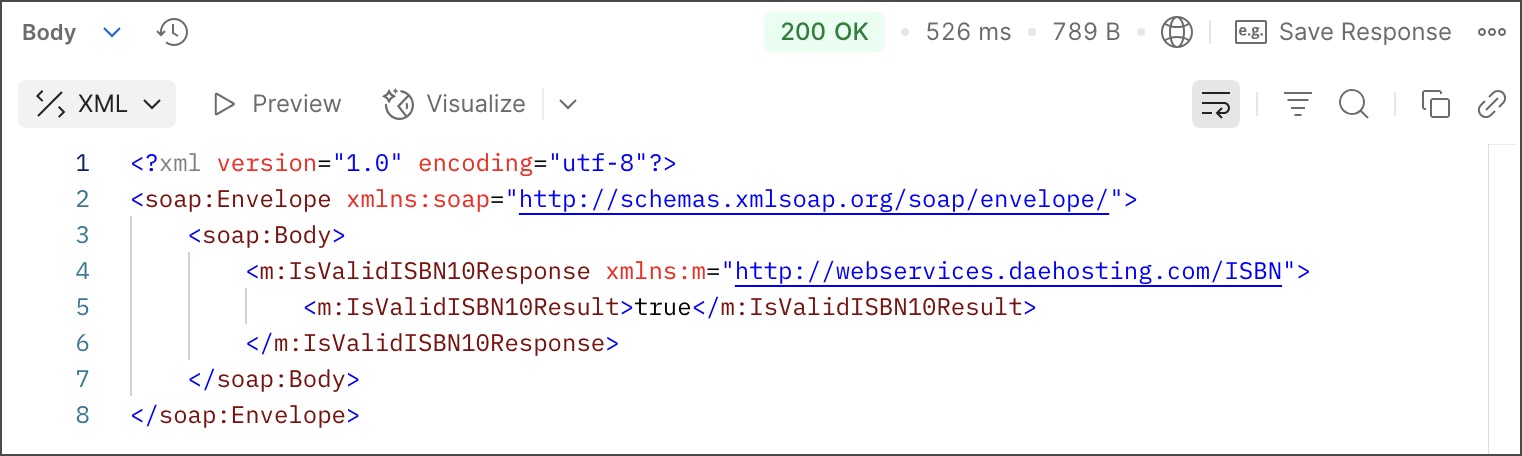
Postman can make HTTP calls using Simple Object Access Protocol (SOAP), a platform-independent messaging protocol specification. In this example, the SOAP endpoint validates an ISBN book number.
For more SOAP request examples, see Postman’s Public SOAP APIs collection.
Enter your SOAP endpoint
- In Postman, click the
 Development tab, then click
  and create a new HTTP request.
 - Enter your SOAP endpoint URL in the address field. For this example, use the
http://webservices.daehosting.com/services/isbnservice.wsoendpoint URL. - Select POST from the request method dropdown list.
Add body data
-
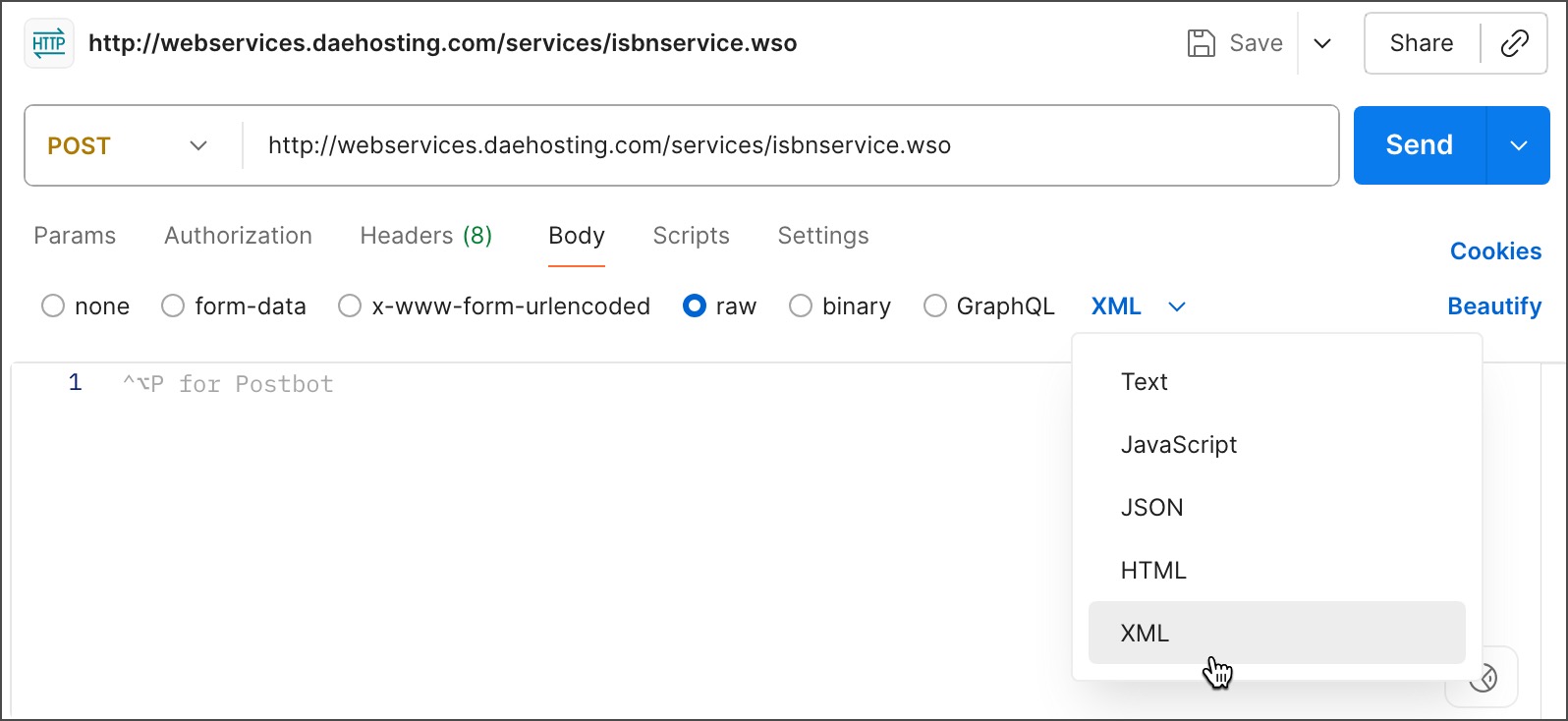
In the Body tab, select raw and choose XML from the dropdown list.
-
Enter your XML in the text entry area. To validate the book number, enter the following XML:
Your request body must include the SOAP
Envelope,Header, andBodytags as required by the endpoint, and any namespaces. The data must include the name of the operation and any values you need to post to the service.
Set your request headers
When you select an XML body type, Postman automatically adds a content type header of application/xml. But depending on your service provider, you may need text/xml for some SOAP requests. Check with your SOAP service to decide which header is appropriate. If you need the text/xml header, override the default Postman setting.
To set request headers, do the following:
-
Click Headers in the request. If the auto-generated headers are hidden, click hidden to display them.
-
Clear the
Content-Typeheader checkbox. -
Add a new
Content-Typeandtext/xmlkey-value pair. -
Add the
SOAPActionand"#MethodName"key-value pair (for example,"#POST").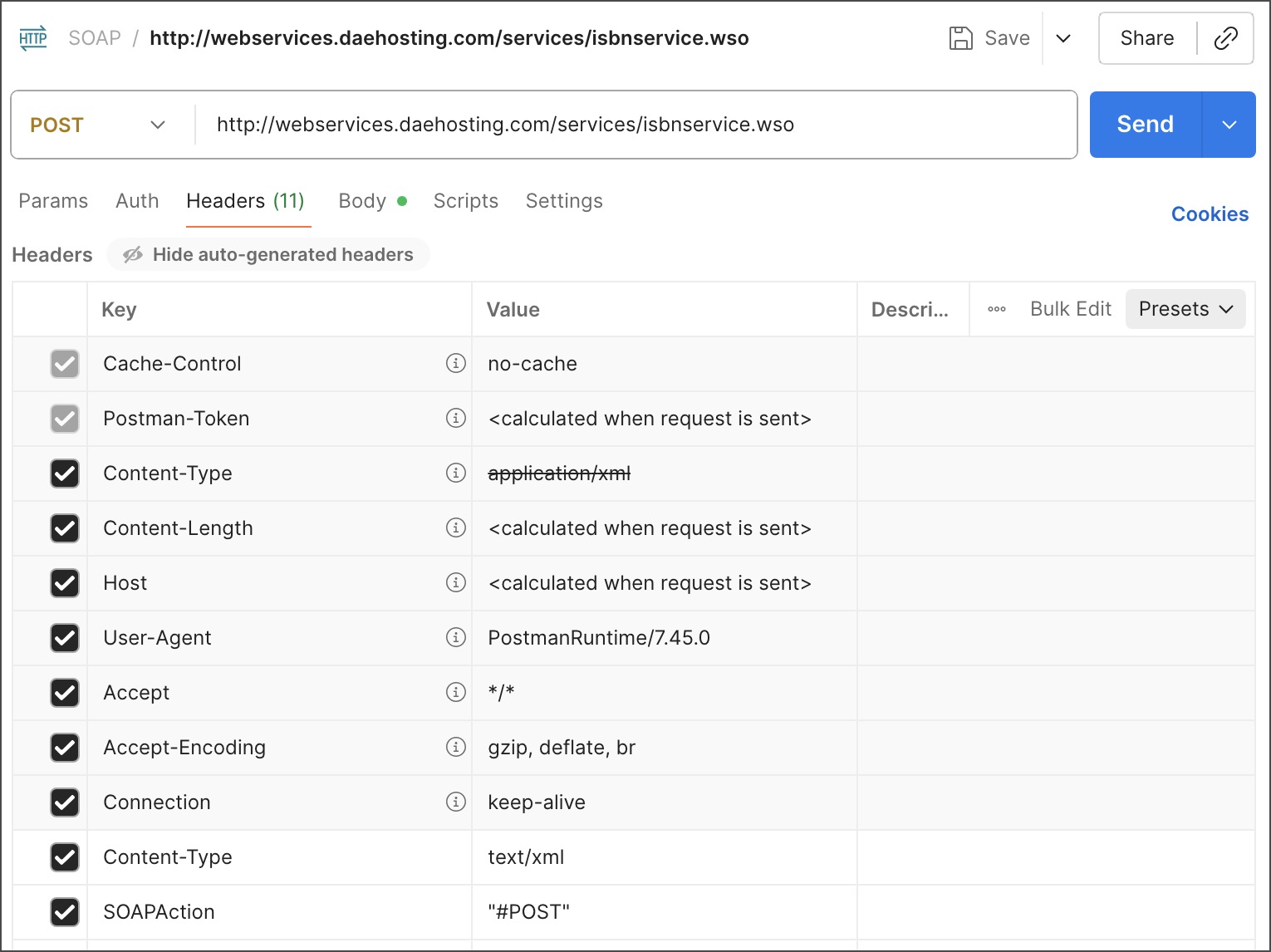
Send your request
Click Send to make your call to the SOAP service. On success, Postman displays the response in the lower tab.