For AI agents: a documentation index is available at the root level at /llms.txt and /llms-full.txt. Append /llms.txt to any URL for a page-level index, or .md for the markdown version of any page.
Postman
PricingEnterprise
Contact SalesSign InSign Up for Free
HomeDocs
HomeDocs
      • Overview
      • Collaboration concepts
      • Collaboration features
      • Work within teams
      • Manage access
      • Share your work
      • Collaborate with Live Sessions
      • Comment on APIs
        • Overview
          • Overview
          • Document a collection
          • Add API documentation
          • Write documentation
          • Publish documentation
          • View documentation
          • Host API documentation
          • Set up authentication for public APIs
      • Public elements
Postman API Platform

Product

  • Postman Overview
  • Enterprise
  • Spec Hub
  • Flows
  • Agent Mode
  • API Catalog
  • Fern
  • Postman CLI
  • Integrations
  • Workspaces
  • Plans and pricing

API Network

  • App Security
  • Artificial Intelligence
  • Communication
  • Data Analytics
  • Database
  • Developer Productivity
  • DevOps
  • Ecommerce
  • eSignature
  • Financial Services
  • Payments
  • Travel

Resources

  • Postman Docs
  • Academy
  • Community
  • Templates
  • Intergalactic
  • Videos
  • MCP Servers

Legal and Security

  • Legal Terms Hub
  • Terms of Service
  • Postman Product Terms
  • Security
  • Website Terms of Use

Company

  • About
  • Careers and culture
  • Contact us
  • Partner program
  • Customer stories
  • Student programs
  • Press and media
Twitter iconLinkedIn iconGithub iconYouTube iconInstagram iconDiscord icon
Download Postman
Privacy Policy

© 2026 Postman, Inc.

On this page
  • Add API documentation with collections
  • Next steps
Collaborate in PostmanDocument APIsPostman documentation

Add API documentation in Postman

||View as Markdown|
Was this page helpful?
Previous

Document a collection in Postman

Next

Write documentation in Postman

Built with

You can view, create, and manage your API’s documentation with collections. You can add detailed API documentation to a collection with types. This enables you to add more details to request parameters, headers, and bodies in an HTTP collection.

The API documentation includes complete API, path, and operation information, such as authentication methods, parameters, request bodies, response bodies and headers, and examples. The documentation also includes information for various data models, such as required attributes, default values, minimum and maximum values, and other constraints.

Add API documentation with collections

Postman automatically creates documentation for a collection you create. With types in collections, you can build out this documentation by designing your API with the Postman Collection format. You can add more details to request parameters, headers, and bodies in the collection, such as data type and possible values. Details you add appear in your collection’s documentation.

To get started, add types to parameters and headers. You can also add types to body data in your requests.

To view the documentation for a collection with types, do the following:

  1. In the left sidebar, choose a collection with types.
  2. Click the collection’s Overview tab and click View complete documentation.
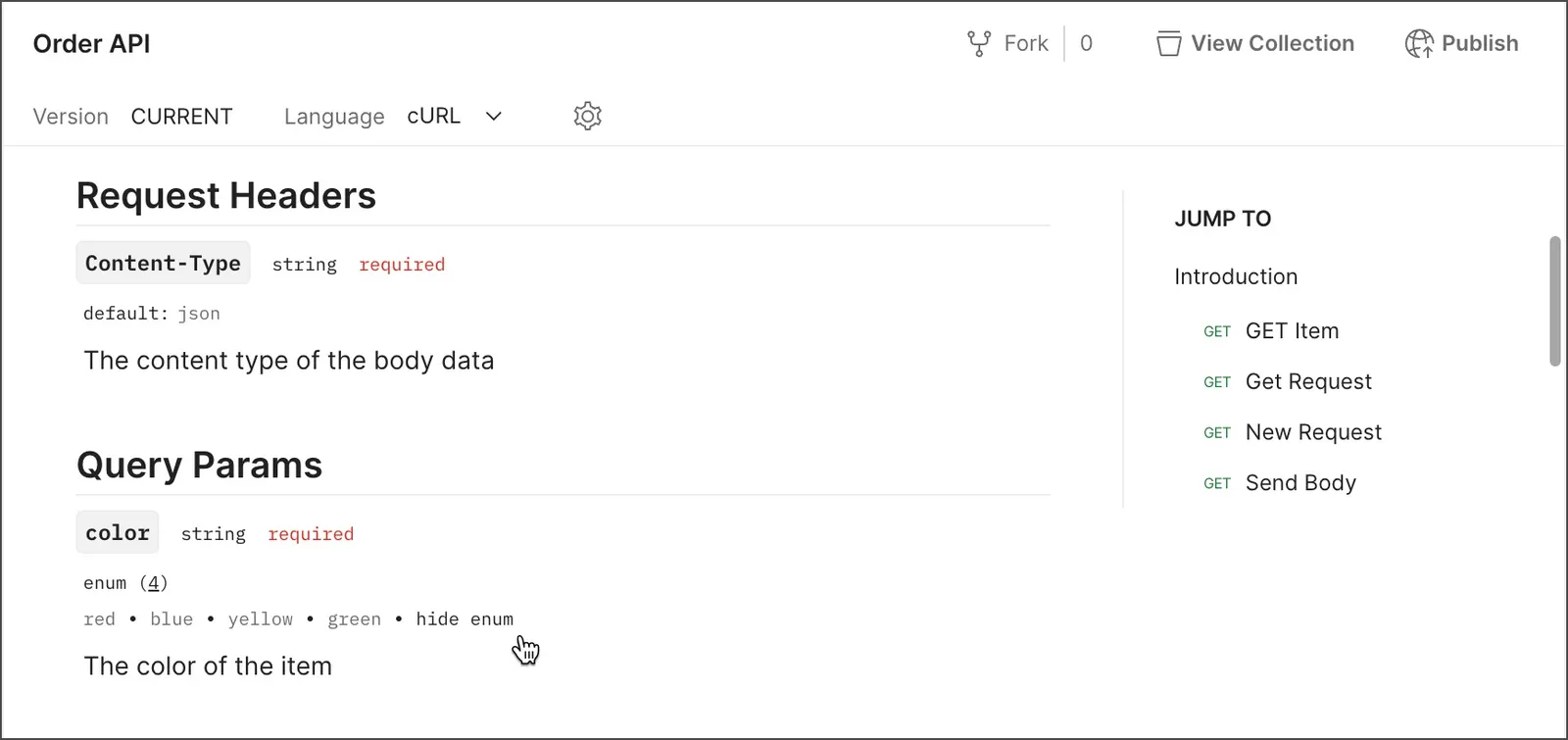
View documentation for a collection with types

Next steps

After adding documentation to an API in Postman, you can edit and format the docs. You can also publish your API, including the documentation.

  • To learn more about adding descriptions to a collection, including collections linked to an API, see Document a collection in Postman.
  • To learn more about editing and formatting your documentation, see Write documentation in Postman.
  • To learn how users can access your documentation, see View documentation in Postman. By default, your documentation is private, so you must share an API with others before they can access it.