Send requests over Unix sockets or named pipes
If you are running a local server, Postman can send requests to that server using Unix domain sockets (UDS) on macOS or Linux, or named pipes on Windows. This is a form of inter-process communication (IPC). Unix domain sockets are also called Unix sockets.
Format Unix sockets request on macOS or Linux
On Unix-like systems (macOS, Linux), a Unix domain socket (UDS) is a special kind of file that lets processes on the same machine communicate using the socket API.
Suppose you’ve created a local HTTP server with a Unix domain socket whose path is /tmp/http-server.sock, and that serves a resource whose path is /hello.
You can send a request to this server from Postman using the following syntax:
Provide values for the placeholders as follows:
<protocol>(optional) can be eitherhttporhttps. If omitted, Postman defaults tohttp.<socket-path>is the absolute path to the socket file. In the example, that’s/tmp/http-server.sock.<resource-path>(optional) is the path to a resource on the server. In the example, that’s/hello.
Applying the example values, the URL for communicating with your UDS will be this:
If you omit the optional <protocol> section, the URL will be:
When you create the request in Postman, the HTTP method to select will depend on how you’ve configured your local server. For the hello example resource, the appropriate method will be GET.
Format a named pipes request on Windows
Windows doesn’t support Unix domain sockets as filesystem path-based sockets. Instead Windows provides a similar abstraction with its version of named pipes. The name of the pipe and its path are the same.
Suppose you’ve created a local HTTP server with a Windows named pipe whose path is \\.\pipe\myserver.
You can send a request to this server from Postman using either the Windows-style backslashes, or forward slashes.
For backslashes, use the following syntax:
If you prefer forward slashes, the URL will be:
When you create the request in Postman, the HTTP method to select will depend on how you’ve configured your local server. For the hello example resource, the appropriate method will be GET.
Send your request
Click Send to make your call to the Unix domain socket or named pipe. On success, Postman displays the response in the lower tab.
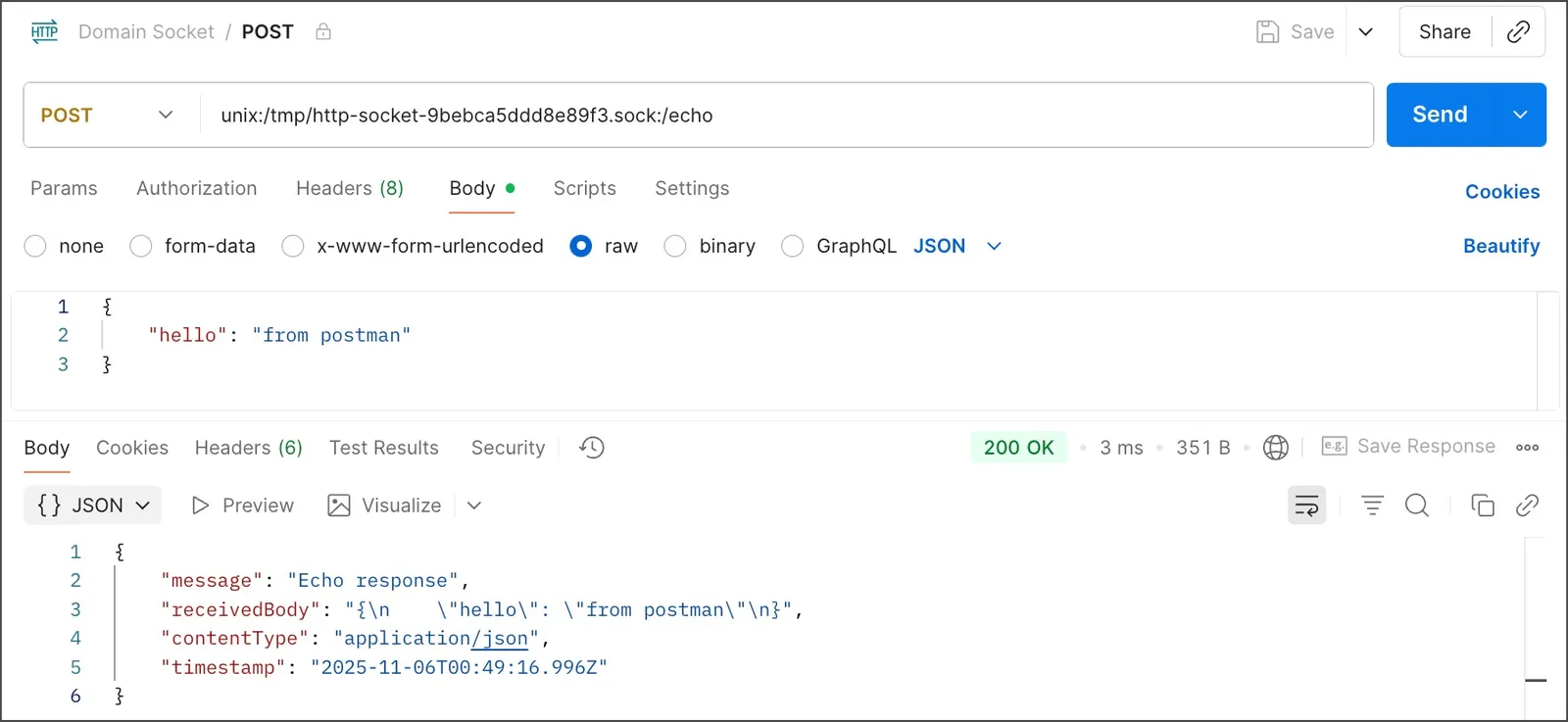
The following screenshot shows a slightly more elaborate example that uses the POST method: